KMA 26-style audio panel
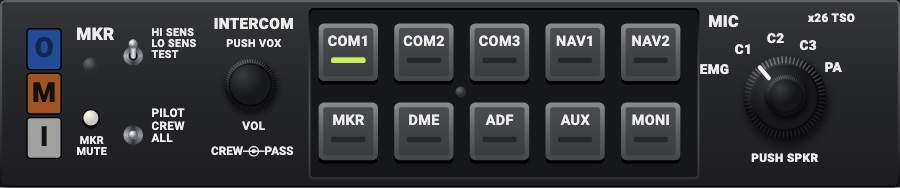
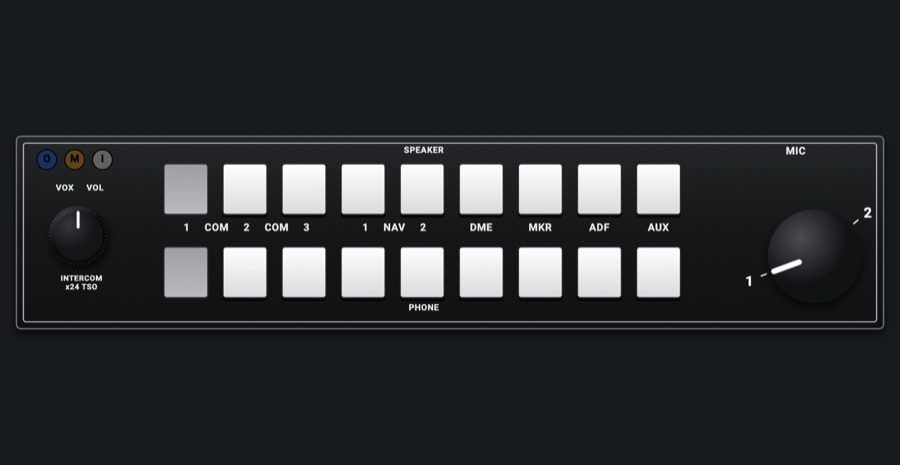
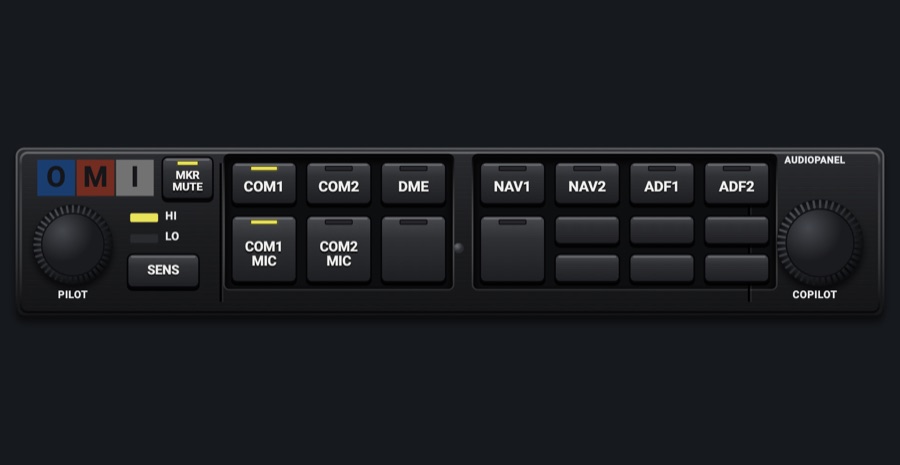
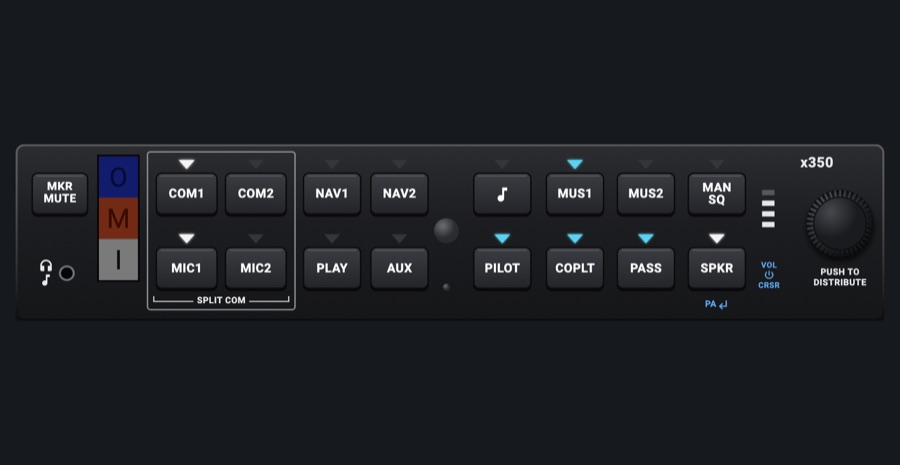
The 172R / S's audio panel: the marker lamps, COM 1-3, NAV 1 / 2, MKR, DME and ADF heard on their lit keys, the MIC selector (EMG, C1, C2, C3, PA) and PUSH SPKR. The 172S / 182T's KMA 28, with its keys in two rows and a Swap push, is the second model. Both set the simulator's audio keys and transmitter.
- Modeled on
- Bendix/King KMA 26 and KMA 28-style audio panels (172R / S, 182T)
- Category
- Radios and panels
- Size
- 2 × 1 cells
- Version
- 1.0 · 2026-10-19
- Plan
- Pro
- Simulators
- MSFS 2020 · MSFS 2024 · X-Plane 11 · X-Plane 12
Variants
KMA 26v1.0
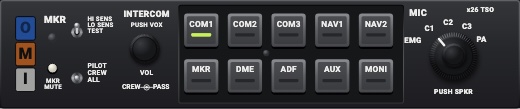
Charcoal faceplate: the marker lamps stacked (O, M, I), MKR MUTE, the sensitivity and intercom toggles, the INTERCOM knob; gray keys COM1 COM2 COM3 NAV1 NAV2 / MKR DME ADF AUX MONI; the MIC selector (EMG C1 C2 C3 PA), PUSH SPKR.
Picker: MODEL > KMA 26
KMA 28v1.0
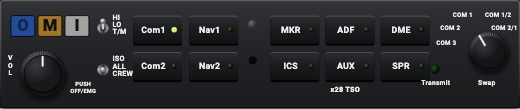
Dark gray faceplate: the marker lamps in a row, the HI / LO / T/M and ISO / ALL / CREW toggles, the VOL knob; black keys Com1 Nav1 MKR ADF DME / Com2 Nav2 ICS AUX SPR with their LEDs; the Transmit LED and the MIC selector (COM 3, 2, 1, 1/2, 2/1), its push Swap.
MODEL > KMA 28
Features
- COM keys hear a COM (or not); NAV1, NAV2, DME, ADF and MKR (and the KMA 28's SPR, the KMA 26's PUSH SPKR) the simulator's audio keys, each lit while on
- MIC selector transmits on COM 1 (EMG, C1; COM 1, COM 1/2) or COM 2 (C2; COM 2, COM 2/1); the KMA 28 push, Swap, trades COM 1 and COM 2
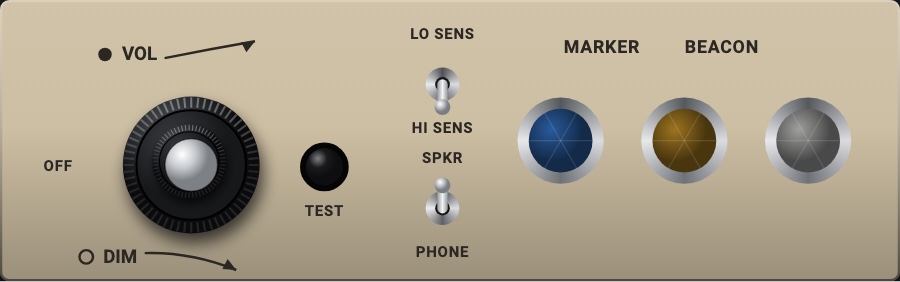
- Marker lamps (O blue, M orange or amber, I white) from the simulator's marker receiver; TEST / T/M lights them while held
- No simulator counterpart: COM 3, PA, AUX, MONI, ICS (their lamps light, nothing else), the sensitivity, the intercom modes, MKR MUTE, the volumes and VOX; the Transmit LED lights only with the lamps test
- Models disguised (x26 TSO, x28 TSO); no maker name
- Lamps and LEDs dimmed at night, dark without avionics power; the faceplate takes the red flood light
On the iPad
- Tap a key to hear or mute that source
- Tap the MIC selector for its next stop, or drag round it; push it (KMA 28) to swap COM 1 and COM 2
- Hold TEST / T/M to light the marker lamps
- Drag the knobs and tap the toggles: they move, nothing else
Settings
- Model: KMA 26 or KMA 28 (picker variant)
Keys and controllers
Map any of these to a key, a game controller's button or axis, or a MIDI knob (how):
- Transmit on COM 1
- Transmit on COM 2
- Audio NAV 1
- Audio NAV 2
- Audio DME
- Audio ADF
- Audio MKR
Simulator data
What the Hub reads from the simulator for this instrument, and what the instrument sends back. Names are the simulators' own: MSFS SimVars and events, X-Plane datarefs and commands.
Reads
| Value | MSFS | X-Plane |
|---|---|---|
| Audio panel keys lit, one bit each (AudioBit: nav1, nav2, dme, adf, mkr, spkr) (bitfield) | NAV SOUND:1 (bool)NAV SOUND:2 (bool)DME SOUND (bool)ADF SOUND:1 (bool)MARKER SOUND (bool)SPEAKER ACTIVE (bool) | sim/cockpit2/radios/actuators/audio_selection_nav1sim/cockpit2/radios/actuators/audio_selection_nav2sim/cockpit2/radios/actuators/audio_dme_enabledsim/cockpit2/radios/actuators/audio_selection_adf1sim/cockpit2/radios/actuators/audio_marker_enabled |
| COM transmitting: 1, 2, 0 none (enum) | COM TRANSMIT:1 (bool)COM TRANSMIT:2 (bool) | sim/cockpit2/radios/actuators/audio_com_selection |
| COM1 heard (1/0) (bool) | COM RECEIVE:1 (bool) | sim/cockpit2/radios/actuators/audio_selection_com1 |
| COM2 heard (1/0) (bool) | COM RECEIVE:2 (bool) | sim/cockpit2/radios/actuators/audio_selection_com2 |
| Marker beacon: 0 none, 1 outer, 2 middle, 3 inner (enum) | MARKER BEACON STATE (number) | sim/cockpit2/radios/indicators/outer_marker_litsim/cockpit2/radios/indicators/middle_marker_litsim/cockpit2/radios/indicators/inner_marker_lit |
Sends
| When you… | MSFS | X-Plane |
|---|---|---|
| NAV1, NAV2, DME, ADF, MKR, SPR / PUSH SPKR keys (AudioBit) | RADIO_VOR1_IDENT_TOGGLERADIO_VOR2_IDENT_TOGGLERADIO_DME1_IDENT_TOGGLERADIO_ADF_IDENT_TOGGLEMARKER_SOUND_TOGGLETOGGLE_SPEAKER | sim/cockpit2/radios/actuators/audio_selection_nav1sim/cockpit2/radios/actuators/audio_selection_nav2sim/cockpit2/radios/actuators/audio_dme_enabledsim/cockpit2/radios/actuators/audio_selection_adf1sim/cockpit2/radios/actuators/audio_marker_enabled |
| The MIC selector: 1 on EMG, C1, COM 1, COM 1/2; 2 on C2, COM 2, COM 2/1; Swap trades them | COM1_TRANSMIT_SELECTCOM2_TRANSMIT_SELECT | sim/cockpit2/radios/actuators/audio_com_selection (6 = COM1, 7 = COM2) |
| The COM 1 and COM 2 keys: that COM heard or not | COM1_RECEIVE_SELECTCOM2_RECEIVE_SELECT | sim/cockpit2/radios/actuators/audio_selection_com1sim/cockpit2/radios/actuators/audio_selection_com2 |
Add-on aircraft with their own systems may use other variables; the Hub reads the standard ones.
Changes
The instrument's version counts what its faces share (the case, the mechanism, the data, the sounds); a face's own version counts that face alone.
- 1.0 2026-10-19
- First numbered version.