GFC 500-style autopilot
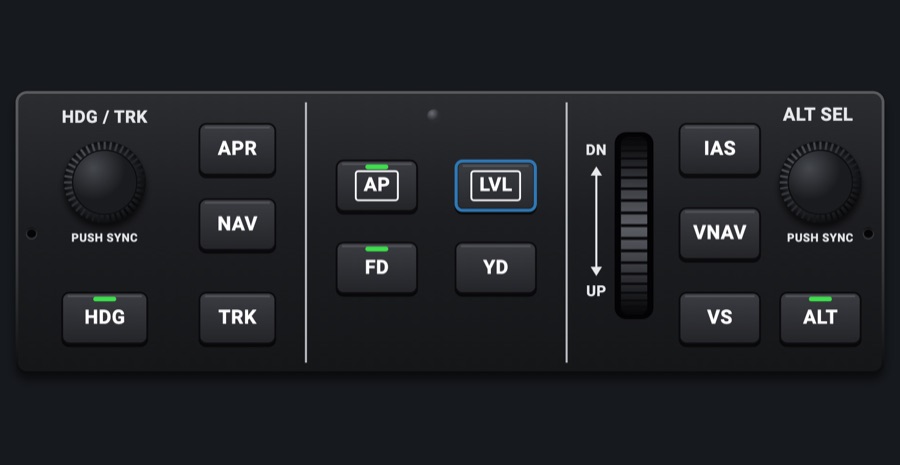
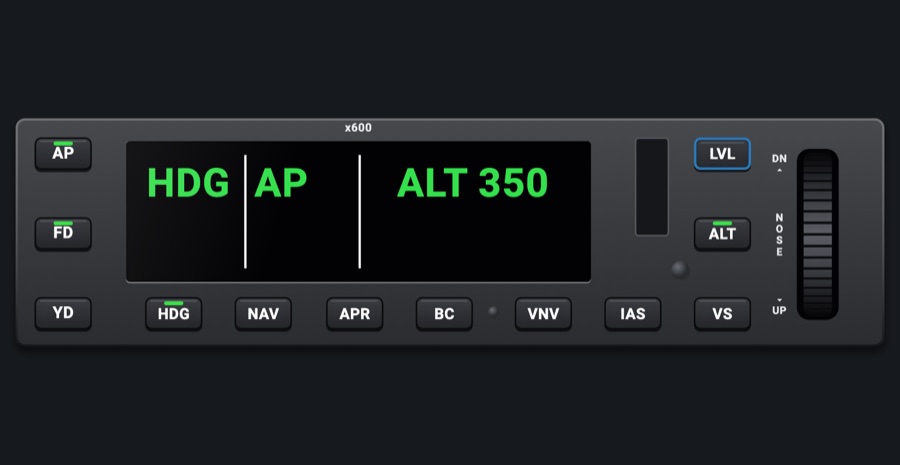
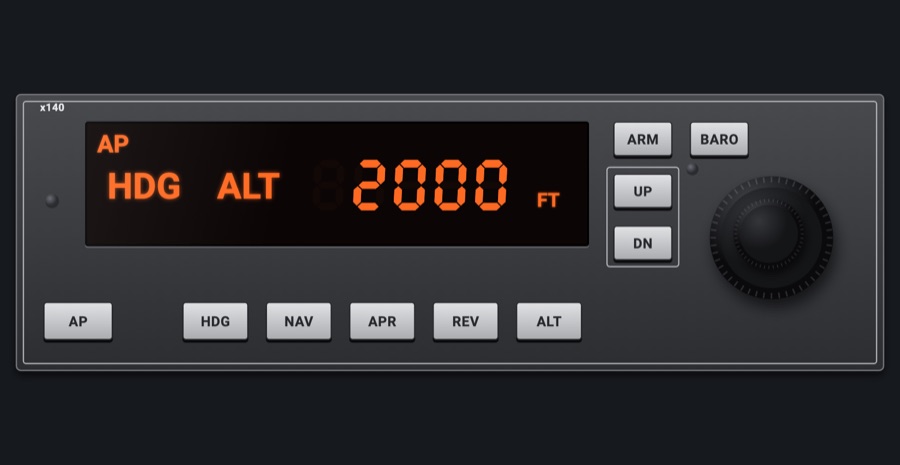
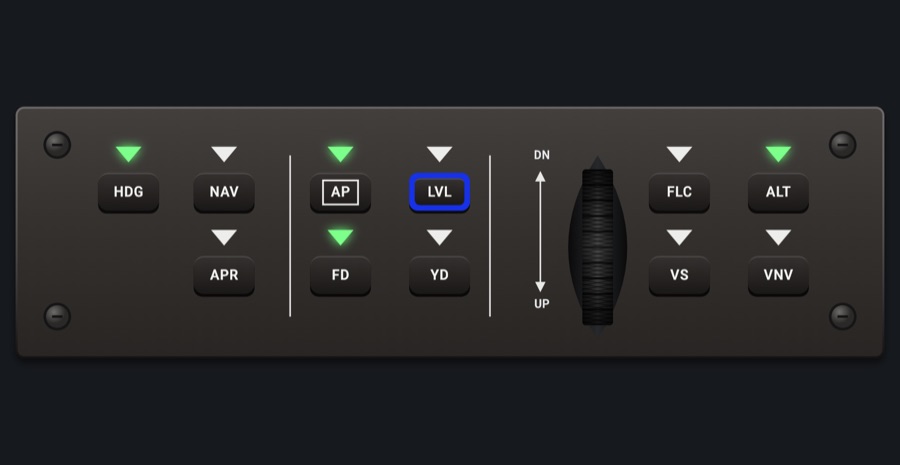
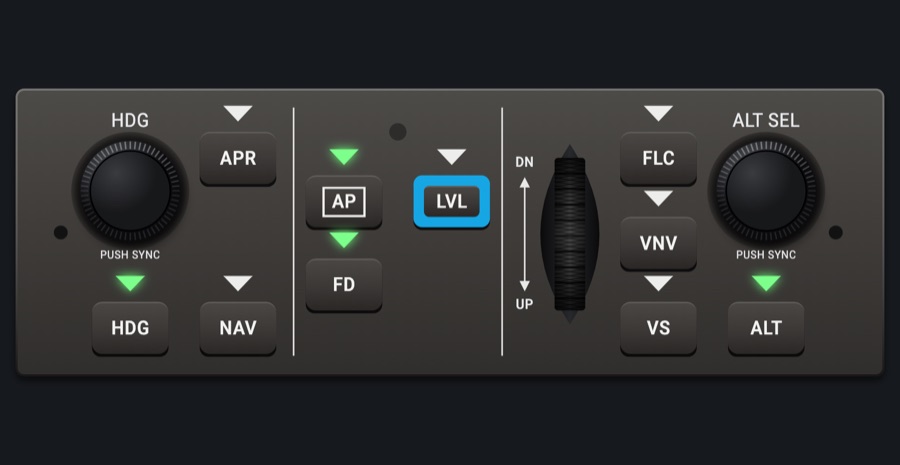
The mode controller of a GFC 500-style autopilot: HDG knob, mode keys, the UP/DN wheel and the ALT SEL knob, driving the simulator's autopilot. A green bar on each key lights when its mode is active.
- Modeled on
- Garmin GFC 500-style autopilot (GMC 507 mode controller)
- Category
- Autopilots
- Size
- 2 × 1 cells
- Version
- 1.0 · 2026-10-19
- Plan
- Pro
- Simulators
- MSFS 2020 · MSFS 2024 · X-Plane 11 · X-Plane 12
Features
- Keys: HDG, NAV, APR, AP, LVL (blue ring), FD, YD, IAS, VS, ALT; green bar lit when the mode is on (APR also while on the glideslope)
- HDG knob sets the heading bug; push to sync to the current heading
- ALT SEL knob sets the selected altitude; push to sync
- Pitch wheel (DN / UP): vertical speed in VS, speed in IAS, else pitch
- Fast knob turns take bigger steps (x10)
- TRK and VNAV keys drawn, no simulator mode
- At night the faceplate, keys and knobs take the red flood light while the display keeps its own colors, dimmed; the glareshield's warm light falls on the faceplate too when its dimmer is up (Settings > Dimmers > Glareshield, off by default)
On the iPad
- Tap a mode key to toggle it
- Drag around the HDG / TRK knob to move the heading bug; tap it to sync
- Drag around the ALT SEL knob for the altitude; tap it to sync
- Drag the wheel up or down (down = nose up / UP)
Keys and controllers
Map any of these to a key, a game controller's button or axis, or a MIDI knob (how):
- Autopilot AP
- Autopilot FD
- Autopilot YD
- Autopilot HDG
- Autopilot NAV
- Autopilot APR
- Autopilot BC
- Autopilot ALT
- Autopilot VS
- Autopilot FLC
- Autopilot LVL
- Autopilot UP / DN +
- Autopilot UP / DN -
- Altitude +
- Altitude -
- Altitude sync
Simulator data
What the Hub reads from the simulator for this instrument, and what the instrument sends back. Names are the simulators' own: MSFS SimVars and events, X-Plane datarefs and commands.
Reads
| Value | MSFS | X-Plane |
|---|---|---|
| Autopilot modes, one bit each (ApBit: ap, fd, yd, hdg, nav, apr, bc, alt, vs, flc, lvl, gs, vnv) (bitfield) | AUTOPILOT MASTER (bool)AUTOPILOT FLIGHT DIRECTOR ACTIVE (bool)AUTOPILOT YAW DAMPER (bool)AUTOPILOT HEADING LOCK (bool)AUTOPILOT NAV1 LOCK (bool)AUTOPILOT APPROACH HOLD (bool)AUTOPILOT BACKCOURSE HOLD (bool)AUTOPILOT ALTITUDE LOCK (bool)AUTOPILOT VERTICAL HOLD (bool)AUTOPILOT FLIGHT LEVEL CHANGE (bool)AUTOPILOT WING LEVELER (bool)AUTOPILOT GLIDESLOPE HOLD (bool) | sim/cockpit2/autopilot/servos_onsim/cockpit2/autopilot/flight_director_modesim/cockpit2/switches/yaw_damper_onsim/cockpit2/autopilot/heading_statussim/cockpit2/autopilot/nav_statussim/cockpit2/autopilot/approach_statussim/cockpit2/autopilot/backcourse_statussim/cockpit2/autopilot/altitude_hold_statussim/cockpit2/autopilot/vvi_statussim/cockpit2/autopilot/speed_statussim/cockpit2/autopilot/roll_statussim/cockpit2/autopilot/glideslope_status |
Sends
| When you… | MSFS | X-Plane |
|---|---|---|
| Any mode key (ApBit index) | AP_MASTERTOGGLE_FLIGHT_DIRECTORYAW_DAMPER_TOGGLEAP_PANEL_HEADING_HOLDAP_NAV1_HOLDAP_APR_HOLDAP_BC_HOLDAP_ALT_HOLDAP_PANEL_VS_HOLDFLIGHT_LEVEL_CHANGEAP_WING_LEVELER | sim/autopilot/servos_togglesim/autopilot/fdir_togglesim/systems/yaw_damper_togglesim/autopilot/headingsim/autopilot/NAVsim/autopilot/approachsim/autopilot/back_coursesim/autopilot/altitude_holdsim/autopilot/vertical_speedsim/autopilot/level_changesim/autopilot/wing_leveler |
| Turning the HDG knob | HEADING_BUG_SET | sim/cockpit2/autopilot/heading_dial_deg_mag_pilot |
| Tapping the HDG knob; the Hub also sets the simulator's own directional gyro to the compass first (X-Plane DG_sync_mag, MSFS HEADING_GYRO_SET) | HEADING_GYRO_SETHEADING_BUG_SET | sim/instruments/DG_sync_magsim/cockpit2/autopilot/heading_dial_deg_mag_pilot |
| Turning the ALT SEL knob | AP_ALT_VAR_SET_ENGLISH | sim/cockpit2/autopilot/altitude_dial_ft |
| Tapping the ALT SEL knob | AP_ALT_VAR_SET_ENGLISH | sim/cockpit2/autopilot/altitude_dial_ft |
| Rolling the pitch wheel (+ nose up) | AP_VS_VAR_SET_ENGLISHAP_SPD_VAR_SETAP_PITCH_REF_INC_UPAP_PITCH_REF_INC_DN | sim/cockpit2/autopilot/vvi_dial_fpmsim/cockpit2/autopilot/airspeed_dial_kts_machsim/autopilot/nose_upsim/autopilot/nose_down |
Add-on aircraft with their own systems may use other variables; the Hub reads the standard ones.
Changes
The instrument's version counts what its faces share (the case, the mechanism, the data, the sounds); a face's own version counts that face alone.
- 1.0 2026-10-19
- First numbered version.