Landing gear
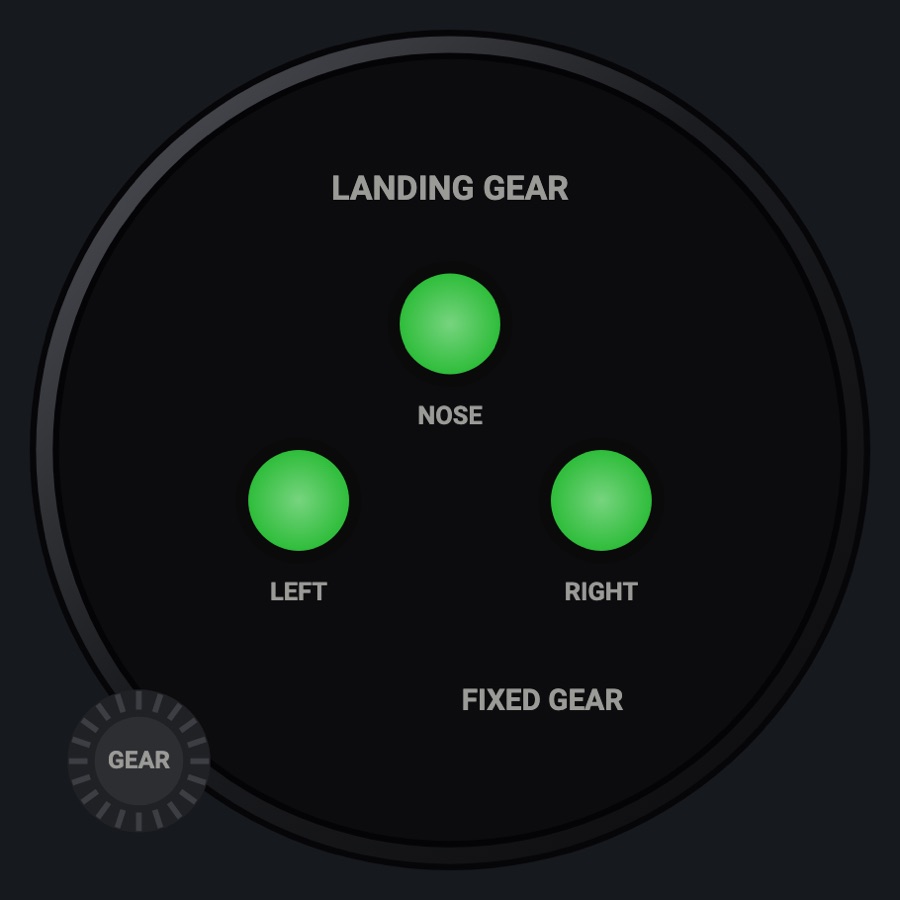
Three gear lights (nose, left, right): green down and locked, red in transit, dark up, with the lever position. Tap the GEAR knob to move the gear in the simulator.
- Modeled on
- Generic three-light landing gear position indicator with gear lever
- Category
- Airframe
- Size
- 1 cell
- Version
- 1.0 · 2026-10-19
- Plan
- Pro
- Simulators
- MSFS 2020 · MSFS 2024 · X-Plane 11 · X-Plane 12
Features
- Nose, left and right lights: green down and locked, red in transit, dark up
- LEVER UP / LEVER DOWN from the simulator's gear handle
- FIXED GEAR shown (all green) on aircraft without retractable gear
- Lights keep their own color and glow at night; the case takes the red flood, the glareshield's warm light and its own instrument lamp (Settings > Dimmers)
- Red X when the gear position is missing
Your aircraft: Shows FIXED GEAR (all green) when the aircraft's gear is not retractable.
On the iPad
- Tap the GEAR knob to raise or lower the gear
- Tap elsewhere on the face to change the instrument
Keys and controllers
Map any of these to a key, a game controller's button or axis, or a MIDI knob (how):
- Gear lever
Simulator data
What the Hub reads from the simulator for this instrument, and what the instrument sends back. Names are the simulators' own: MSFS SimVars and events, X-Plane datarefs and commands.
Reads
| Value | MSFS | X-Plane |
|---|---|---|
| Nose gear position, 0 up .. 1 down and locked | GEAR CENTER POSITION (percent over 100) | sim/flightmodel2/gear/deploy_ratio[0] |
| Left gear position, 0..1 | GEAR LEFT POSITION (percent over 100) | sim/flightmodel2/gear/deploy_ratio[1] |
| Right gear position, 0..1 | GEAR RIGHT POSITION (percent over 100) | sim/flightmodel2/gear/deploy_ratio[2] |
| Retractable gear (1/0) (bool) | IS GEAR RETRACTABLE (bool) | sim/aircraft/gear/acf_gear_retract |
| Gear handle down (1/0) (bool) | GEAR HANDLE POSITION (bool) | sim/cockpit2/controls/gear_handle_down |
Sends
| When you… | MSFS | X-Plane |
|---|---|---|
| Tap on the GEAR knob, or mapped 'Gear lever' | GEAR_TOGGLE | sim/flight_controls/landing_gear_toggle |
Add-on aircraft with their own systems may use other variables; the Hub reads the standard ones.
Changes
The instrument's version counts what its faces share (the case, the mechanism, the data, the sounds); a face's own version counts that face alone.
- 1.0 2026-10-19
- First numbered version.