Airspeed
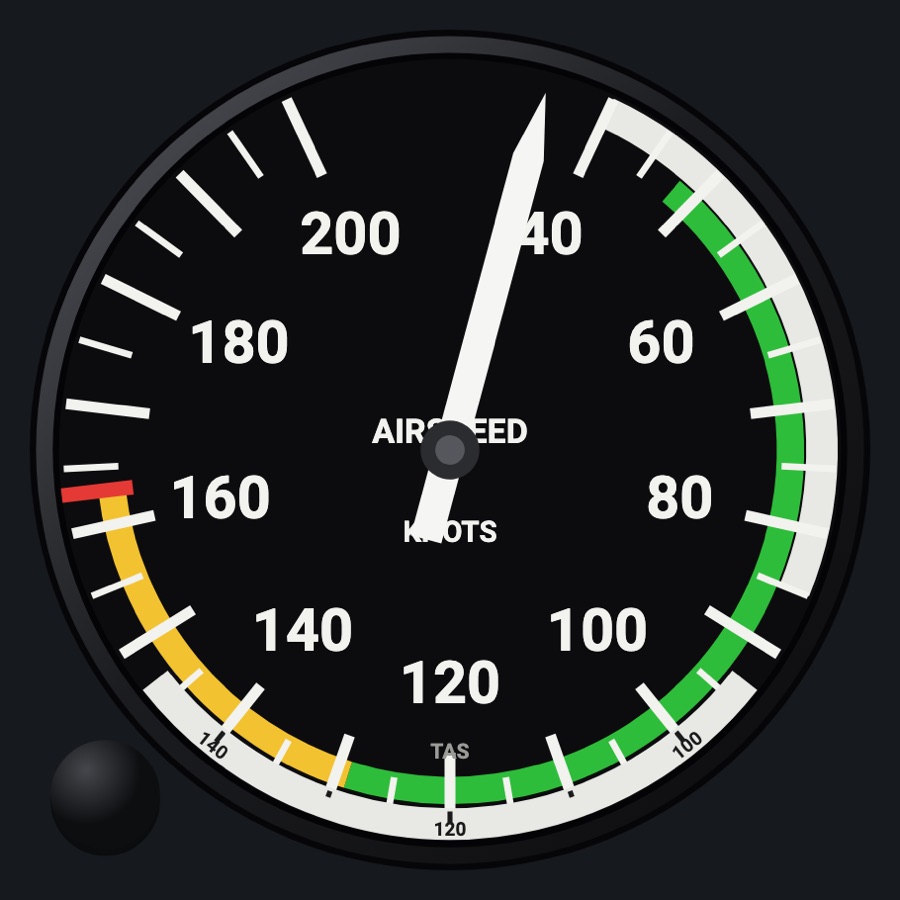
A round airspeed indicator whose colored arcs and red line come from the aircraft profile. It adds a TAS ring you can set by hand, two draggable speed bugs on the bezel, a high-speed face with a moving barber-pole needle, and the overspeed clacker and stall horn.
- Modeled on
- Classic round mechanical airspeed indicator of a light aircraft (Cessna-style), with a true-airspeed ring
- Category
- Flight instruments
- Size
- 1 cell
- Version
- 1.0 · 2026-10-19
- Plan
- Free any two of the six-pack
- Simulators
- MSFS 2020 · MSFS 2024 · X-Plane 11 · X-Plane 12
Variants
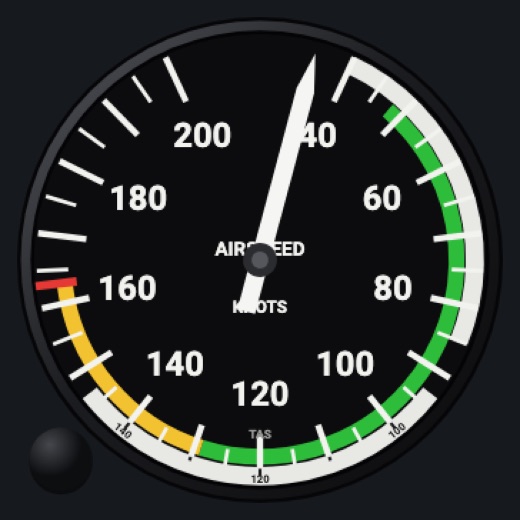
Knotsv1.0
Knots dial, numbers every 20 kt (40 kt above 250).
Instrument picker > FACE > Knots
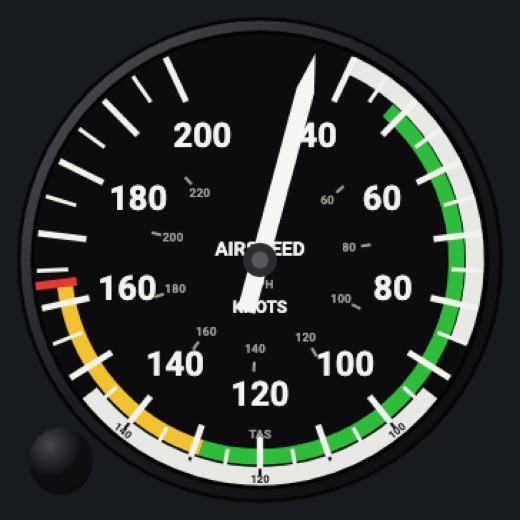
Knots + MPHv1.0
Knots dial with a small inner MPH scale every 20 mph.
FACE > Knots + MPH
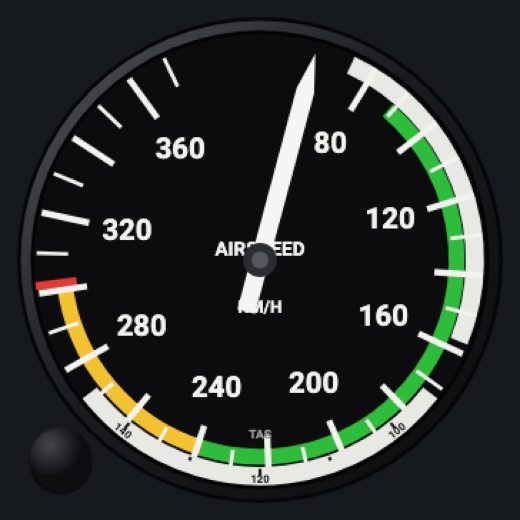
km/hv1.0
Dial in km/h, numbers every 40 km/h from 80.
FACE > km/h
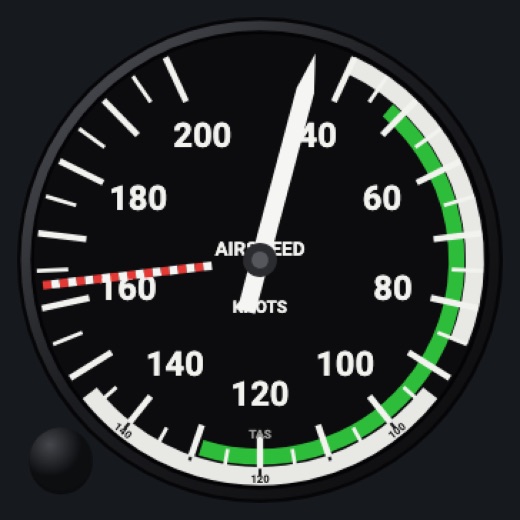
High speedv1.0
No yellow arc or fixed red line: a red-and-white maximum-speed needle (barber pole) that drops about 1.5 kt per 1,000 ft above 10,000 ft; the dial extends past Vne.
FACE > High speed
Features
- White, green and yellow arcs and the red line at Vne, from the aircraft profile (none on a generic aircraft profile, whose speeds are not known)
- Twins: red radial at Vmc and blue line at Vyse
- Dial range 200 or 240 kt depending on the aircraft's Vne; the needle rests just past the top below 40 kt
- TAS ring: set automatically from the simulator's true airspeed, or by hand with its knob (a window shows pressure altitude against temperature)
- Two orange speed bugs on the bezel
- Overspeed clacker past Vne (lower above 10,000 ft) and a stall horn from angle of attack, or a few knots above the stall speed for the flap setting (generic profile: no clacker, the horn from angle of attack only)
- Static-system and pitot failures (blocked, alternate static, blocked pitot with or without drain, pitot heat) affect the needle
- Realistic needles (Settings > Instruments: Off / Light / Normal / Strong): spring-mass needle motion with overshoot and engine vibration (more on the ground)
- Red X across the face when its data is missing or stale, instead of a believable wrong reading
- Night lighting: the face takes the panel's red flood light, the glareshield's warm light from above (stronger for instruments higher on the page) and its own light, a lamp hidden at the top of the case lighting the dial downward (Settings > Dimmers: Red flood light, Glareshield, Instruments (analog))
Your aircraft: Arcs (Vso, Vs1, Vfe, Vno, Vne) from the profile's V-speeds (the handbooks' figures for the 182T, SR22 G6, DA40 NG, Seneca V and SF50; C172 figures when the profile is unknown); Vmc red radial and Vyse blue line on twins (e.g. Baron, Seneca, DA62); dial range follows Vne; warnings use Vne, Vso and Vs1. A generic profile (an aircraft the Hub doesn't know) draws no arcs or red line and scales the dial from the simulator's design cruise speed (x 1.3, else 160 kt). The profile is the Hub's, or the one chosen on the device with 'Use as…'.
On the iPad
- Drag on the bezel ring to place a speed bug (up to two) and move it around the dial; drag a bug into the middle to remove it
- Drag the TAS ring knob (lower left) to set the ring by hand, 500 ft of density altitude a step (starts from the simulator's density altitude); double tap it for automatic
- Tap elsewhere on the face to change the instrument
Settings
- Face: Knots / Knots + MPH / km/h / High speed (instrument picker)
- Overspeed clacker: on / off (Settings > Sounds > Airspeed warnings)
- Stall horn: on / off (Settings > Sounds > Airspeed warnings)
- Static system: Normal / Blocked / Alternate; Pitot: Normal / Blocked / + drain; Pitot heat on / off (Settings > Failures)
- Realistic needles: Off / Light / Normal / Strong (Settings > Instruments)
Keys and controllers
Map any of these to a key, a game controller's button or axis, or a MIDI knob (how):
- Speed +
- Speed -
- Speed sync
Simulator data
What the Hub reads from the simulator for this instrument, and what the instrument sends back. Names are the simulators' own: MSFS SimVars and events, X-Plane datarefs and commands.
Reads
| Value | MSFS | X-Plane |
|---|---|---|
| Indicated airspeed (kt) | AIRSPEED INDICATED (knots) | sim/cockpit2/gauges/indicators/airspeed_kts_pilot |
| True airspeed (kt) | AIRSPEED TRUE (knots) | sim/flightmodel/position/true_airspeed |
| Indicated altitude (ft) | INDICATED ALTITUDE (feet) | sim/cockpit2/gauges/indicators/altitude_ft_pilot |
| Pressure altitude (ft) | PRESSURE ALTITUDE (feet) | sim/flightmodel2/position/pressure_altitude |
| Outside air temperature (degC) | AMBIENT TEMPERATURE (celsius) | sim/cockpit2/temperature/outside_air_temp_degc |
| Angle of attack (deg) | INCIDENCE ALPHA (degrees) | sim/flightmodel2/misc/AoA_angle_degrees |
| Stall angle of attack (deg) | STALL ALPHA (degrees) | sim/aircraft/overflow/acf_stall_warn_alpha |
| On the ground (1/0) (bool) | SIM ON GROUND (bool) | sim/flightmodel/failures/onground_any |
| Flap handle position, 0 = up (index) | FLAPS HANDLE INDEX (number) | sim/cockpit2/controls/flap_handle_deploy_ratiosim/aircraft/controls/acf_flap_detents |
Sends
| When you… | MSFS | X-Plane |
|---|---|---|
| Mapped input 'Speed +' / 'Speed -' (the autopilot's selected speed); not from touching the gauge | AP_SPD_VAR_SET | sim/cockpit2/autopilot/airspeed_dial_kts_mach |
| Mapped input 'Speed sync' | AP_SPD_VAR_SET | sim/cockpit2/autopilot/airspeed_dial_kts_mach |
Add-on aircraft with their own systems may use other variables; the Hub reads the standard ones.
Changes
The instrument's version counts what its faces share (the case, the mechanism, the data, the sounds); a face's own version counts that face alone.
- 1.0 2026-10-19
- First numbered version.