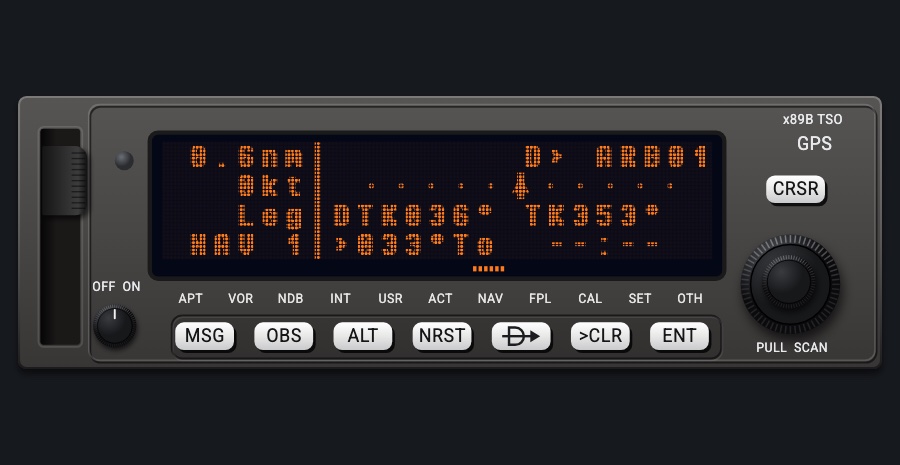
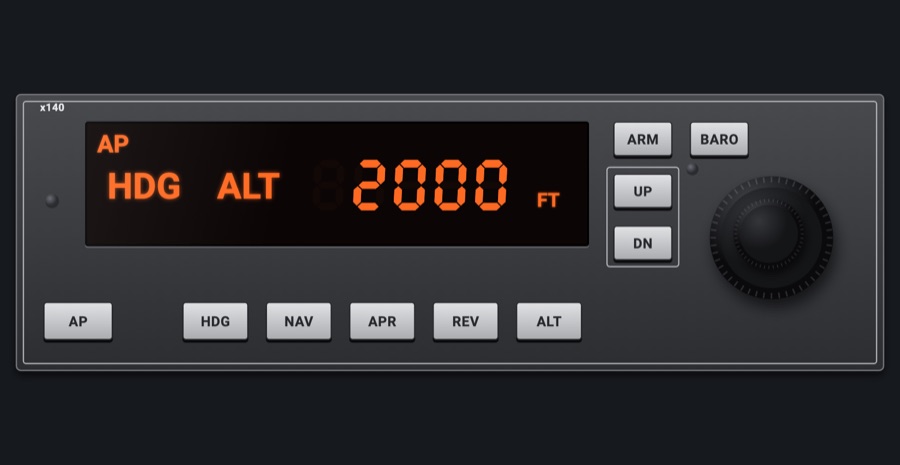
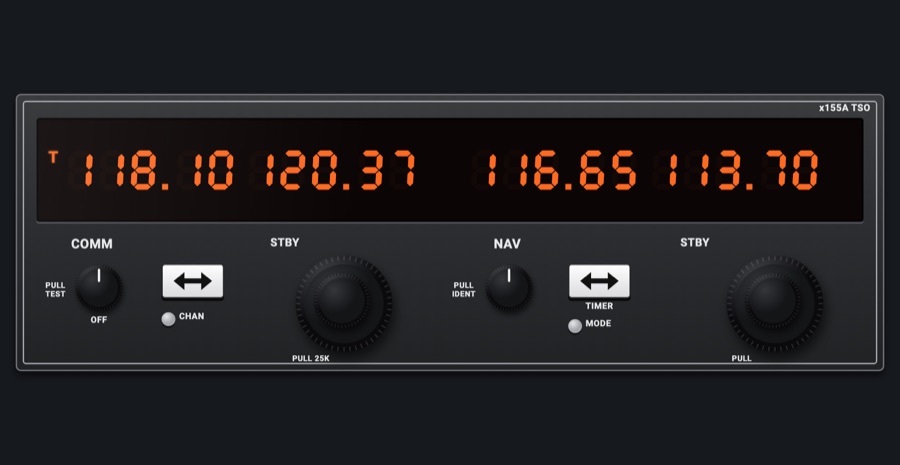
GNS 430-style navigator
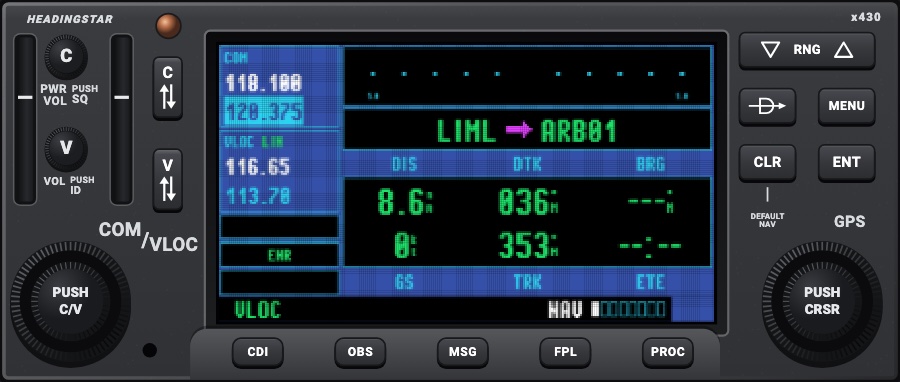
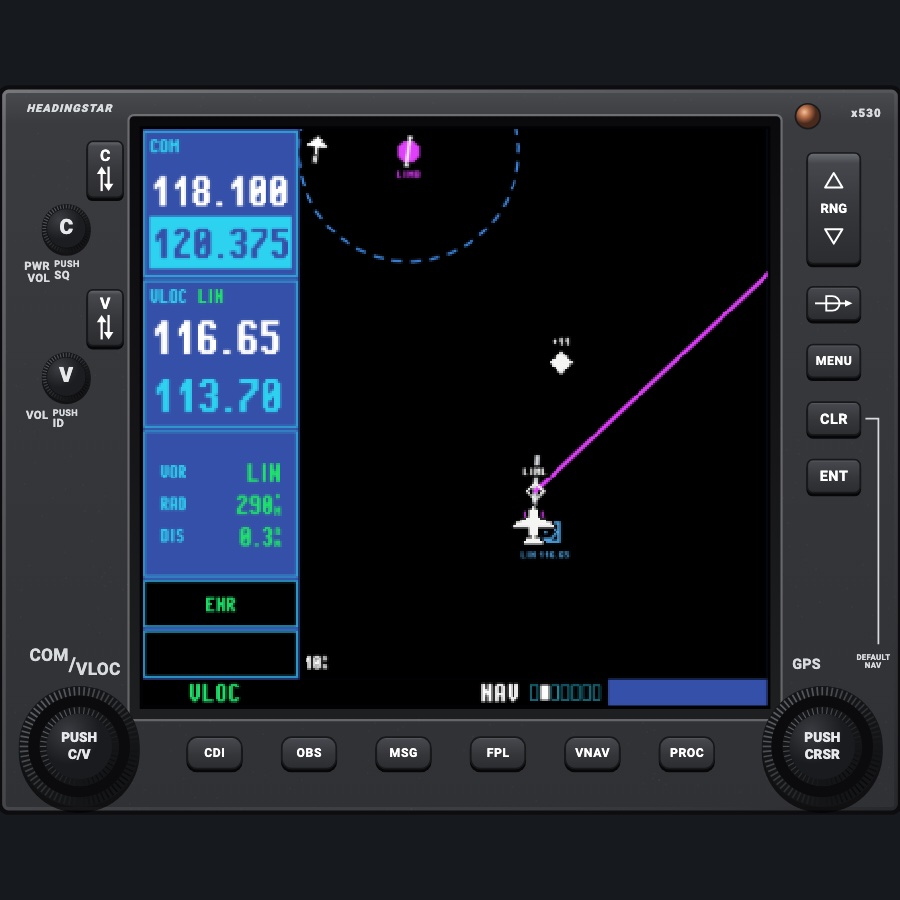
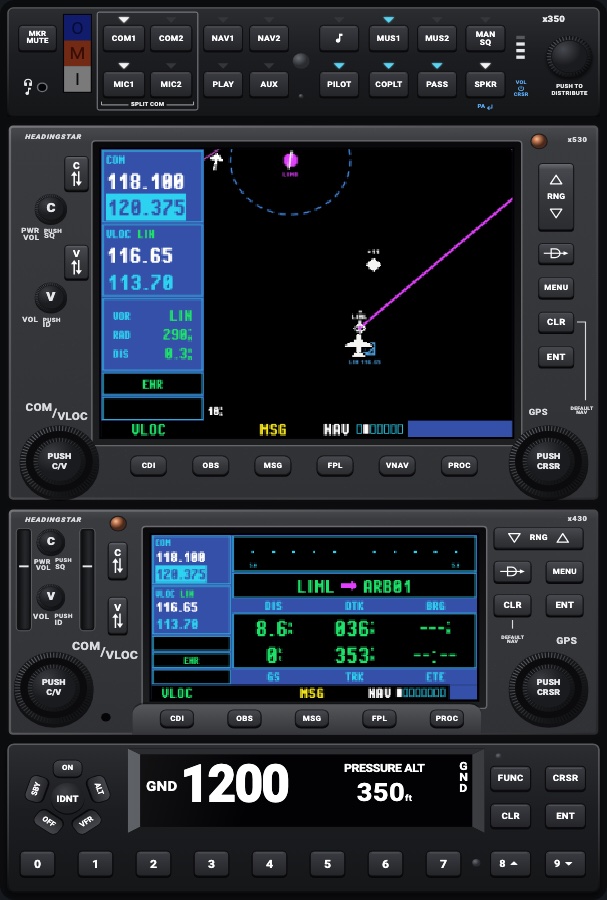
A classic GPS / NAV / COM navigator: a gray bezel with rubber keys and two dual knobs around a small blue pixel LCD. The left column shows COM and VLOC (active over standby); the right side holds the NAV, WPT, NRST and AUX page groups, plus FPL, PROC, Direct-To and MSG. Everything is driven from the knobs and keys as on the real unit: tuning, the page groups, the cursor, entering idents and flying the flight plan from the simulator. Available as #1 (COM 1, NAV 1) or #2 (COM 2, NAV 2), as the second unit in a panel; in the 530 + 430 pair and the IFR stack the 430 is #2.
- Modeled on
- Garmin GNS 430W-style
- Category
- Displays
- Size
- 2 × 1 cells
- Version
- 2.0 · 2026-10-22
- Plan
- Pro
- Simulators
- MSFS 2020 · MSFS 2024 · X-Plane 11 · X-Plane 12
Variants
Default NAV pagev1.0
Course deviation bar (full scale by phase: 5.0 nm en route, 1.0 nm terminal, 0.3 nm approach, shown at its ends, TO/FROM arrow), the active leg (from, magenta arrow or Direct-To symbol, to) and six data fields (default DIS, DTK, BRG, GS, TRK, ETE).
NAV group, first page (the 430 starts here)
Map pagev1.0
Black map with no base map, pixel-art symbols (airports magenta), north arrow top left, range (and declutter level) at the foot, four data fields down the right (WPT, DTK, TRK, DIS). The range is the map's top-to-bottom distance, as on the real unit.
NAV group, page 2
Map without data fieldsv1.0
The map fills the page.
Map page MENU: Data Fields Off? / On?
Map setupv1.0
MAP SETUP page: groups Map (orientation, auto zoom, land data), Weather (NEXRAD), Traffic, Waypoint (airport text, airports), Airspace, City/Other (terrain); Line/Road shown dim.
Map page MENU: Setup Map?
Map orientationv1.0
Track up (default) or north up.
MAP SETUP > Map > ORIENTATION
Terrain pagev1.0
Ground around the aircraft, track up under a compass ring: black well below, yellow within 1000 ft, red within 100 ft or above; GPS altitude MSL (G) top right.
NAV group, page 3
Traffic pagev1.0
Heading up (track up without heading), range rings 2 / 2-6 / 6-12 nm, altitude mode NRM/ABV/BLW/UNR, OPER/STBY; diamonds with relative altitude and climb/descent arrow, yellow for advisories.
NAV group, page 4
Weather pagev1.0
The map with NEXRAD radar; 'WEATHER OFF / PRESS ENT' when the radar is off.
NAV group, page 5
NAV/COM pagev1.0
The flight plan's airports (departure, en route, arrival) and their COM, ILS and localizer frequencies.
NAV group, page 6
Position page (430 only)v1.0
Position, track, speed, altitude, nearest VOR radial and distance, time.
NAV group, page 7
Satellite statusv1.0
Sky view with simulated GPS constellation, signal bars (hollow while acquiring, solid when used), EPE and DOP, position, time, GPS altitude.
NAV group, last page
WPT pagesv1.0
Airport info, runway diagram, frequencies, approach / arrival / departure (procedure map), intersection, NDB, VOR, user waypoint.
WPT group, pages 1-10
NRST pagesv1.0
Nearest airports, NDBs, VORs, user waypoints, airspaces (with AIRSPACE detail page).
NRST group, pages 1-5
AUX pagesv1.0
Flight Planning, Utility, Setup lists.
AUX group, pages 1-3
Active flight planv1.0
ACTIVE FLIGHT PLAN: plan number (00) and route in their own boxes, waypoints with DTK and DIS columns, procedure headings, a short magenta arrow at the active waypoint, legs already flown shown as dashes, total at the foot.
FPL key
Flight plan catalogv1.0
Stored plans (19 slots, USED/EMPTY), each 'first / last'.
FPL key, then the small right knob
Boot screenv1.0
Black, HEADINGSTAR in pixel type, then changing lines: 'x430W', copyright, software versions, databases, map-data reminder (about 7 s).
Avionics power on, or the C knob turned on
Start-up pagesv1.0
Database page (device database yellow when not installed) then INSTRUMENT PANEL SELF-TEST, each with OK? taken by ENT.
After the boot
Powered offv1.0
Black screen.
Avionics power off, or the C knob turned counterclockwise
Night lightingv1.0
Bezel goes dark under the red flood; printing and key names glow warm white by the backlight dimmer; screen dimmed by the glass filter.
Panel lights (night) in the lighting settings
#2 (COM 2, NAV 2)v1.0
The second unit in a panel: its COM and VLOC are COM 2 and NAV 2 (shown, swapped with C and V, tuned with the left knob, 121.500 on COM 2), the VLOC station's DME and OBS NAV 2's; its CDI key switches its own GPS / VLOC annunciation (the simulator's GPS drives NAV 1 only, so #1's CDI key drives the HSI). The GPS, flight plan, map and NRST are the same as #1's. A small 2 by COM/VLOC tells the two apart.
Picker: UNIT > #2: COM 2, NAV 2; the 430 in the GNS pair and the IFR stack
Features
- Radios: COM and VLOC windows in the left column, active (white) over standby (cyan) in large, tall, narrow digits; the standby being tuned highlighted cyan with blue digits; VLOC shows the received station's ident, with ID and its Morse code when the V knob is pushed
- A #2 variant that works COM 2 and NAV 2, as the second unit in a real panel (the 430 in the 530 + 430 stacks); its CDI key its own
- Radios: C and V flip-flop keys swap; holding the COM flip-flop tunes and activates 121.500; RX appears beside COM with the squelch open
- CDI / OBS: CDI key switches GPS/VLOC (shown green in the bottom bar); OBS key enters OBS mode on the course selector (or resumes sequencing from SUSP), and OBS / SUSP are sent to the simulator's GPS so its autopilot flies them; auto-switch to VLOC on ILS/LOC/LDA approaches once the localizer is received (can be set to manual in SETUP)
- CDI scale annunciated in the left column (ENR, TERM, APR) with phase-change messages; SETUP can fix the scale to 5.0, 1.0 or 0.3 nm
- Map: black classic map with pixel-art airport, VOR, NDB, waypoint and traffic symbols, airspaces, terrain, NEXRAD, range as the map's top-to-bottom distance, declutter, auto zoom, a map pointer moved with the right knob (bearing/distance window), Measure Dist?
- Terrain: TERRAIN AHEAD (yellow) / PULL UP (red) alert pop-up and annunciation, inhibited near airports
- Traffic: the simulator's traffic with a Traffic Warning Window pop-up on an advisory (within 2 nm and 1,000 ft)
- WPT and NRST: airport info, runway diagram, frequencies (named as the manual: Tower, Ground, ATIS, CTAF...; ENT puts one in standby), procedure pages with map, intersection / NDB / VOR pages, user waypoints; nearest airports (runway length and surface criteria), VORs, NDBs, user waypoints and up to nine airspaces with alerts
- FPL and PROC: active flight plan with cursor insert/remove (idents spelled with the right knob), Activate Leg, Invert, Copy, Closest Point of FPL, 19-plan catalog; PROC selects approaches, arrivals, departures (Load? / Activate? / vectors to final)
- Direct-To: preselects the waypoint under the cursor (a list, the map pointer, the WPT page); ident spelled with the right knob, course and distance, Activate? with ENT
- AUX: fuel and trip planning, density altitude / TAS / winds, checklists (up to nine), flight timers, trip statistics, RAIM prediction; SETUP for CDI/alarms, units, date/time (UTC or local), nearest-airport criteria
- MSG: messages window; MSG flashes yellow in the bottom bar when unread; turn advisories (NEXT DTK / TURN TO) in the bottom bar
- Look: a 2000s LCD: the page drawn at the unit's own 240 pixels across and enlarged hard-edged, with a fine pixel grid; condensed Pixel Operator bitmap type; blue screen, cyan-framed black boxes, cyan labels, green data, magenta active leg; menus as blue windows with a white edge (five options at a time), options not available faded through a checkerboard, and the page behind a window dimmed with a checkerboard of dark pixels
- Bezel as the real one's: rubber keys (oblong bottom row), a squarer screen frame; power and boot: boot screen, database page and instrument-panel self-test acknowledged with ENT; C knob turns the unit on and off
Your aircraft: Not tied to the aircraft profile; fuel planning uses the simulator's fuel quantities and flows, and traffic, navaids and airports come from the simulator and the device's database.
On the iPad
- The screen itself takes no touch, as on the real unit: everything is done with the bezel's keys and knobs
- Turn the left dual knob to tune the standby COM (outer MHz, inner channel) or VLOC; push it (PUSH C/V) to switch between COM and VLOC
- Turn the right dual knob: outer changes page group, inner changes page; push it (PUSH CRSR) for the page's cursor (the pointer on the map), then the knobs move it, spell idents and pick options
- Tap the C / V flip-flop keys to swap active and standby; hold the C key for 121.500
- Turn the C knob clockwise to power on, counterclockwise to power off; push it to open the squelch; push the V knob for the station ident (Morse)
- Keys under the screen: CDI, OBS, MSG, FPL, PROC; at the right the RNG rocker (zoom, or the traffic ring range), D->, MENU, CLR (hold: default NAV page), ENT; menus and data-field choices are picked with the right knob and ENT
- Keys are drawn at real size but take touches slightly around them; a keypad opens over the unit only to type a checklist name or item, the Closest Point of FPL reference waypoint, or an airport for PROC when the plan has none
Settings
- Map / NAV data fields (MENU: Change Fields? / Restore Defaults?, Data Fields Off/On), saved on the device
- MAP SETUP: orientation (track up / north up), auto zoom, land data, NEXRAD, traffic, airport text, airports, airspace, terrain
- AUX SETUP: CDI scale (Auto, 5.0, 1.0, 0.3 nm), ILS CDI capture (auto / manual), arrival alarm (off, 1, 2, 5, 10 nm), airspace alarm classes, date/time UTC or local with offset, nearest-airport criteria (runway length 0/2000/3000/5000 ft, hard surface only)
- Flight plan column fields (DTK, DIS, CUM, ETE, ETA, ESA choices)
- Checklists (made with MENU on the Checklists page)
- Traffic page altitude mode (NRM, ABV, BLW, UNR) and OPER/STBY
- External hardware (Settings > External hardware, or map mode's Hardware button), Navigator group: a key, controller button or MIDI control for D->, MENU, ENT, CLR, FPL, PROC, the right knob and CRSR; they go to the navigator touched last
Keys and controllers
Map any of these to a key, a game controller's button or axis, or a MIDI knob (how):
- COM 1 MHz +
- COM 1 MHz -
- COM 1 channel +
- COM 1 channel -
- COM 1 swap
- NAV 1 MHz +
- NAV 1 MHz -
- NAV 1 channel +
- NAV 1 channel -
- NAV 1 swap
- CDI: next source
- Course +
- Course -
- Course sync
- Heading bug +
- Heading bug -
- Heading bug sync
- Altitude +
- Altitude -
- Altitude sync
- Baro +
- Baro -
- Baro sync
- Direct-To
- MENU
- ENT
- CLR
- FPL
- PROC
- Large knob +
- Large knob -
- Small knob +
- Small knob -
- Knob push (cursor)
Simulator data
What the Hub reads from the simulator for this instrument, and what the instrument sends back. Names are the simulators' own: MSFS SimVars and events, X-Plane datarefs and commands.
Reads
| Value | MSFS | X-Plane |
|---|---|---|
| COM1 active frequency (kHz) | COM ACTIVE FREQUENCY:1 (MHz) | sim/cockpit2/radios/actuators/com1_frequency_hz_833 |
| COM1 standby frequency (kHz) | COM STANDBY FREQUENCY:1 (MHz) | sim/cockpit2/radios/actuators/com1_standby_frequency_hz_833 |
| NAV1 active frequency (kHz) | NAV ACTIVE FREQUENCY:1 (MHz) | sim/cockpit2/radios/actuators/nav1_frequency_hz |
| NAV1 standby frequency (kHz) | NAV STANDBY FREQUENCY:1 (MHz) | sim/cockpit2/radios/actuators/nav1_standby_frequency_hz |
| NAV1 receiving a station (1/0) (bool) | NAV HAS NAV:1 (bool) | sim/cockpit2/radios/indicators/nav1_flag_from_to_pilot |
| NAV1 OBS course (deg) | NAV OBS:1 (degrees) | sim/cockpit2/radios/actuators/nav1_obs_deg_mag_pilot |
| NAV1 DME distance (nm) | NAV DME:1 (nautical miles)NAV HAS DME:1 (bool) | sim/cockpit2/radios/indicators/nav1_dme_distance_nmsim/cockpit2/radios/indicators/nav1_has_dme |
| NAV1 station has DME (1/0) (bool) | NAV HAS DME:1 (bool) | sim/cockpit2/radios/indicators/nav1_has_dme |
| COM2 active frequency (#2) (kHz) | COM ACTIVE FREQUENCY:2 (MHz) | sim/cockpit2/radios/actuators/com2_frequency_hz_833 |
| COM2 standby frequency (#2) (kHz) | COM STANDBY FREQUENCY:2 (MHz) | sim/cockpit2/radios/actuators/com2_standby_frequency_hz_833 |
| NAV2 active frequency (#2) (kHz) | NAV ACTIVE FREQUENCY:2 (MHz) | sim/cockpit2/radios/actuators/nav2_frequency_hz |
| NAV2 standby frequency (#2) (kHz) | NAV STANDBY FREQUENCY:2 (MHz) | sim/cockpit2/radios/actuators/nav2_standby_frequency_hz |
| NAV2 receiving a station (1/0) (#2) (bool) | NAV HAS NAV:2 (bool) | sim/cockpit2/radios/indicators/nav2_flag_from_to_pilot |
| NAV2 OBS course (#2) (deg) | NAV OBS:2 (degrees) | sim/cockpit2/radios/actuators/nav2_obs_deg_mag_pilot |
| NAV2 DME distance (#2) (nm) | NAV DME:2 (nautical miles)NAV HAS DME:2 (bool) | sim/cockpit2/radios/indicators/nav2_dme_distance_nmsim/cockpit2/radios/indicators/nav2_has_dme |
| NAV2 station has DME (1/0) (#2) (bool) | NAV HAS DME:2 (bool) | sim/cockpit2/radios/indicators/nav2_has_dme |
| CDI/HSI navigation source: 0 GPS, 1 NAV (enum) | GPS DRIVES NAV1 (bool) | sim/cockpit2/radios/actuators/HSI_source_select_pilot |
| Course shown on the HSI (deg) | GPS WP DESIRED TRACK (degrees)NAV OBS:1 (degrees)GPS DRIVES NAV1 (bool) | sim/cockpit2/radios/actuators/hsi_obs_deg_mag_pilot |
| Aircraft latitude (deg) | PLANE LATITUDE (degrees) | sim/flightmodel/position/latitude |
| Aircraft longitude (deg) | PLANE LONGITUDE (degrees) | sim/flightmodel/position/longitude |
| Ground speed (kt) | GPS GROUND SPEED (knots) | sim/flightmodel/position/groundspeed |
| Ground track (deg magnetic) | GPS GROUND MAGNETIC TRACK (degrees) | sim/cockpit2/gauges/indicators/ground_track_mag_pilot |
| Heading (glass AHRS heading, else magnetic heading) (deg magnetic) | HEADING INDICATOR (degrees) | sim/cockpit2/gauges/indicators/heading_AHARS_deg_mag_pilotsim/flightmodel/position/mag_psi |
| Indicated altitude (ft) | INDICATED ALTITUDE (feet) | sim/cockpit2/gauges/indicators/altitude_ft_pilot |
| True altitude (MSL) (ft) | PLANE ALTITUDE (feet) | sim/flightmodel/position/elevation |
| Magnetic variation, + east (magnetic = true - variation) (deg) | MAGVAR (degrees) | sim/flightmodel/position/magnetic_variation |
| On the ground (1/0) (bool) | SIM ON GROUND (bool) | sim/flightmodel/failures/onground_any |
| Indicated airspeed (kt) | AIRSPEED INDICATED (knots) | sim/cockpit2/gauges/indicators/airspeed_kts_pilot |
| Outside air temperature (degC) | AMBIENT TEMPERATURE (celsius) | sim/cockpit2/temperature/outside_air_temp_degc |
| Altimeter setting (inHg) | KOHLSMAN SETTING HG (inHg) | sim/cockpit2/gauges/actuators/barometer_setting_in_hg_pilot |
| Left main tank quantity (gal) | FUEL TANK LEFT MAIN QUANTITY (gallons) | sim/cockpit2/fuel/fuel_quantity[0] |
| Right main tank quantity (gal) | FUEL TANK RIGHT MAIN QUANTITY (gallons) | sim/cockpit2/fuel/fuel_quantity[1] |
| Fuel flow, engine 1 (gal/h) | ENG FUEL FLOW GPH:1 (gallons per hour) | sim/cockpit2/engine/indicators/fuel_flow_kg_sec[0] |
| Fuel flow, engine 2 (gal/h) | ENG FUEL FLOW GPH:2 (gallons per hour) | sim/cockpit2/engine/indicators/fuel_flow_kg_sec[1] |
| Text: previous waypoint ident (text) | GPS WP PREV ID (string8) | Not available |
| Sim UTC time, seconds since midnight (s) | ZULU TIME (seconds) | sim/time/zulu_time_sec |
| Sim local time, seconds since midnight (s) | LOCAL TIME (seconds) | sim/time/local_time_sec |
Sends
| When you… | MSFS | X-Plane |
|---|---|---|
| Left knob outer turned in COM mode (whole MHz); also when tuning a frequency picked from a list or 121.500 | COM_STBY_RADIO_SET_HZCOM_STBY_RADIO_SWAP | sim/cockpit2/radios/actuators/com1_standby_frequency_hz_833sim/radios/com1_standy_flip |
| Left knob inner turned in COM mode (channel) (command com1 + 1: channel) | COM_STBY_RADIO_SET_HZCOM_STBY_RADIO_SWAP | sim/cockpit2/radios/actuators/com1_standby_frequency_hz_833sim/radios/com1_standy_flip |
| C flip-flop key (swap); after tuning 121.500 when the key is held (command com1 + 2: swap) | COM_STBY_RADIO_SET_HZCOM_STBY_RADIO_SWAP | sim/cockpit2/radios/actuators/com1_standby_frequency_hz_833sim/radios/com1_standy_flip |
| Left knob outer turned in VLOC mode; also when a navaid frequency is put in standby | NAV1_STBY_SET_HZNAV1_RADIO_SWAP | sim/cockpit2/radios/actuators/nav1_standby_frequency_hzsim/radios/nav1_standy_flip |
| Left knob inner turned in VLOC mode (command nav1 + 1: channel) | NAV1_STBY_SET_HZNAV1_RADIO_SWAP | sim/cockpit2/radios/actuators/nav1_standby_frequency_hzsim/radios/nav1_standy_flip |
| V flip-flop key (swap) (command nav1 + 2: swap) | NAV1_STBY_SET_HZNAV1_RADIO_SWAP | sim/cockpit2/radios/actuators/nav1_standby_frequency_hzsim/radios/nav1_standy_flip |
| #2: as com1 (the left knob in COM mode, the C key, 121.500, a frequency put in standby) | COM2_STBY_RADIO_SET_HZCOM2_RADIO_SWAP | sim/cockpit2/radios/actuators/com2_standby_frequency_hz_833sim/radios/com2_standy_flip |
| #2: as nav1 (the left knob in VLOC mode, the V key, a navaid frequency put in standby) | NAV2_STBY_SET_HZNAV2_RADIO_SWAP | sim/cockpit2/radios/actuators/nav2_standby_frequency_hzsim/radios/nav2_standy_flip |
| CDI key; automatically on an ILS/LOC approach once the localizer is received (#1; #2's CDI key is its own) | TOGGLE_GPS_DRIVES_NAV1 | sim/cockpit2/radios/actuators/HSI_source_select_pilot (2 GPS <-> 0 NAV1) |
| OBS key puts the unit in OBS mode, or sequencing is suspended (SUSP): the course (deg magnetic) goes to the simulator's GPS so the autopilot flies it; sent again when the course selector is turned in OBS mode | GPS_OBS_SET | sim/cockpit2/radios/actuators/gps_course_degtm |
| OBS mode / SUSP on (1) or released with the OBS key (0) | GPS_OBS_ONGPS_OBS_OFF | — |
Add-on aircraft with their own systems may use other variables; the Hub reads the standard ones.
Changes
The instrument's version counts what its faces share (the case, the mechanism, the data, the sounds); a face's own version counts that face alone.
- 2.0 2026-10-22
- A #2 variant (Picker: UNIT > #2): COM 2 and NAV 2 shown, swapped with C and V, tuned with the left knob, 121.500 on COM 2, the VLOC station's DME and OBS NAV 2's; its CDI key its own.
- In the GNS pair and the IFR stack the 430 is #2 (COM 2, NAV 2), the 530 #1.
- 1.0 2026-10-19
- First numbered version.