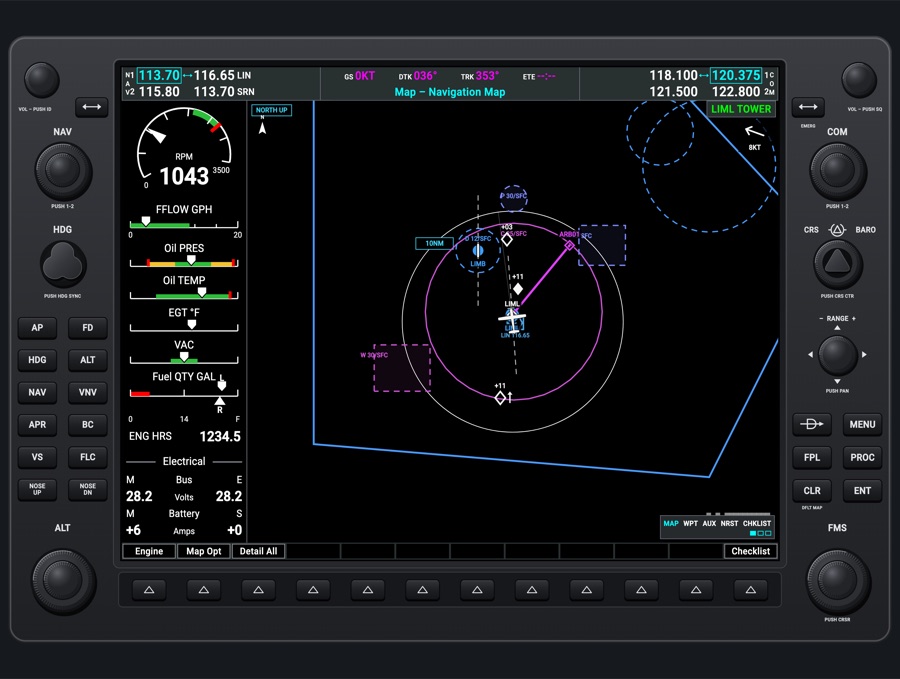
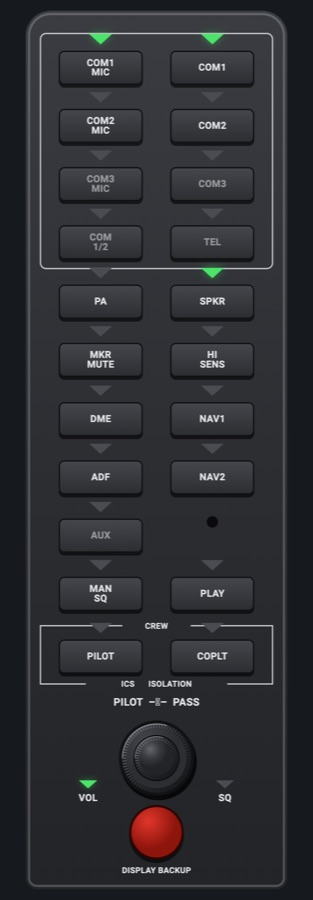
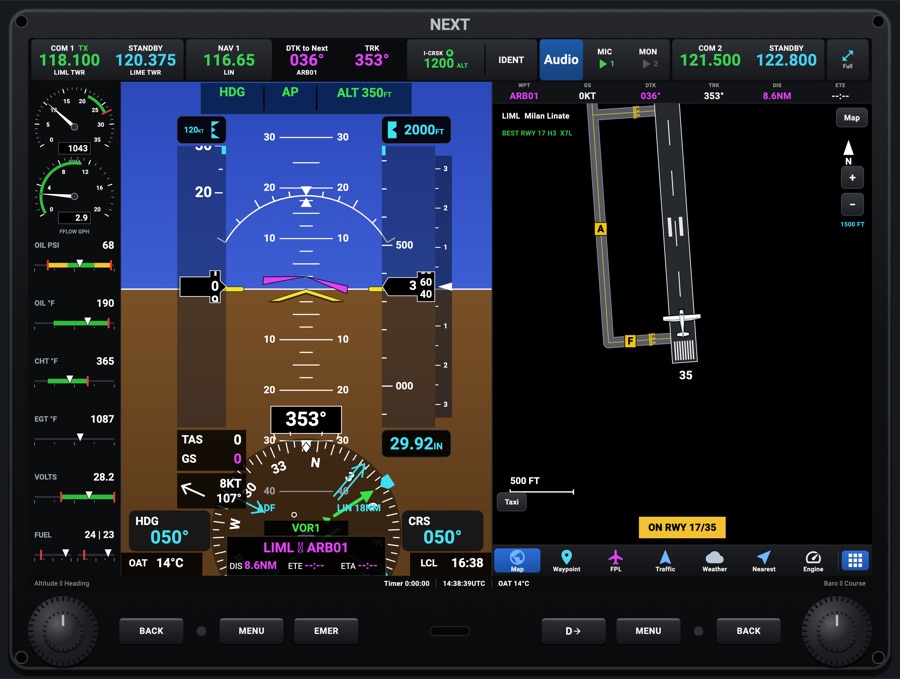
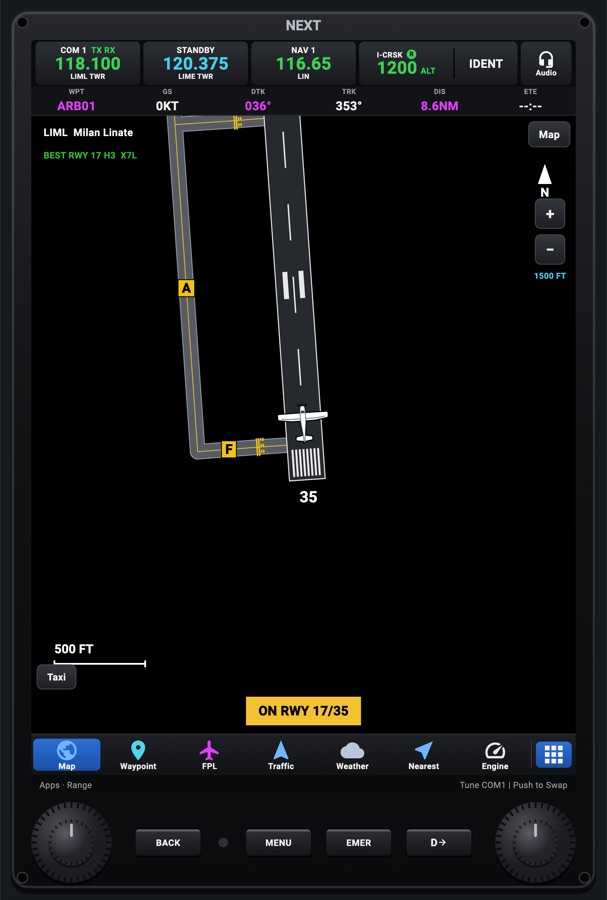
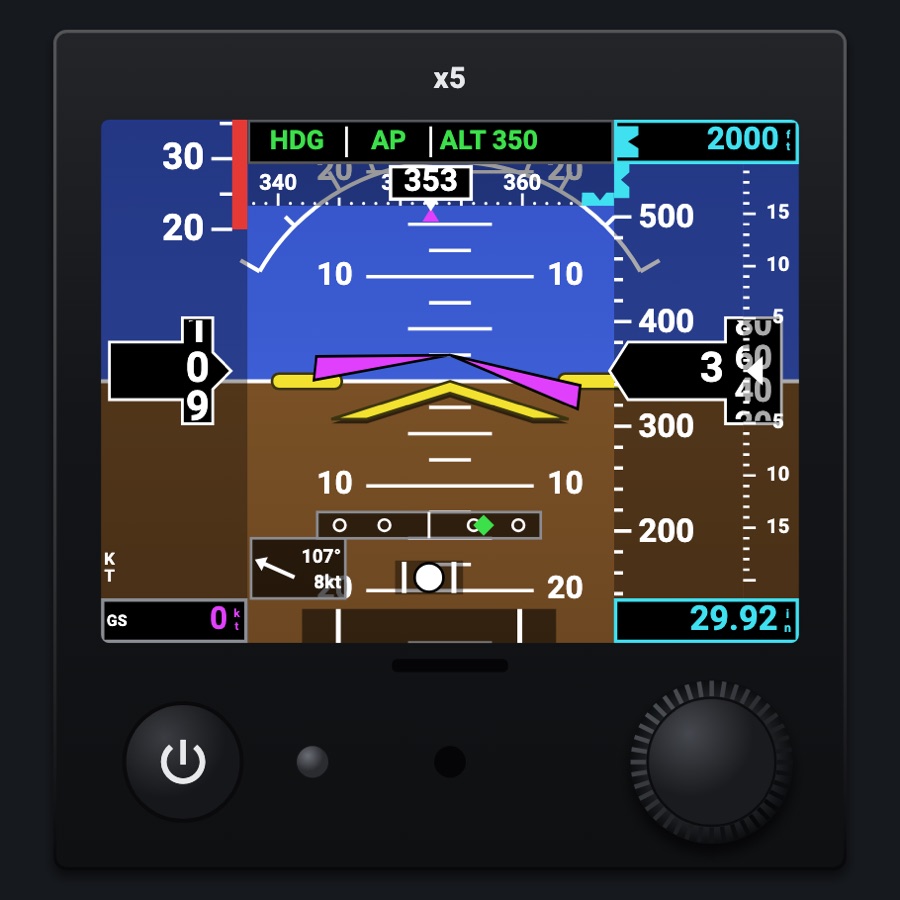
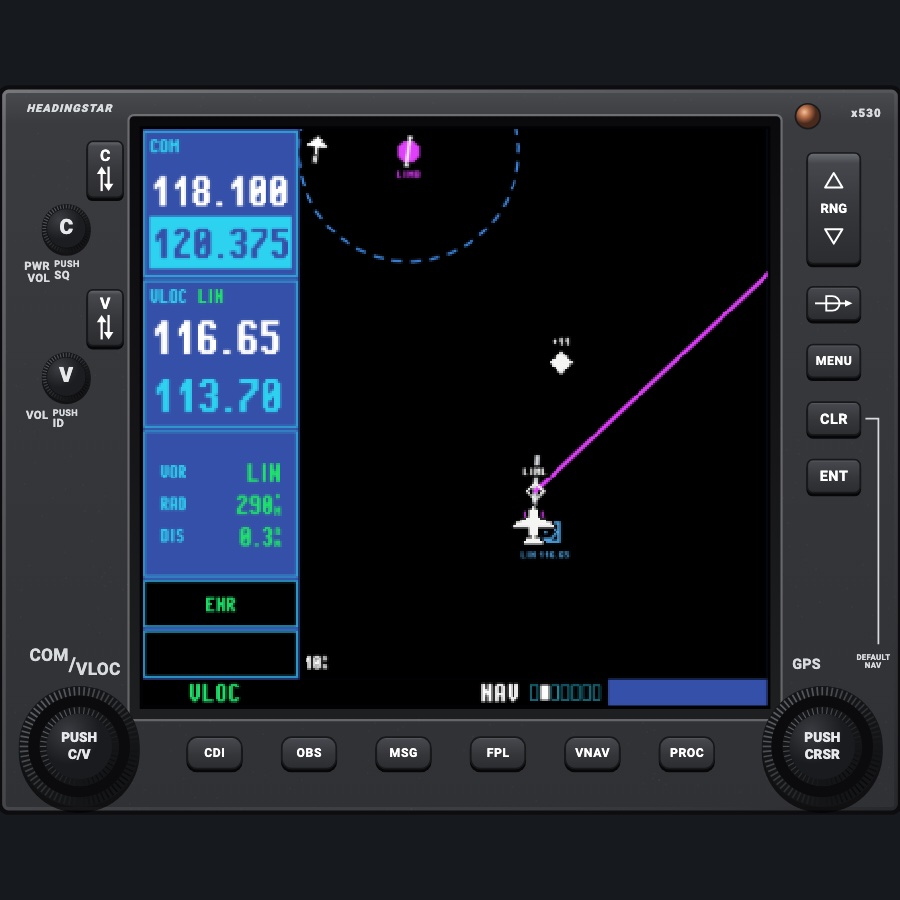
G1000-style PFD
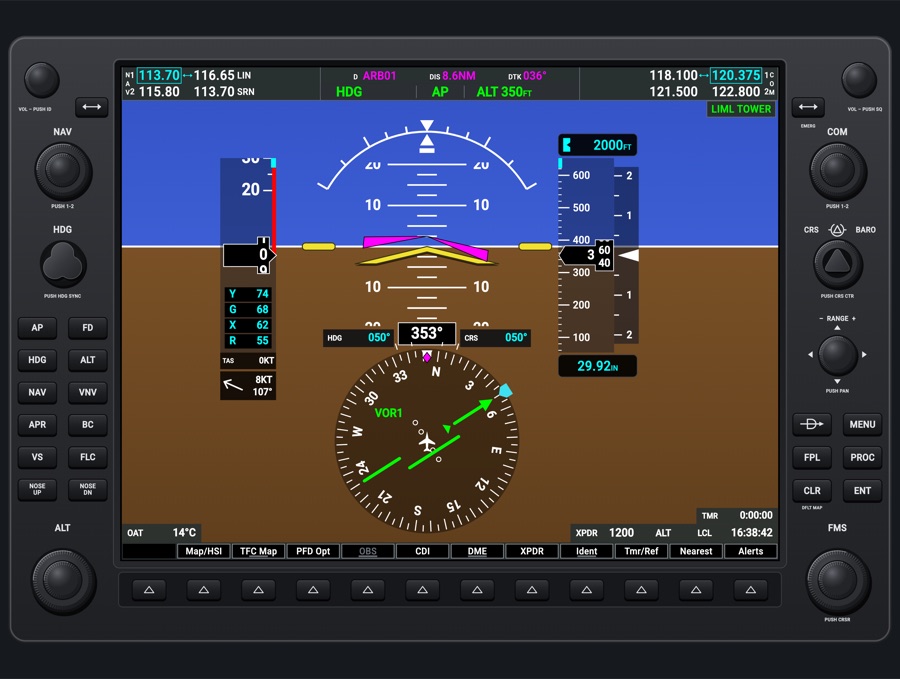
A full G1000-style primary flight display, drawn with the real unit's bezel. You get the attitude, the airspeed and altitude tapes, the HSI, the NAV/COM radios, the autopilot keys and the softkeys. You work it like the real one: the knobs, the bezel keys and the twelve softkeys do everything, and the screen itself does not respond to touch.
- Modeled on
- Garmin G1000 NXi-style PFD (GDU 1040-style bezel)
- Category
- Displays
- Size
- 4 × 3 cells
- Version
- 1.0 · 2026-10-19
- Plan
- Pro
- Simulators
- MSFS 2020 · MSFS 2024 · X-Plane 11 · X-Plane 12
Variants
HSI rose (default)v1.0
The full 360-degree HSI rose at the bottom of the screen with no map
Map/HSI > Layout > Map Off softkeys
Inset mapv1.0
A track-up moving map in the bottom-left corner, with its own detail level, traffic, topo, NEXRAD and METAR options
Map/HSI > Layout > Inset Map softkeys
HSI Map (arc)v1.0
The HSI drawn as an arc with the moving map under it (heading up, its range boxed in cyan on the ring), the attitude cut away there. One aircraft symbol, and the CDI on a bar over the heading box (deviation triangle pointing up for TO, down for FROM; the source at its left, the GPS flight phase at its right). In unusual attitudes the map goes away
Map/HSI > Layout > HSI Map softkeys
Traffic insetv1.0
A traffic-only inset map. It opens on its own when a traffic advisory comes in and no map is showing
TFC Map softkey (top level) or Map/HSI > Layout > TFC Map
Synthetic visionv1.0
3D terrain behind the attitude in place of the blue/brown horizon, in topographic colors (green lowlands, then olive, tan, brown, gray to white mountains; yellow and red near the aircraft), with traffic drawn in it. The pitch scale changes with it (see features). Pathways, heading labels and airport signs can each be turned off
PFD Opt > SVT > Terrain softkey, or MENU > PFD Settings > Synthetic Vision
Wind boxv1.0
The wind display: off, Option 1 (headwind/tailwind and crosswind arrows), Option 2 (an arrow and the speed), or Option 3 (an arrow with direction and speed, the default)
PFD Opt > Wind softkeys
Baro units and metric altitudev1.0
Baro shown in IN or HPA. With Meters on, the selected and current altitude are also shown in meters
PFD Opt > ALT Units > IN / HPA / Meters
Reversionaryv1.0
The flight display with the engine strip down its left side, and Engine on the first softkey
Settings > Glass failures > Fail the G1000 MFD, or DISPLAY BACKUP (audio panel button)
Failed displayv1.0
The screen goes dark. The bezel stays
Settings > Glass failures > Fail the G1000 PFD
Nightv1.0
Backlit key legends and printing, the red flood light on the bezel and knobs, the glareshield light from above, and the display dimmed by the Displays dimmer
Panel lighting (night / auto); dimmers Red flood light, Glareshield, Displays, Labels and keys
Features
- Bezel: the real GDU 1040 layout. Down the left: NAV VOL (push for ID), NAV transfer, the NAV dual knob (push to switch between 1 and 2), HDG (push to sync), the autopilot keys and the ALT dual knob. Down the right: COM VOL (push for squelch), COM transfer (hold for EMERG 121.5), the COM dual knob, CRS/BARO, the RANGE joystick with pan arrows, the FMS keys and the FMS dual knob
- Autopilot keys on the bezel: AP, FD, HDG, ALT, NAV, VNV, APR, BC, VS, FLC, NOSE UP and NOSE DN. The AFCS status box sits under the navigation status in the top bar, its modes as large as the real one's (a long one, like ALTS with its target altitude, shrunk to fit its field); MAXSPD and a lost vertical mode flash amber. A PFT flag shows during start-up and a red AFCS flag shows without attitude data
- Top bar: NAV 1/2 on the left and COM 1/2 on the right. The radio the knob tunes is boxed in cyan, the CDI's NAV is green, and the COM you transmit on is green. Station idents, ID, SQ and a 2-second VOL % readout appear as on the real unit. Between the radios: the leg, DIS and BRG, with turn advisories ('Turn right to 021° in 8 seconds'), 'Arriving at waypoint' and 'TOD within 1 minute'
- Attitude across the whole screen with the pitch ladder, the real unit's wide, flat yellow aircraft symbol, slip/skid indicator, red chevrons for extreme pitch, and the flight director. The pitch scale is as on the real one: without synthetic vision 20° up and down, numbered every 10°; with it 10° up and 7.5° down, numbered every 5°, matching the terrain. 'AHRS ALIGN / KEEP WINGS LEVEL' shows for 40 s after power-up. A red X appears if the attitude fails
- Airspeed tape with the profile's color bands, a 6-second trend vector and V-speed references. Altitude tape with a trend vector, the selected-altitude box (shown in meters too if Meters is on), the baro minimums bug and the VSI. In VS mode, a VS target box and bug. Above 18,000 ft the baro shows STD, and flashes if it's still on a local setting
- HSI: a 360° rose, or an arc with the map under it (HSI Map) and its CDI on a bar over the heading box. The CDI source is GPS (magenta, with the flight phase) or VOR1/LOC1/VOR2 (green). If the GPS is lost the source shows LOI, then DR. Bearing pointers 1 and 2 cycle through NAV1, NAV2, GPS, ADF and off, with info windows. There's an optional DME window
- Glideslope, GPS glidepath or VNAV indicator next to the altitude tape, with NO GS shown on a localizer. Outer, middle and inner marker lights. TAWS 'TERRAIN' and 'PULL UP' alerts (judged on true altitude). A TRAFFIC annunciation that flashes for 5 s then stays while the advisory lasts (not when traffic alerts are inhibited)
- Synthetic vision: terrain in topographic colors, water, runways, the pathway boxes along the route (at the altimeter's altitude: the selected altitude or the VNAV path), heading labels, airport signs, and traffic in the same colors as the map (advisory yellow, on the ground gray, otherwise white)
- Annunciation window, Warning and Caution in red or amber. The Alerts softkey flashes for a new alert, acknowledges it, then opens the ALERTS window
- Bottom corners: OAT, the transponder (code, mode, IDNT and R reply; green when replying in the air), the generic timer and local time. The transponder goes from ON to ALT by itself at lift-off
- Softkeys: Map/HSI (Layout: Map Off, Inset Map, HSI Map, TFC Map; Detail, Traffic, Topo, NEXRAD, METAR), TFC Map, PFD Opt (SVT, Wind, DME, Bearing 1/2, ALT Units, STD Baro), OBS (suspends waypoint sequencing; OBS/SUSP is also sent to the sim's GPS), CDI, DME, XPDR (Standby, On, ALT, VFR, Code entered with the 0-7 softkeys or the FMS knob, Ident), Ident, Tmr/Ref, Nearest and Alerts. Sub-levels go back to the top after 45 s
- Windows at the bottom right, one at a time: TIMER/REFERENCES (up/down timer, Glide/Vr/Vx/Vy bugs, V-speeds on/off, baro minimums), NEAREST AIRPORTS (tune a frequency from the list), ALERTS, and ACTIVE FLIGHT PLAN (the FPL key). CLR closes the window
- FMS keys: Direct-To, MENU (PFD Settings: Synthetic Vision, V-Speed References), FPL, PROC (activate an approach or vectors to final; pick an approach, arrival or departure), CLR and ENT. The FMS knob's cursor moves over a window's fields as on the real unit
- Inset and HSI maps drawn by MapLibre in a G1000 style: G1000 airspace colors, flight plan waypoints as diamonds, the G1000's traffic symbols. After a MapLibre crash the app uses a plain safe map for that run
- Unusual attitudes: the PFD declutters as on the real unit. The inset map, windows and most softkeys go away
- Power: dark without avionics power. When power comes back, the 'x1000 PFD' boot screen shows
Your aircraft: The airspeed tape's color bands and V-speeds (Glide, Vr, Vx, Vy references) come from the aircraft profile; a generic (unknown) aircraft gets no tape markings. Checklists come from the profile. In reversionary mode the engine strip uses the profile's engine limits (see g1000mfd).
On the iPad
- The screen itself is not touch-sensitive, just like the real unit. Use the bezel knobs and keys
- Drag a dual knob's outer ring or inner knob to turn it, and tap it to push. NAV/COM: the outer ring sets MHz and the inner knob sets the channel; push switches 1 and 2. ALT: the outer ring steps 1000 ft and the inner knob 100 ft; push syncs. CRS/BARO: outer is baro, inner is course; push centers the course. FMS: outer and inner move the cursor and change values; push turns the cursor on or off
- HDG knob: turn it to move the heading bug, push it to sync
- RANGE knob: turn it to change the inset map's range. Push it to end panning
- Tap a softkey button under its on-screen label
- Hold the COM transfer key for EMERG: 121.500 goes into the active COM
- Tap the NAV/COM VOL knobs to push them (ID, SQ) and drag them for volume. The volume is shown only, not sent to the sim
Settings
- Instrument picker 'G1000-style display' (Displays tab), DISPLAY: PFD, MFD or Audio panel
- Settings > Glass failures: Fail the attitude (AHRS), Fail the air data (ADC), Fail the G1000 PFD, Fail the G1000 MFD
- Settings > lighting dimmers: Red flood light, Glareshield, Displays, Labels and keys
- In-unit options, saved: Synthetic Vision with Pathways, HDG LBL and APT Sign; V-Speed References; baro minimums; inset map range
- In-unit options, not saved: map layout, map detail/topo/METAR, wind option, bearing pointers 1/2, DME window, IN/HPA, meters
Keys and controllers
Map any of these to a key, a game controller's button or axis, or a MIDI knob (how):
- COM 1 MHz +
- COM 1 MHz -
- COM 1 channel +
- COM 1 channel -
- COM 1 swap
- COM 2 MHz +
- COM 2 MHz -
- COM 2 channel +
- COM 2 channel -
- COM 2 swap
- NAV 1 MHz +
- NAV 1 MHz -
- NAV 1 channel +
- NAV 1 channel -
- NAV 1 swap
- NAV 2 MHz +
- NAV 2 MHz -
- NAV 2 channel +
- NAV 2 channel -
- NAV 2 swap
- CDI: next source
- Course +
- Course -
- Course sync
- Heading bug +
- Heading bug -
- Heading bug sync
- Altitude +
- Altitude -
- Altitude sync
- Baro +
- Baro -
- Baro sync
- Autopilot AP
- Autopilot FD
- Autopilot YD
- Autopilot HDG
- Autopilot NAV
- Autopilot APR
- Autopilot BC
- Autopilot ALT
- Autopilot VS
- Autopilot FLC
- Autopilot LVL
- Autopilot UP / DN +
- Autopilot UP / DN -
- Transponder IDENT
- Transponder STBY
- Transponder ALT
- Direct-To
- MENU
- ENT
- CLR
- FPL
- PROC
- Large knob +
- Large knob -
- Small knob +
- Small knob -
- Knob push (cursor)
Simulator data
What the Hub reads from the simulator for this instrument, and what the instrument sends back. Names are the simulators' own: MSFS SimVars and events, X-Plane datarefs and commands.
Reads
| Value | MSFS | X-Plane |
|---|---|---|
| Pitch attitude, + nose up (deg) | ATTITUDE INDICATOR PITCH DEGREES (degrees) | sim/flightmodel/position/theta |
| Bank angle, + right wing down (deg) | ATTITUDE INDICATOR BANK DEGREES (degrees) | sim/flightmodel/position/phi |
| Slip/skid ball position, -1..1 | TURN COORDINATOR BALL (position) | sim/cockpit2/gauges/indicators/slip_deg |
| Indicated airspeed (kt) | AIRSPEED INDICATED (knots) | sim/cockpit2/gauges/indicators/airspeed_kts_pilot |
| Indicated altitude (ft) | INDICATED ALTITUDE (feet) | sim/cockpit2/gauges/indicators/altitude_ft_pilot |
| Vertical speed (fpm) | VERTICAL SPEED (feet per minute) | sim/cockpit2/gauges/indicators/vvi_fpm_pilot |
| True altitude (MSL) (ft) | PLANE ALTITUDE (feet) | sim/flightmodel/position/elevation |
| Altimeter setting (inHg) | KOHLSMAN SETTING HG (inHg) | sim/cockpit2/gauges/actuators/barometer_setting_in_hg_pilot |
| Heading (glass AHRS heading, else magnetic heading) (deg magnetic) | HEADING INDICATOR (degrees) | sim/cockpit2/gauges/indicators/heading_AHARS_deg_mag_pilotsim/flightmodel/position/mag_psi |
| Ground track (deg magnetic) | GPS GROUND MAGNETIC TRACK (degrees) | sim/cockpit2/gauges/indicators/ground_track_mag_pilot |
| Ground speed (kt) | GPS GROUND SPEED (knots) | sim/flightmodel/position/groundspeed |
| True airspeed (kt) | AIRSPEED TRUE (knots) | sim/flightmodel/position/true_airspeed |
| Turn rate, + right (turn coordinator) (deg/s) | TURN INDICATOR RATE (degrees per second) | sim/flightmodel/position/Qsim/flightmodel/position/Rsim/flightmodel/position/phisim/flightmodel/position/thetasim/cockpit2/gauges/indicators/turn_rate_heading_deg_pilot |
| Selected altitude (ft) | AUTOPILOT ALTITUDE LOCK VAR (feet) | sim/cockpit2/autopilot/altitude_dial_ft |
| Heading bug (deg) | AUTOPILOT HEADING LOCK DIR (degrees) | sim/cockpit2/autopilot/heading_dial_deg_mag_pilot |
| Selected airspeed (kt) | AUTOPILOT AIRSPEED HOLD VAR (knots) | sim/cockpit2/autopilot/airspeed_dial_kts_mach |
| Course shown on the HSI (deg) | GPS WP DESIRED TRACK (degrees)NAV OBS:1 (degrees)GPS DRIVES NAV1 (bool) | sim/cockpit2/radios/actuators/hsi_obs_deg_mag_pilot |
| NAV1 OBS course (deg) | NAV OBS:1 (degrees) | sim/cockpit2/radios/actuators/nav1_obs_deg_mag_pilot |
| Autopilot modes, one bit each (ApBit: ap, fd, yd, hdg, nav, apr, bc, alt, vs, flc, lvl, gs, vnv) (bitfield) | AUTOPILOT MASTER (bool)AUTOPILOT FLIGHT DIRECTOR ACTIVE (bool)AUTOPILOT YAW DAMPER (bool)AUTOPILOT HEADING LOCK (bool)AUTOPILOT NAV1 LOCK (bool)AUTOPILOT APPROACH HOLD (bool)AUTOPILOT BACKCOURSE HOLD (bool)AUTOPILOT ALTITUDE LOCK (bool)AUTOPILOT VERTICAL HOLD (bool)AUTOPILOT FLIGHT LEVEL CHANGE (bool)AUTOPILOT WING LEVELER (bool)AUTOPILOT GLIDESLOPE HOLD (bool) | sim/cockpit2/autopilot/servos_onsim/cockpit2/autopilot/flight_director_modesim/cockpit2/switches/yaw_damper_onsim/cockpit2/autopilot/heading_statussim/cockpit2/autopilot/nav_statussim/cockpit2/autopilot/approach_statussim/cockpit2/autopilot/backcourse_statussim/cockpit2/autopilot/altitude_hold_statussim/cockpit2/autopilot/vvi_statussim/cockpit2/autopilot/speed_statussim/cockpit2/autopilot/roll_statussim/cockpit2/autopilot/glideslope_status |
| Autopilot vertical speed target (fpm) | AUTOPILOT VERTICAL HOLD VAR (feet per minute) | sim/cockpit2/autopilot/vvi_dial_fpm |
| Flight director on (1/0) (bool) | AUTOPILOT FLIGHT DIRECTOR ACTIVE (bool) | sim/cockpit2/autopilot/flight_director_mode |
| Flight director pitch command (deg) | AUTOPILOT FLIGHT DIRECTOR PITCH (degrees) | sim/cockpit2/autopilot/flight_director_pitch_deg |
| Flight director bank command (deg) | AUTOPILOT FLIGHT DIRECTOR BANK (degrees) | sim/cockpit2/autopilot/flight_director_roll_deg |
| CDI/HSI navigation source: 0 GPS, 1 NAV (enum) | GPS DRIVES NAV1 (bool) | sim/cockpit2/radios/actuators/HSI_source_select_pilot |
| CDI needle valid (1/0) (bool) | HSI CDI NEEDLE VALID (bool) | sim/cockpit2/radios/indicators/hsi_flag_from_to_pilot |
| The NAV source is a localizer (1/0) (bool) | NAV HAS LOCALIZER:1 (bool)GPS DRIVES NAV1 (bool) | sim/cockpit2/radios/actuators/nav1_frequency_hzsim/cockpit2/radios/actuators/HSI_source_select_pilot |
| NAV1 active frequency (kHz) | NAV ACTIVE FREQUENCY:1 (MHz) | sim/cockpit2/radios/actuators/nav1_frequency_hz |
| NAV1 standby frequency (kHz) | NAV STANDBY FREQUENCY:1 (MHz) | sim/cockpit2/radios/actuators/nav1_standby_frequency_hz |
| NAV2 active frequency (kHz) | NAV ACTIVE FREQUENCY:2 (MHz) | sim/cockpit2/radios/actuators/nav2_frequency_hz |
| NAV2 standby frequency (kHz) | NAV STANDBY FREQUENCY:2 (MHz) | sim/cockpit2/radios/actuators/nav2_standby_frequency_hz |
| Text: NAV1 station ident (e.g. SEA) (text) | NAV IDENT:1 | Not available |
| Text: NAV2 station ident (text) | NAV IDENT:2 | Not available |
| NAV1 DME distance (nm) | NAV DME:1 (nautical miles)NAV HAS DME:1 (bool) | sim/cockpit2/radios/indicators/nav1_dme_distance_nmsim/cockpit2/radios/indicators/nav1_has_dme |
| NAV1 station has DME (1/0) (bool) | NAV HAS DME:1 (bool) | sim/cockpit2/radios/indicators/nav1_has_dme |
| NAV2 DME distance (nm) | NAV DME:2 (nautical miles)NAV HAS DME:2 (bool) | sim/cockpit2/radios/indicators/nav2_dme_distance_nmsim/cockpit2/radios/indicators/nav2_has_dme |
| NAV2 station has DME (1/0) (bool) | NAV HAS DME:2 (bool) | sim/cockpit2/radios/indicators/nav2_has_dme |
| COM1 active frequency (kHz) | COM ACTIVE FREQUENCY:1 (MHz) | sim/cockpit2/radios/actuators/com1_frequency_hz_833 |
| COM1 standby frequency (kHz) | COM STANDBY FREQUENCY:1 (MHz) | sim/cockpit2/radios/actuators/com1_standby_frequency_hz_833 |
| COM2 active frequency (kHz) | COM ACTIVE FREQUENCY:2 (MHz) | sim/cockpit2/radios/actuators/com2_frequency_hz_833 |
| COM2 standby frequency (kHz) | COM STANDBY FREQUENCY:2 (MHz) | sim/cockpit2/radios/actuators/com2_standby_frequency_hz_833 |
| COM transmitting: 1, 2, 0 none (enum) | COM TRANSMIT:1 (bool)COM TRANSMIT:2 (bool) | sim/cockpit2/radios/actuators/audio_com_selection |
| Audio panel keys lit, one bit each (AudioBit: nav1, nav2, dme, adf, mkr, spkr) (bitfield) | NAV SOUND:1 (bool)NAV SOUND:2 (bool)DME SOUND (bool)ADF SOUND:1 (bool)MARKER SOUND (bool)SPEAKER ACTIVE (bool) | sim/cockpit2/radios/actuators/audio_selection_nav1sim/cockpit2/radios/actuators/audio_selection_nav2sim/cockpit2/radios/actuators/audio_dme_enabledsim/cockpit2/radios/actuators/audio_selection_adf1sim/cockpit2/radios/actuators/audio_marker_enabled |
| ADF needle, relative bearing to the station (deg) | ADF RADIAL:1 (degrees) | sim/cockpit2/radios/indicators/adf1_relative_bearing_deg |
| ADF receiving a station (1/0) (bool) | ADF SIGNAL:1 (number) | sim/cockpit2/radios/actuators/adf1_frequency_hz |
| ADF active frequency (kHz) | ADF ACTIVE FREQUENCY:1 (kilohertz) | sim/cockpit2/radios/actuators/adf1_frequency_hz |
| Marker beacon: 0 none, 1 outer, 2 middle, 3 inner (enum) | MARKER BEACON STATE (number) | sim/cockpit2/radios/indicators/outer_marker_litsim/cockpit2/radios/indicators/middle_marker_litsim/cockpit2/radios/indicators/inner_marker_lit |
| Transponder code as its four digits (e.g. 1200) (code) | TRANSPONDER CODE:1 (number) | sim/cockpit2/radios/actuators/transponder_code |
| Transponder mode: 0 off, 1 standby, 2 test, 3 on, 4 altitude (enum) | TRANSPONDER STATE:1 (number) | sim/cockpit2/radios/actuators/transponder_mode |
| Transponder identing (1/0) (bool) | TRANSPONDER IDENT:1 (bool) | sim/cockpit2/radios/indicators/transponder_id |
| On the ground (1/0) (bool) | SIM ON GROUND (bool) | sim/flightmodel/failures/onground_any |
| Outside air temperature (degC) | AMBIENT TEMPERATURE (celsius) | sim/cockpit2/temperature/outside_air_temp_degc |
| Wind from (deg true) | AMBIENT WIND DIRECTION (degrees) | sim/cockpit2/gauges/indicators/wind_heading_deg_magsim/flightmodel/position/magnetic_variation |
| Wind speed (kt) | AMBIENT WIND VELOCITY (knots) | sim/cockpit2/gauges/indicators/wind_speed_kts |
| Aircraft latitude (deg) | PLANE LATITUDE (degrees) | sim/flightmodel/position/latitude |
| Aircraft longitude (deg) | PLANE LONGITUDE (degrees) | sim/flightmodel/position/longitude |
| Magnetic variation, + east (magnetic = true - variation) (deg) | MAGVAR (degrees) | sim/flightmodel/position/magnetic_variation |
| Sim local time, seconds since midnight (s) | LOCAL TIME (seconds) | sim/time/local_time_sec |
| Sim UTC time, seconds since midnight (s) | ZULU TIME (seconds) | sim/time/zulu_time_sec |
| Text: active (next) waypoint ident (text) | GPS WP NEXT ID (string8) | Not available |
| Text: previous waypoint ident (text) | GPS WP PREV ID (string8) | Not available |
| Distance to the active waypoint (nm) | GPS WP DISTANCE (nautical miles)GPS IS ACTIVE FLIGHT PLAN (bool) | Not available |
| Text: aircraft title / name (text) | TITLE (string256) | sim/aircraft/view/acf_ui_namesim/aircraft/view/acf_descrip |
| Engine RPM, engine 1 (rpm) | GENERAL ENG RPM:1 (rpm) | sim/cockpit2/engine/indicators/engine_speed_rpm[0] |
| Manifold pressure, engine 1 (inHg) | RECIP ENG MANIFOLD PRESSURE:1 (inHg) | sim/cockpit2/engine/indicators/MPR_in_hg[0] |
| Fuel flow, engine 1 (gal/h) | ENG FUEL FLOW GPH:1 (gallons per hour) | sim/cockpit2/engine/indicators/fuel_flow_kg_sec[0] |
| Left main tank quantity (gal) | FUEL TANK LEFT MAIN QUANTITY (gallons) | sim/cockpit2/fuel/fuel_quantity[0] |
| Right main tank quantity (gal) | FUEL TANK RIGHT MAIN QUANTITY (gallons) | sim/cockpit2/fuel/fuel_quantity[1] |
| Oil pressure, engine 1 (psi) | GENERAL ENG OIL PRESSURE:1 (psi) | sim/cockpit2/engine/indicators/oil_pressure_psi[0] |
| Oil temperature, engine 1 (degF) | GENERAL ENG OIL TEMPERATURE:1 (fahrenheit) | sim/cockpit2/engine/indicators/oil_temperature_deg_C[0]sim/aircraft/engine/acf_max_OILT |
| Exhaust gas temperature, engine 1 (degF) | GENERAL ENG EXHAUST GAS TEMPERATURE:1 (fahrenheit) | sim/cockpit2/engine/indicators/EGT_deg_C[0]sim/aircraft/engine/acf_max_EGT |
| Cylinder head temperature, engine 1 (degF) | RECIP ENG CYLINDER HEAD TEMPERATURE:1 (fahrenheit) | sim/cockpit2/engine/indicators/CHT_deg_C[0]sim/aircraft/engine/acf_max_CHT |
| Vacuum / suction (inHg) | SUCTION PRESSURE (inHg) | sim/cockpit/misc/vacuum |
| Main bus voltage (V) | ELECTRICAL MAIN BUS VOLTAGE (volts) | sim/cockpit2/electrical/bus_volts[0] |
| Ammeter, + charging (A) | ELECTRICAL BATTERY LOAD:1 (amperes) | sim/cockpit2/electrical/battery_amps[0] |
| Engine 1 running time (tach hour meter) (h) | GENERAL ENG ELAPSED TIME:1 (hours) | sim/time/hobbs_time |
Sends
| When you… | MSFS | X-Plane |
|---|---|---|
| NAV knob turned on NAV 1 (+0 MHz, +1 channel); NAV transfer key (+2 swap). Same for nav2 when the box is on NAV 2 | NAV1_STBY_SET_HZNAV1_RADIO_SWAP | sim/cockpit2/radios/actuators/nav1_standby_frequency_hzsim/radios/nav1_standy_flip |
| NAV knob or transfer key with the tuning box on NAV 2 | NAV2_STBY_SET_HZNAV2_RADIO_SWAP | sim/cockpit2/radios/actuators/nav2_standby_frequency_hzsim/radios/nav2_standy_flip |
| COM knob or transfer key on COM 1; EMERG (held transfer key) tunes and swaps to 121.500 | COM_STBY_RADIO_SET_HZCOM_STBY_RADIO_SWAP | sim/cockpit2/radios/actuators/com1_standby_frequency_hz_833sim/radios/com1_standy_flip |
| COM knob or transfer key with the tuning box on COM 2 | COM2_STBY_RADIO_SET_HZCOM2_RADIO_SWAP | sim/cockpit2/radios/actuators/com2_standby_frequency_hz_833sim/radios/com2_standy_flip |
| HDG knob turned | HEADING_BUG_SET | sim/cockpit2/autopilot/heading_dial_deg_mag_pilot |
| HDG knob pushed | HEADING_GYRO_SETHEADING_BUG_SET | sim/instruments/DG_sync_magsim/cockpit2/autopilot/heading_dial_deg_mag_pilot |
| ALT knob turned (outer 1000 ft, inner 100 ft) | AP_ALT_VAR_SET_ENGLISH | sim/cockpit2/autopilot/altitude_dial_ft |
| ALT knob pushed | AP_ALT_VAR_SET_ENGLISH | sim/cockpit2/autopilot/altitude_dial_ft |
| CRS/BARO outer ring turned | KOHLSMAN_SET | sim/cockpit2/gauges/actuators/barometer_setting_in_hg_pilot |
| PFD Opt > STD Baro softkey | KOHLSMAN_SET | sim/cockpit2/gauges/actuators/barometer_setting_in_hg_pilot |
| CRS/BARO inner knob turned (crs2 when the CDI is on VOR2) | VOR1_SET | sim/cockpit2/radios/actuators/nav1_obs_deg_mag_pilotsim/cockpit2/radios/actuators/hsi_obs_deg_mag_pilot (also, when HSI_source_select_pilot == 0) |
| CRS knob with the CDI on VOR2 | VOR2_SET | sim/cockpit2/radios/actuators/nav2_obs_deg_mag_pilotsim/cockpit2/radios/actuators/hsi_obs_deg_mag_pilot (also, when HSI_source_select_pilot == 1) |
| CRS/BARO knob pushed (crs2Sync on VOR2) | VOR1_SET | sim/cockpit2/radios/actuators/nav1_obs_deg_mag_pilotsim/cockpit2/radios/actuators/hsi_obs_deg_mag_pilot (when HSI shows NAV1) |
| CRS/BARO knob pushed with the CDI on VOR2 | VOR2_SET | sim/cockpit2/radios/actuators/nav2_obs_deg_mag_pilotsim/cockpit2/radios/actuators/hsi_obs_deg_mag_pilot (when HSI shows NAV2) |
| CDI softkey (GPS to VOR1/LOC1 to VOR2 to GPS) | TOGGLE_GPS_DRIVES_NAV1 | sim/cockpit2/radios/actuators/HSI_source_select_pilot (2 GPS <-> 0 NAV1) |
| AP, FD, HDG, ALT, NAV, VNV, APR, BC, VS, FLC bezel keys | AP_MASTERTOGGLE_FLIGHT_DIRECTORYAW_DAMPER_TOGGLEAP_PANEL_HEADING_HOLDAP_NAV1_HOLDAP_APR_HOLDAP_BC_HOLDAP_ALT_HOLDAP_PANEL_VS_HOLDFLIGHT_LEVEL_CHANGEAP_WING_LEVELER | sim/autopilot/servos_togglesim/autopilot/fdir_togglesim/systems/yaw_damper_togglesim/autopilot/headingsim/autopilot/NAVsim/autopilot/approachsim/autopilot/back_coursesim/autopilot/altitude_holdsim/autopilot/vertical_speedsim/autopilot/level_changesim/autopilot/wing_leveler |
| NOSE UP / NOSE DN keys | AP_VS_VAR_SET_ENGLISHAP_SPD_VAR_SETAP_PITCH_REF_INC_UPAP_PITCH_REF_INC_DN | sim/cockpit2/autopilot/vvi_dial_fpmsim/cockpit2/autopilot/airspeed_dial_kts_machsim/autopilot/nose_upsim/autopilot/nose_down |
| NAV VOL knob pushed (ID: the tuned NAV's audio) | RADIO_VOR1_IDENT_TOGGLERADIO_VOR2_IDENT_TOGGLERADIO_DME1_IDENT_TOGGLERADIO_ADF_IDENT_TOGGLEMARKER_SOUND_TOGGLETOGGLE_SPEAKER | sim/cockpit2/radios/actuators/audio_selection_nav1sim/cockpit2/radios/actuators/audio_selection_nav2sim/cockpit2/radios/actuators/audio_dme_enabledsim/cockpit2/radios/actuators/audio_selection_adf1sim/cockpit2/radios/actuators/audio_marker_enabled |
| XPDR > Standby / On / ALT softkeys; automatically ON to ALT at lift-off | SimVar write: TRANSPONDER STATE:1 | sim/cockpit2/radios/actuators/transponder_mode |
| XPDR > Code entry (softkeys 0-7 or the FMS knob), VFR (1200 / previous code) | XPNDR_SET | sim/cockpit2/radios/actuators/transponder_code |
| Ident softkey | XPNDR_IDENT_ON | sim/transponder/transponder_ident |
| OBS softkey on (waypoint sequencing suspended): the active leg's course, in degrees magnetic, sent to the sim's GPS whenever it changes | GPS_OBS_SET | sim/cockpit2/radios/actuators/gps_course_degtm |
| OBS softkey turned on (1) or off (0): the sim's GPS OBS mode follows the flight plan's OBS/SUSP | GPS_OBS_ONGPS_OBS_OFF | — |
Add-on aircraft with their own systems may use other variables; the Hub reads the standard ones.
Changes
The instrument's version counts what its faces share (the case, the mechanism, the data, the sounds); a face's own version counts that face alone.
- 1.0 2026-10-19
- First numbered version.