BXP6401-style transponder
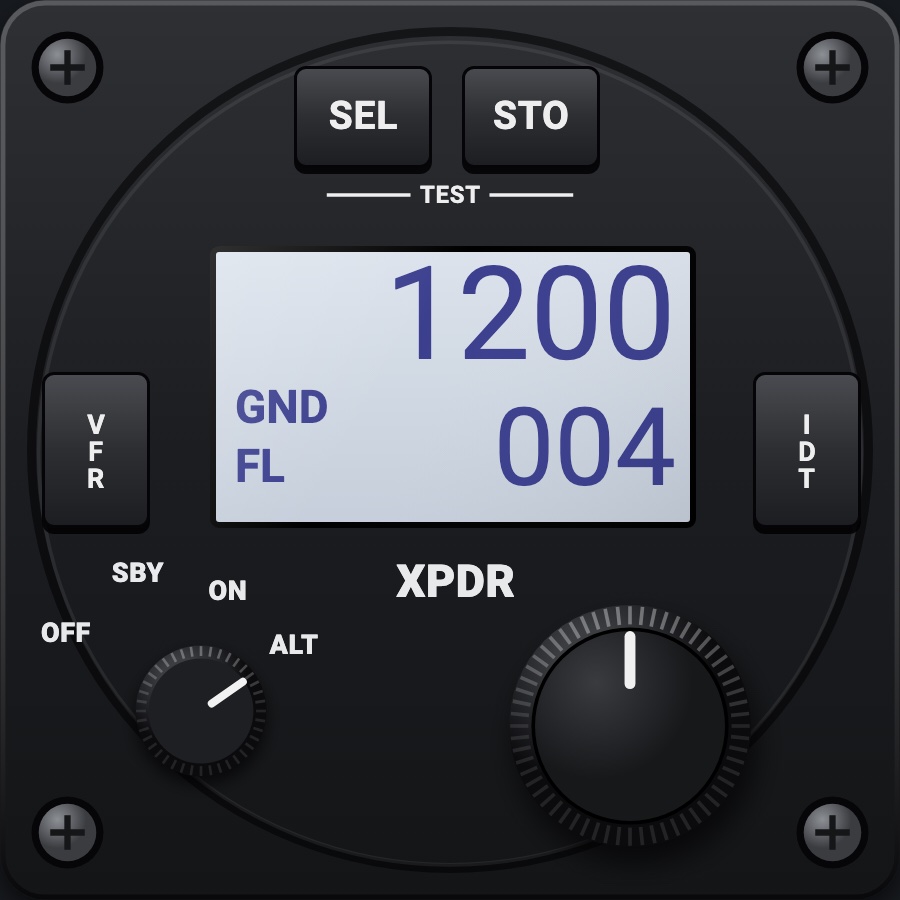
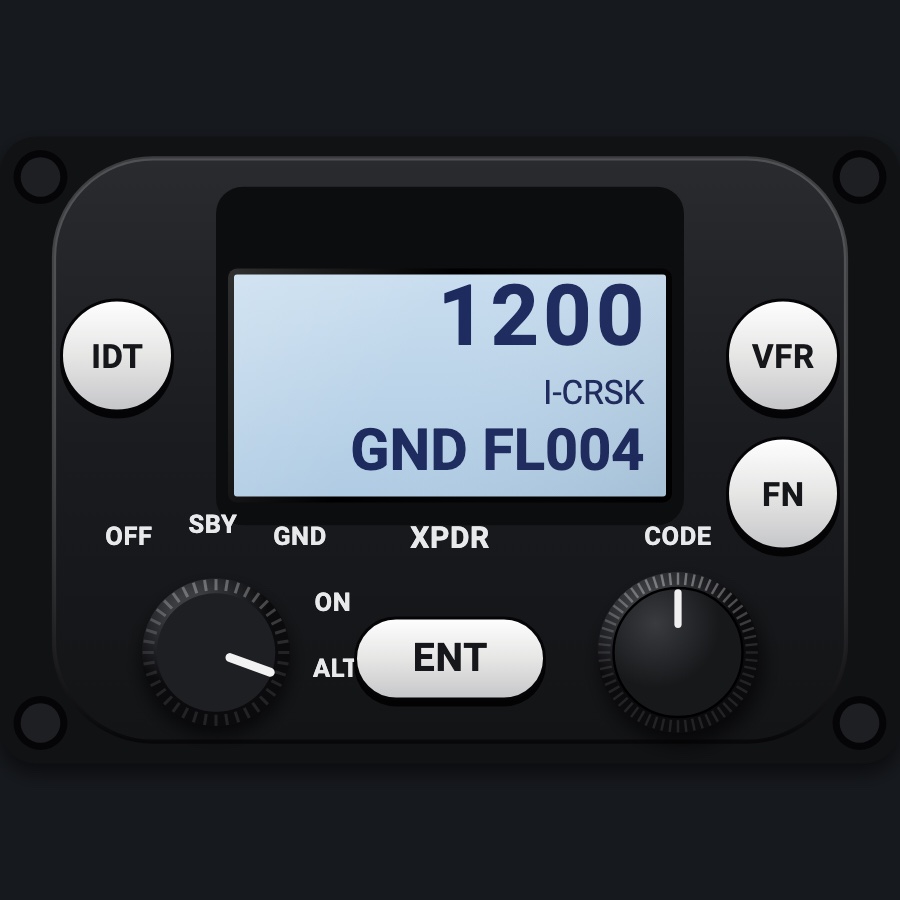
A 57 mm Mode S transponder in the style of the Becker BXP6401: an OFF / SBY / ON / ALT rotary switch, the code edited digit by digit on the encoder, and a blue-white LCD with the code, flight level or flight ID, and R / ID / mode annunciators. SEL pages include the VFR code you can store.
- Modeled on
- Becker BXP6401-style 57 mm Mode S transponder
- Category
- Radios and panels
- Size
- 1 cell
- Version
- 1.0 · 2026-10-19
- Plan
- Pro
- Simulators
- MSFS 2020 · MSFS 2024 · X-Plane 11 · X-Plane 12
Features
- LCD: the code large; FL and the flight level in ALT, otherwise the flight ID (the simulator's ATC ID)
- R while replying, ID while identing, and the mode (SBY, ON, ALT, GND) down the left
- Code edited a digit at a time (0-7), sent after the last digit; abandoned after 10 s untouched
- SEL pages: VFR= (editable, STO stores it as the app's VFR code), AI (flight ID), FN, AA, MA, AT, CFG brightness
- VFR key: the VFR code, pressed again the code before it
- SEL held shows IBIT
- Display dark without avionics power; dimmed at night, faceplate under the red flood light
On the iPad
- Drag around the rotary switch to step OFF / SBY / ON / ALT; tap it for the next position (after ALT, back to OFF)
- Drag the encoder to change the highlighted code digit; push it for the next digit, past the last it sends the code
- Tap IDT to ident; tap VFR for the VFR code
- Tap SEL to open the pages (encoder turns through them or edits VFR / brightness); tap STO on VFR= to store it
Settings
- VFR code: editable on the unit (SEL > VFR=, STO), saved as the app-wide VFR code
- App Settings: VFR code and the automatic ground mode
Keys and controllers
Map any of these to a key, a game controller's button or axis, or a MIDI knob (how):
- Transponder IDENT
- Transponder STBY
- Transponder ALT
Simulator data
What the Hub reads from the simulator for this instrument, and what the instrument sends back. Names are the simulators' own: MSFS SimVars and events, X-Plane datarefs and commands.
Reads
| Value | MSFS | X-Plane |
|---|---|---|
| Transponder mode: 0 off, 1 standby, 2 test, 3 on, 4 altitude (enum) | TRANSPONDER STATE:1 (number) | sim/cockpit2/radios/actuators/transponder_mode |
| Transponder code as its four digits (e.g. 1200) (code) | TRANSPONDER CODE:1 (number) | sim/cockpit2/radios/actuators/transponder_code |
| Transponder identing (1/0) (bool) | TRANSPONDER IDENT:1 (bool) | sim/cockpit2/radios/indicators/transponder_id |
| Pressure altitude (ft) | PRESSURE ALTITUDE (feet) | sim/flightmodel2/position/pressure_altitude |
| Indicated altitude (ft) | INDICATED ALTITUDE (feet) | sim/cockpit2/gauges/indicators/altitude_ft_pilot |
| On the ground (1/0) (bool) | SIM ON GROUND (bool) | sim/flightmodel/failures/onground_any |
| Text: aircraft registration (ATC ID) (text) | ATC ID (string32) | sim/aircraft/view/acf_tailnum |
Sends
| When you… | MSFS | X-Plane |
|---|---|---|
| Rotary switch: OFF (0), SBY (1), ON (3), ALT (4) | SimVar write: TRANSPONDER STATE:1 | sim/cockpit2/radios/actuators/transponder_mode |
| Encoder pushed past the last digit, or VFR | XPNDR_SET | sim/cockpit2/radios/actuators/transponder_code |
| IDT | XPNDR_IDENT_ON | sim/transponder/transponder_ident |
Add-on aircraft with their own systems may use other variables; the Hub reads the standard ones.
Changes
The instrument's version counts what its faces share (the case, the mechanism, the data, the sounds); a face's own version counts that face alone.
- 1.0 2026-10-19
- First numbered version.