Evolution 1000 Pro MAX-style PFD
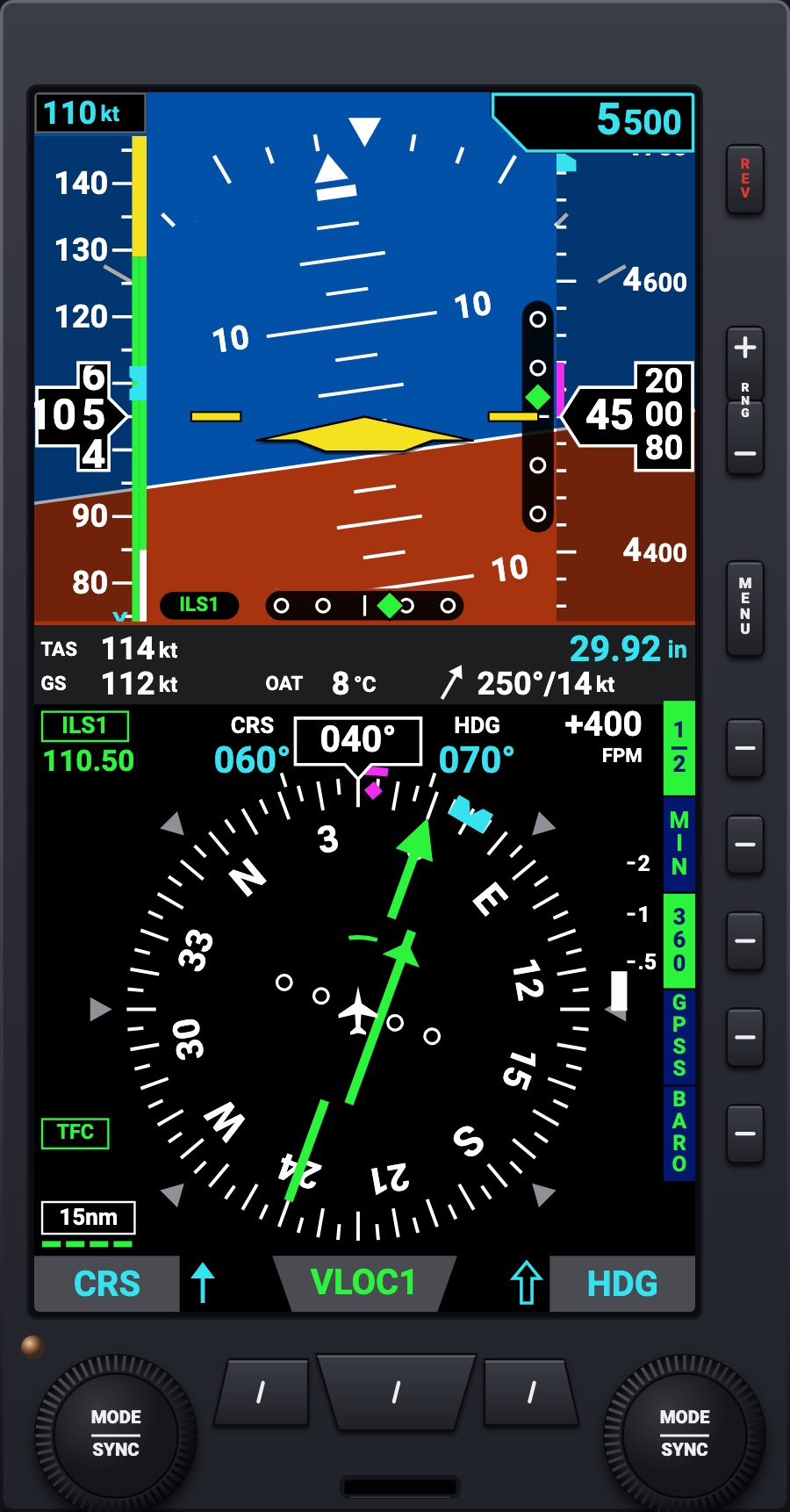
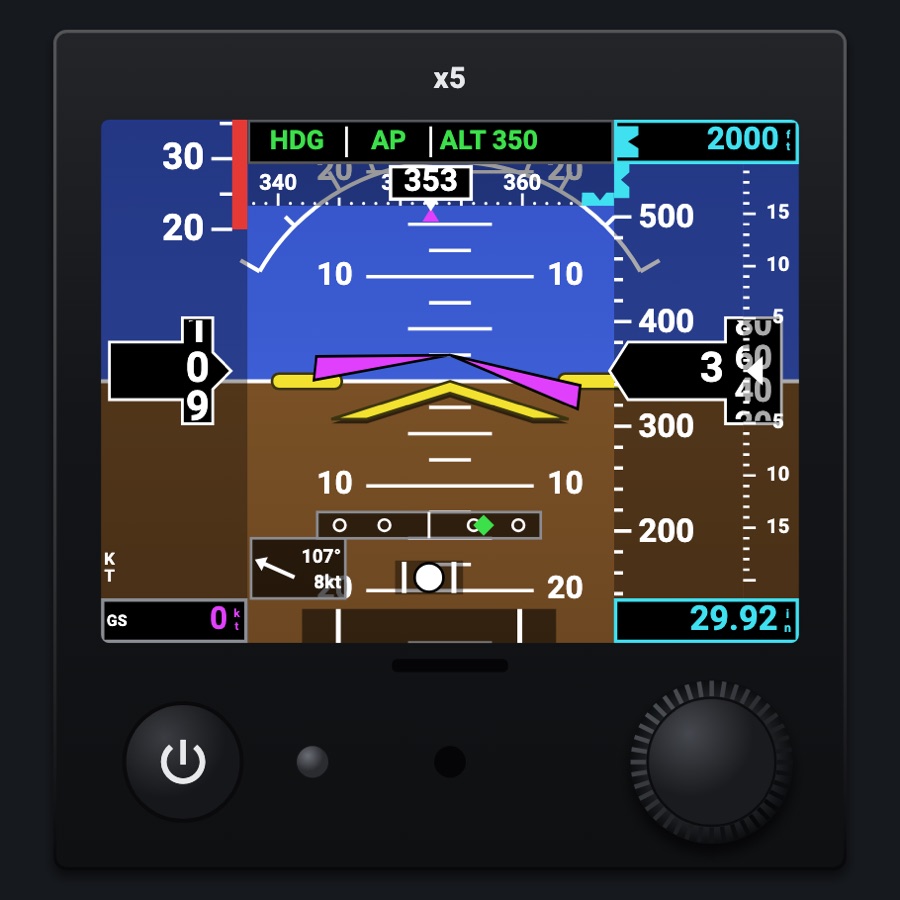
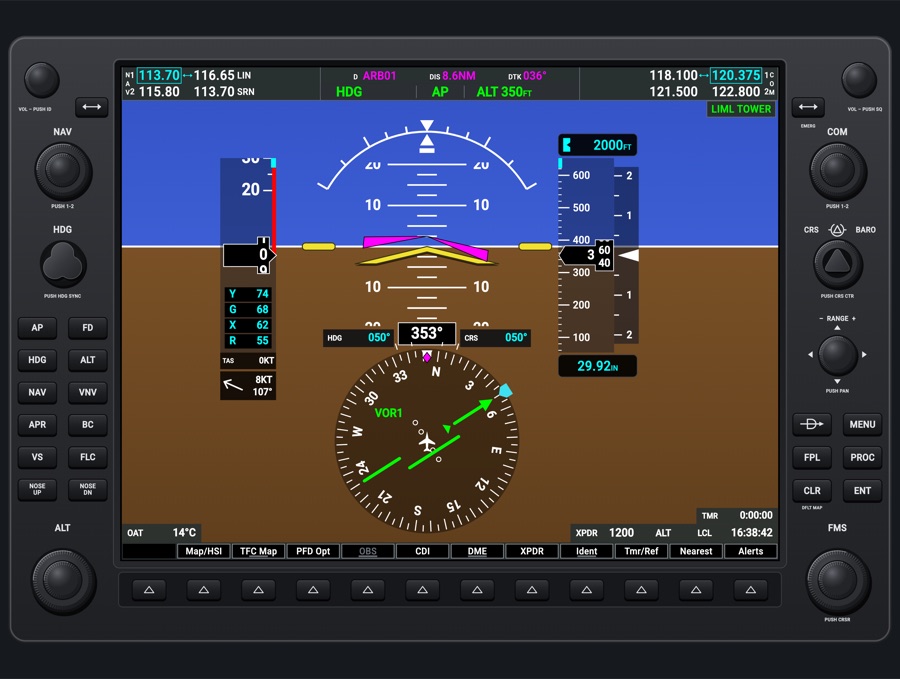
A tall flight display in the attitude indicator's and the HSI's holes: attitude with synthetic vision, airspeed and altitude tapes, the data bar, an HSI over the moving map, the hot keys and the menu. Its two knobs set the course, the heading bug, the selected altitude and the baro in the simulator, as the real unit's do.
- Modeled on
- Aspen Evolution 1000 Pro MAX-style primary flight display
- Category
- Displays
- Size
- 1 × 2 cells
- Version
- 1.0 · 2026-10-19
- Plan
- Pro
- Simulators
- MSFS 2020 · MSFS 2024 · X-Plane 11 · X-Plane 12
Features
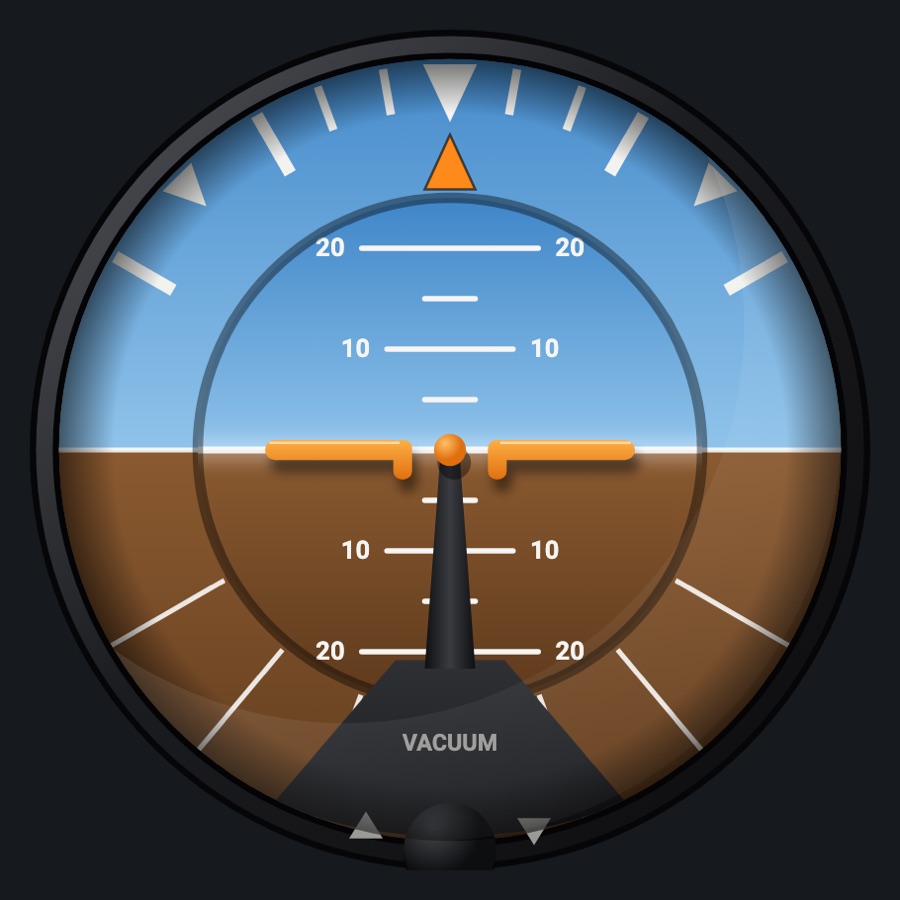
- Attitude on the upper part: pitch marks every 2.5°, the roll scale and pointer, the slip bar, the yellow single-cue symbol, the magenta flight director wedge, the AOA, the glideslope and localizer deviations, MIN and MINIMUMS, the flight path marker with the synthetic vision (its hot key)
- See-through tapes: airspeed with its colored strip, the selected airspeed box and bug, the speed in a black pointer; altitude with the selected altitude box and bug, the trend line and the minimums mark
- Data bar: TAS, ground speed, OAT, the wind arrow, the baro
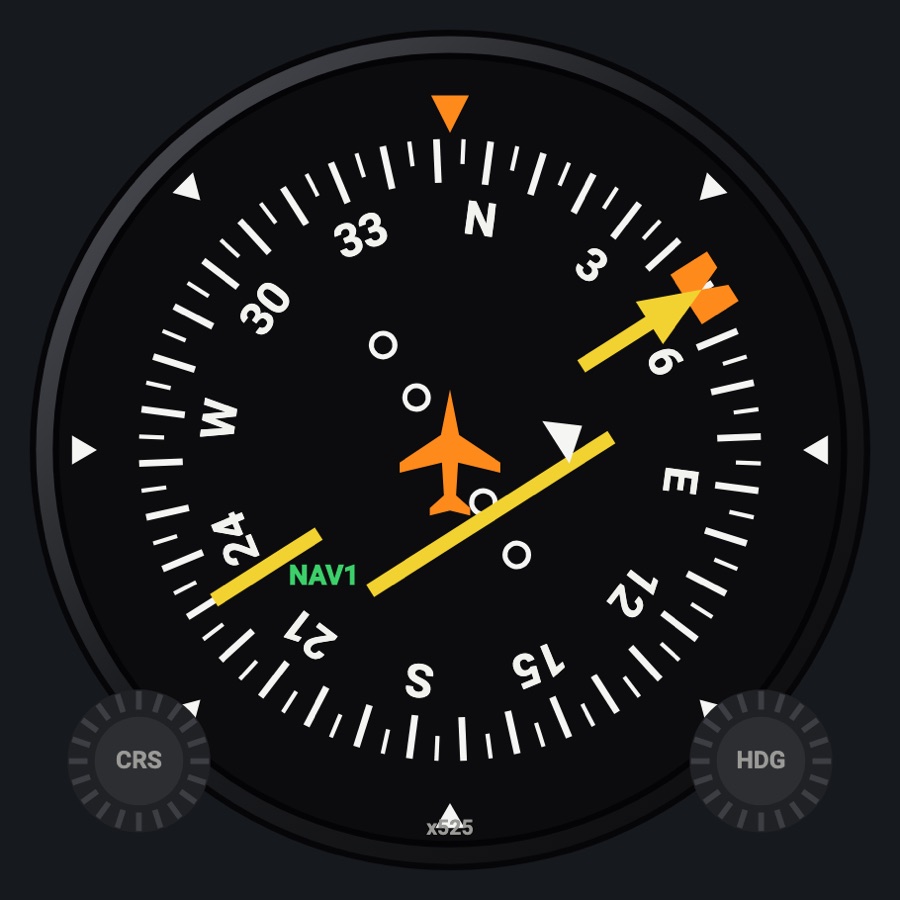
- Navigation display: the compass (360 or ARC) over the moving map (the flight plan and its waypoints, the traffic, the selected altitude intercept arc), the heading box and bug, the ground track, the rate of turn, the course pointer and deviation (green VLOC, magenta GPS), TO / FROM, two bearing pointers, the vertical speed, the range
- Hot keys on two pages: MIN, 360 / ARC, GPSS, BARO; SV, TFC, BARO (inverse green when on)
- Left knob CRS (push: IAS), right knob HDG (push: ALT, then MIN; the BARO hot key: BARO); a knob wakes on its first turn and goes back after 10 s; held: SYNC
- MENU over the navigation display (the right knob turns its pages, a hot key edits an option; the left knob the brightness); RNG + / - the map range (2 to 200 nm)
- Bottom keys: the single-line bearing pointer's source (VOR1, GPS1, ADF, none), the CDI's (GPS1 / VLOC1, the simulator's), the double-line pointer's (VOR2, GPS1, ADF, none)
- REV held: off (POWERING OFF, 5 s) and on again; without the aircraft power it runs on its battery in the air (ON BAT) and powers off on the ground; power-up: INITIALIZING, then the databases message
- No simulator counterpart: the hot keys and menu settings, the minimums, the bearing pointer sources, the range, the brightness, the battery
- Tall charcoal unit, the keys down its right side, the three source keys under the screen, the two knurled knobs printed MODE / SYNC; the plate plain where the maker prints its name
Your aircraft: The airspeed tape's colored strip and the speed marks come from the profile's V-speeds; an aircraft not known (generic profile) gets no strip.
On the iPad
- Drag the left knob to set the course (or the selected airspeed after a push); push it to switch; hold it to sync
- Drag the right knob to set the heading bug (the selected altitude, the minimums or the baro after a push or the BARO hot key); hold it to sync
- Tap a hot key to toggle it; MENU for the menu; RNG + / - for the range
- Tap the middle bottom key to switch the CDI between GPS and VLOC; the outer keys for the bearing pointers
- Hold REV to power off and on
Keys and controllers
Map any of these to a key, a game controller's button or axis, or a MIDI knob (how):
- COM 1 MHz +
- COM 1 MHz -
- COM 1 channel +
- COM 1 channel -
- COM 1 swap
- NAV 1 MHz +
- NAV 1 MHz -
- NAV 1 channel +
- NAV 1 channel -
- NAV 1 swap
- CDI: next source
- Course +
- Course -
- Course sync
- Heading bug +
- Heading bug -
- Heading bug sync
- Altitude +
- Altitude -
- Altitude sync
- Baro +
- Baro -
- Baro sync
Simulator data
What the Hub reads from the simulator for this instrument, and what the instrument sends back. Names are the simulators' own: MSFS SimVars and events, X-Plane datarefs and commands.
Reads
| Value | MSFS | X-Plane |
|---|---|---|
| Pitch attitude, + nose up (deg) | ATTITUDE INDICATOR PITCH DEGREES (degrees) | sim/flightmodel/position/theta |
| Bank angle, + right wing down (deg) | ATTITUDE INDICATOR BANK DEGREES (degrees) | sim/flightmodel/position/phi |
| Slip/skid ball position, -1..1 | TURN COORDINATOR BALL (position) | sim/cockpit2/gauges/indicators/slip_deg |
| Indicated airspeed (kt) | AIRSPEED INDICATED (knots) | sim/cockpit2/gauges/indicators/airspeed_kts_pilot |
| True airspeed (kt) | AIRSPEED TRUE (knots) | sim/flightmodel/position/true_airspeed |
| Indicated altitude (ft) | INDICATED ALTITUDE (feet) | sim/cockpit2/gauges/indicators/altitude_ft_pilot |
| Vertical speed (fpm) | VERTICAL SPEED (feet per minute) | sim/cockpit2/gauges/indicators/vvi_fpm_pilot |
| Ground speed (kt) | GPS GROUND SPEED (knots) | sim/flightmodel/position/groundspeed |
| Ground track (deg magnetic) | GPS GROUND MAGNETIC TRACK (degrees) | sim/cockpit2/gauges/indicators/ground_track_mag_pilot |
| Heading (glass AHRS heading, else magnetic heading) (deg magnetic) | HEADING INDICATOR (degrees) | sim/cockpit2/gauges/indicators/heading_AHARS_deg_mag_pilotsim/flightmodel/position/mag_psi |
| Altimeter setting (inHg) | KOHLSMAN SETTING HG (inHg) | sim/cockpit2/gauges/actuators/barometer_setting_in_hg_pilot |
| Outside air temperature (degC) | AMBIENT TEMPERATURE (celsius) | sim/cockpit2/temperature/outside_air_temp_degc |
| Wind from (deg true) | AMBIENT WIND DIRECTION (degrees) | sim/cockpit2/gauges/indicators/wind_heading_deg_magsim/flightmodel/position/magnetic_variation |
| Wind speed (kt) | AMBIENT WIND VELOCITY (knots) | sim/cockpit2/gauges/indicators/wind_speed_kts |
| Heading bug (deg) | AUTOPILOT HEADING LOCK DIR (degrees) | sim/cockpit2/autopilot/heading_dial_deg_mag_pilot |
| Selected altitude (ft) | AUTOPILOT ALTITUDE LOCK VAR (feet) | sim/cockpit2/autopilot/altitude_dial_ft |
| Selected airspeed (kt) | AUTOPILOT AIRSPEED HOLD VAR (knots) | sim/cockpit2/autopilot/airspeed_dial_kts_mach |
| CDI/HSI navigation source: 0 GPS, 1 NAV (enum) | GPS DRIVES NAV1 (bool) | sim/cockpit2/radios/actuators/HSI_source_select_pilot |
| The NAV source is a localizer (1/0) (bool) | NAV HAS LOCALIZER:1 (bool)GPS DRIVES NAV1 (bool) | sim/cockpit2/radios/actuators/nav1_frequency_hzsim/cockpit2/radios/actuators/HSI_source_select_pilot |
| NAV1 active frequency (kHz) | NAV ACTIVE FREQUENCY:1 (MHz) | sim/cockpit2/radios/actuators/nav1_frequency_hz |
| NAV1 OBS course (deg) | NAV OBS:1 (degrees) | sim/cockpit2/radios/actuators/nav1_obs_deg_mag_pilot |
| NAV1 receiver course deviation, + = course right (dots (-2.5..2.5)) | NAV CDI:1 (number) | sim/cockpit2/radios/indicators/nav1_hdef_dots_pilot |
| NAV1 TO/FROM: 0 off, 1 TO, 2 FROM (enum) | NAV TOFROM:1 (enum) | sim/cockpit2/radios/indicators/nav1_flag_from_to_pilot |
| NAV1 receiving a station (1/0) (bool) | NAV HAS NAV:1 (bool) | sim/cockpit2/radios/indicators/nav1_flag_from_to_pilot |
| NAV2 OBS course (deg) | NAV OBS:2 (degrees) | sim/cockpit2/radios/actuators/nav2_obs_deg_mag_pilot |
| NAV2 receiver course deviation, + = course right (dots (-2.5..2.5)) | NAV CDI:2 (number) | sim/cockpit2/radios/indicators/nav2_hdef_dots_pilot |
| NAV2 TO/FROM: 0 off, 1 TO, 2 FROM (enum) | NAV TOFROM:2 (enum) | sim/cockpit2/radios/indicators/nav2_flag_from_to_pilot |
| NAV2 receiving a station (1/0) (bool) | NAV HAS NAV:2 (bool) | sim/cockpit2/radios/indicators/nav2_flag_from_to_pilot |
| ADF needle, relative bearing to the station (deg) | ADF RADIAL:1 (degrees) | sim/cockpit2/radios/indicators/adf1_relative_bearing_deg |
| ADF receiving a station (1/0) (bool) | ADF SIGNAL:1 (number) | sim/cockpit2/radios/actuators/adf1_frequency_hz |
| Flight director on (1/0) (bool) | AUTOPILOT FLIGHT DIRECTOR ACTIVE (bool) | sim/cockpit2/autopilot/flight_director_mode |
| Flight director pitch command (deg) | AUTOPILOT FLIGHT DIRECTOR PITCH (degrees) | sim/cockpit2/autopilot/flight_director_pitch_deg |
| Flight director bank command (deg) | AUTOPILOT FLIGHT DIRECTOR BANK (degrees) | sim/cockpit2/autopilot/flight_director_roll_deg |
| Autopilot modes, one bit each (ApBit: ap, fd, yd, hdg, nav, apr, bc, alt, vs, flc, lvl, gs, vnv) (bitfield) | AUTOPILOT MASTER (bool)AUTOPILOT FLIGHT DIRECTOR ACTIVE (bool)AUTOPILOT YAW DAMPER (bool)AUTOPILOT HEADING LOCK (bool)AUTOPILOT NAV1 LOCK (bool)AUTOPILOT APPROACH HOLD (bool)AUTOPILOT BACKCOURSE HOLD (bool)AUTOPILOT ALTITUDE LOCK (bool)AUTOPILOT VERTICAL HOLD (bool)AUTOPILOT FLIGHT LEVEL CHANGE (bool)AUTOPILOT WING LEVELER (bool)AUTOPILOT GLIDESLOPE HOLD (bool) | sim/cockpit2/autopilot/servos_onsim/cockpit2/autopilot/flight_director_modesim/cockpit2/switches/yaw_damper_onsim/cockpit2/autopilot/heading_statussim/cockpit2/autopilot/nav_statussim/cockpit2/autopilot/approach_statussim/cockpit2/autopilot/backcourse_statussim/cockpit2/autopilot/altitude_hold_statussim/cockpit2/autopilot/vvi_statussim/cockpit2/autopilot/speed_statussim/cockpit2/autopilot/roll_statussim/cockpit2/autopilot/glideslope_status |
| Angle of attack (deg) | INCIDENCE ALPHA (degrees) | sim/flightmodel2/misc/AoA_angle_degrees |
| Stall angle of attack (deg) | STALL ALPHA (degrees) | sim/aircraft/overflow/acf_stall_warn_alpha |
| Flap handle position, 0 = up (index) | FLAPS HANDLE INDEX (number) | sim/cockpit2/controls/flap_handle_deploy_ratiosim/aircraft/controls/acf_flap_detents |
| Turn rate, + right (turn coordinator) (deg/s) | TURN INDICATOR RATE (degrees per second) | sim/flightmodel/position/Qsim/flightmodel/position/Rsim/flightmodel/position/phisim/flightmodel/position/thetasim/cockpit2/gauges/indicators/turn_rate_heading_deg_pilot |
| Magnetic variation, + east (magnetic = true - variation) (deg) | MAGVAR (degrees) | sim/flightmodel/position/magnetic_variation |
| Aircraft latitude (deg) | PLANE LATITUDE (degrees) | sim/flightmodel/position/latitude |
| Aircraft longitude (deg) | PLANE LONGITUDE (degrees) | sim/flightmodel/position/longitude |
| Text: active (next) waypoint ident (text) | GPS WP NEXT ID (string8) | Not available |
| Active waypoint latitude (deg) | GPS WP NEXT LAT (degrees)GPS IS ACTIVE FLIGHT PLAN (bool) | Not available |
| Active waypoint longitude (deg) | GPS WP NEXT LON (degrees)GPS IS ACTIVE FLIGHT PLAN (bool) | Not available |
| Distance to the active waypoint (nm) | GPS WP DISTANCE (nautical miles)GPS IS ACTIVE FLIGHT PLAN (bool) | Not available |
| GPS flight plan active (1/0) (bool) | GPS IS ACTIVE FLIGHT PLAN (bool) | Not available |
| On the ground (1/0) (bool) | SIM ON GROUND (bool) | sim/flightmodel/failures/onground_any |
Sends
| When you… | MSFS | X-Plane |
|---|---|---|
| Left knob as CRS, or mapped 'Course +' / 'Course -' | VOR1_SET | sim/cockpit2/radios/actuators/nav1_obs_deg_mag_pilotsim/cockpit2/radios/actuators/hsi_obs_deg_mag_pilot (also, when HSI_source_select_pilot == 0) |
| Left knob held as CRS, or mapped 'Course sync' | VOR1_SET | sim/cockpit2/radios/actuators/nav1_obs_deg_mag_pilotsim/cockpit2/radios/actuators/hsi_obs_deg_mag_pilot (when HSI shows NAV1) |
| Left knob as IAS, or mapped 'Speed +' / 'Speed -' | AP_SPD_VAR_SET | sim/cockpit2/autopilot/airspeed_dial_kts_mach |
| Left knob held as IAS, or mapped 'Speed sync' | AP_SPD_VAR_SET | sim/cockpit2/autopilot/airspeed_dial_kts_mach |
| Right knob as HDG, or mapped 'Heading bug +' / '-' | HEADING_BUG_SET | sim/cockpit2/autopilot/heading_dial_deg_mag_pilot |
| Right knob held as HDG, or mapped 'Heading bug sync' | HEADING_GYRO_SETHEADING_BUG_SET | sim/instruments/DG_sync_magsim/cockpit2/autopilot/heading_dial_deg_mag_pilot |
| Right knob as ALT, or mapped 'Altitude +' / '-' | AP_ALT_VAR_SET_ENGLISH | sim/cockpit2/autopilot/altitude_dial_ft |
| Right knob held as ALT, or mapped 'Altitude sync' | AP_ALT_VAR_SET_ENGLISH | sim/cockpit2/autopilot/altitude_dial_ft |
| Right knob as BARO, or mapped 'Baro +' / 'Baro -' | KOHLSMAN_SET | sim/cockpit2/gauges/actuators/barometer_setting_in_hg_pilot |
| Right knob held as BARO, or mapped 'Baro sync' | KOHLSMAN_SET | sim/cockpit2/gauges/actuators/barometer_setting_in_hg_pilot |
| The middle bottom key: the CDI's source, GPS1 or VLOC1, or mapped 'CDI: next source' | TOGGLE_GPS_DRIVES_NAV1 | sim/cockpit2/radios/actuators/HSI_source_select_pilot (2 GPS <-> 0 NAV1) |
| The GPSS hot key: the autopilot in HDG (GPSS on) or NAV (off), ApBit hdg / nav | AP_MASTERTOGGLE_FLIGHT_DIRECTORYAW_DAMPER_TOGGLEAP_PANEL_HEADING_HOLDAP_NAV1_HOLDAP_APR_HOLDAP_BC_HOLDAP_ALT_HOLDAP_PANEL_VS_HOLDFLIGHT_LEVEL_CHANGEAP_WING_LEVELER | sim/autopilot/servos_togglesim/autopilot/fdir_togglesim/systems/yaw_damper_togglesim/autopilot/headingsim/autopilot/NAVsim/autopilot/approachsim/autopilot/back_coursesim/autopilot/altitude_holdsim/autopilot/vertical_speedsim/autopilot/level_changesim/autopilot/wing_leveler |
Add-on aircraft with their own systems may use other variables; the Hub reads the standard ones.
Changes
The instrument's version counts what its faces share (the case, the mechanism, the data, the sounds); a face's own version counts that face alone.
- 1.0 2026-10-19
- First numbered version.