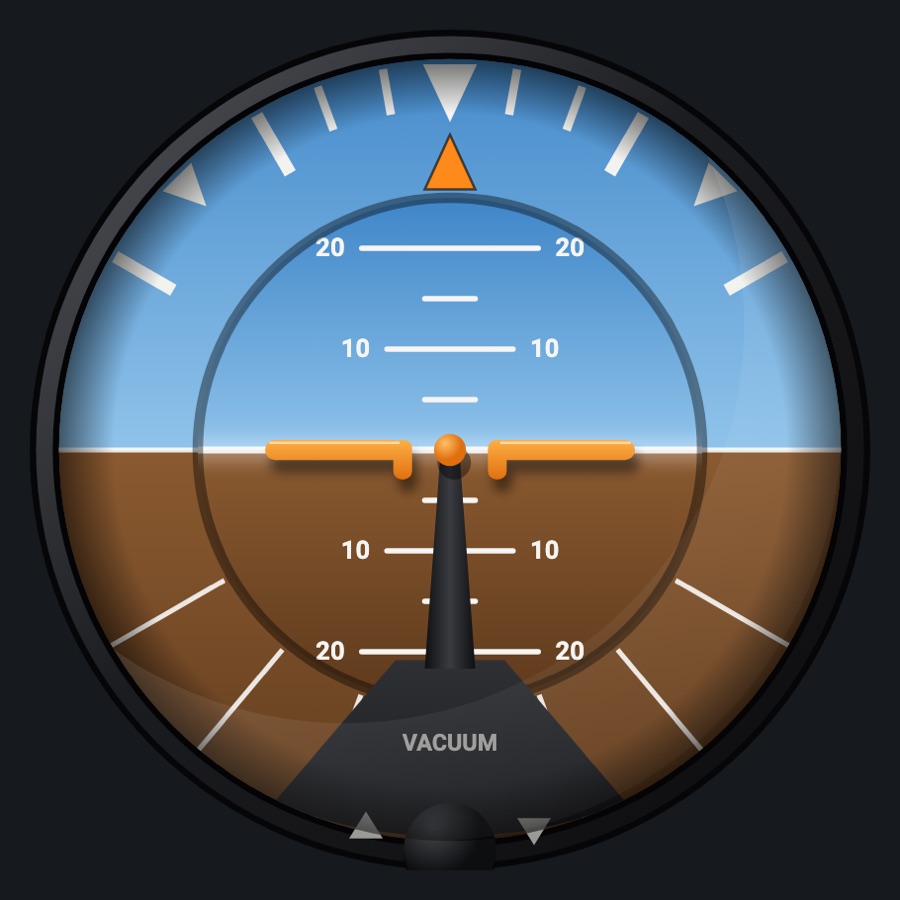
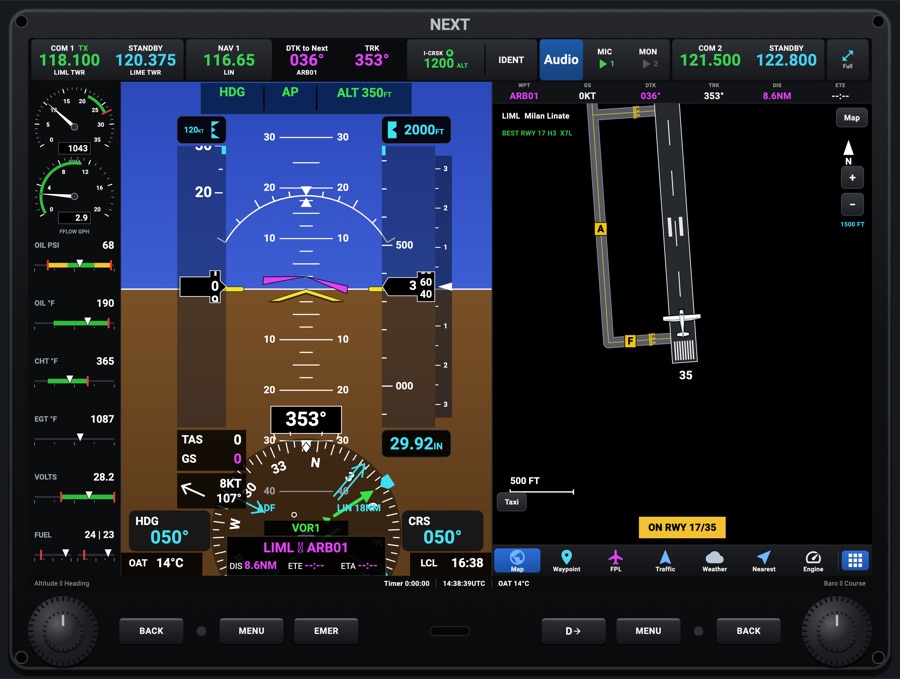
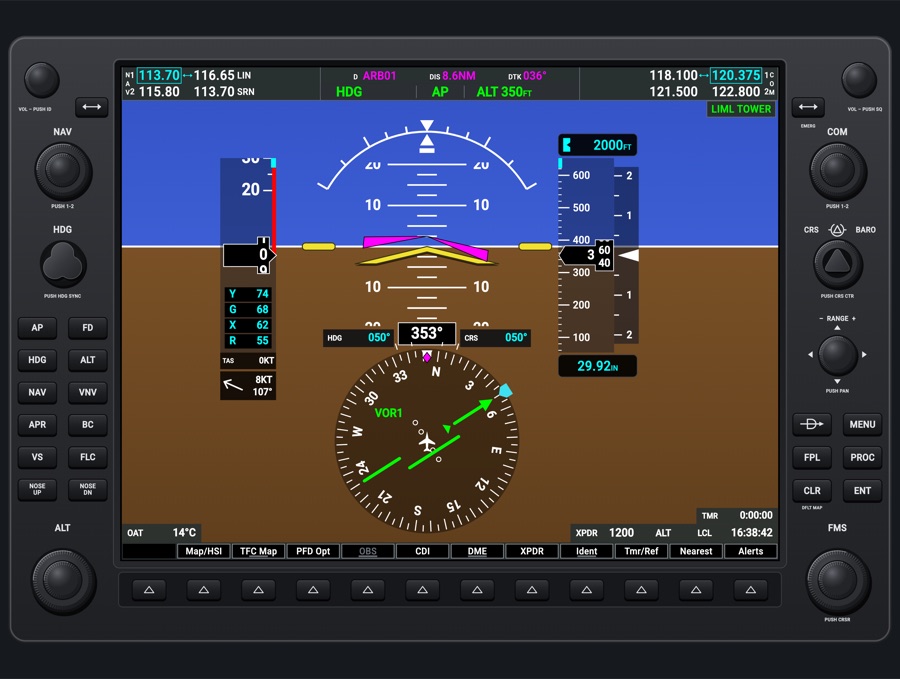
G5-style flight display
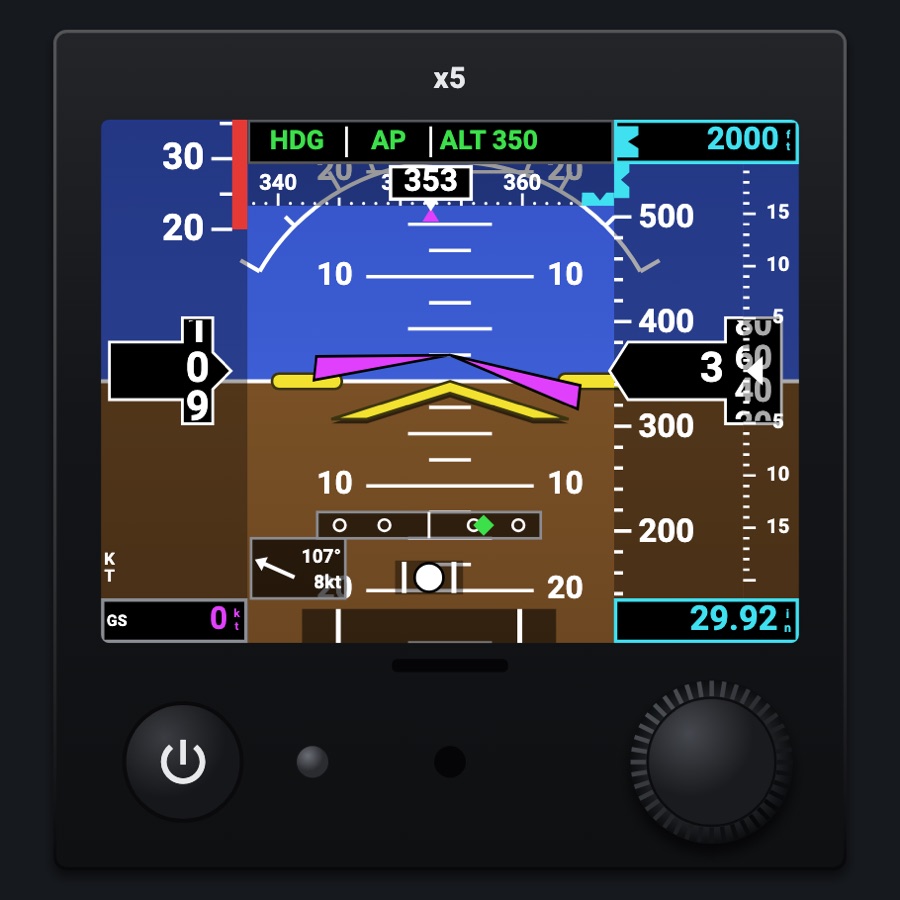
A 1x1 G5-style electronic flight instrument that shows either a compact PFD (attitude with airspeed, altitude and vertical speed tapes) or an HSI. It is driven like the real unit: one knob to turn and push through its menu, a power key, AHRS alignment at start-up and an internal battery if the aircraft's power goes off.
- Modeled on
- Garmin G5-style electronic flight instrument
- Category
- Displays
- Size
- 1 cell
- Version
- 1.0 · 2026-10-19
- Plan
- Pro
- Simulators
- MSFS 2020 · MSFS 2024 · X-Plane 11 · X-Plane 12
Variants
PFDv1.0
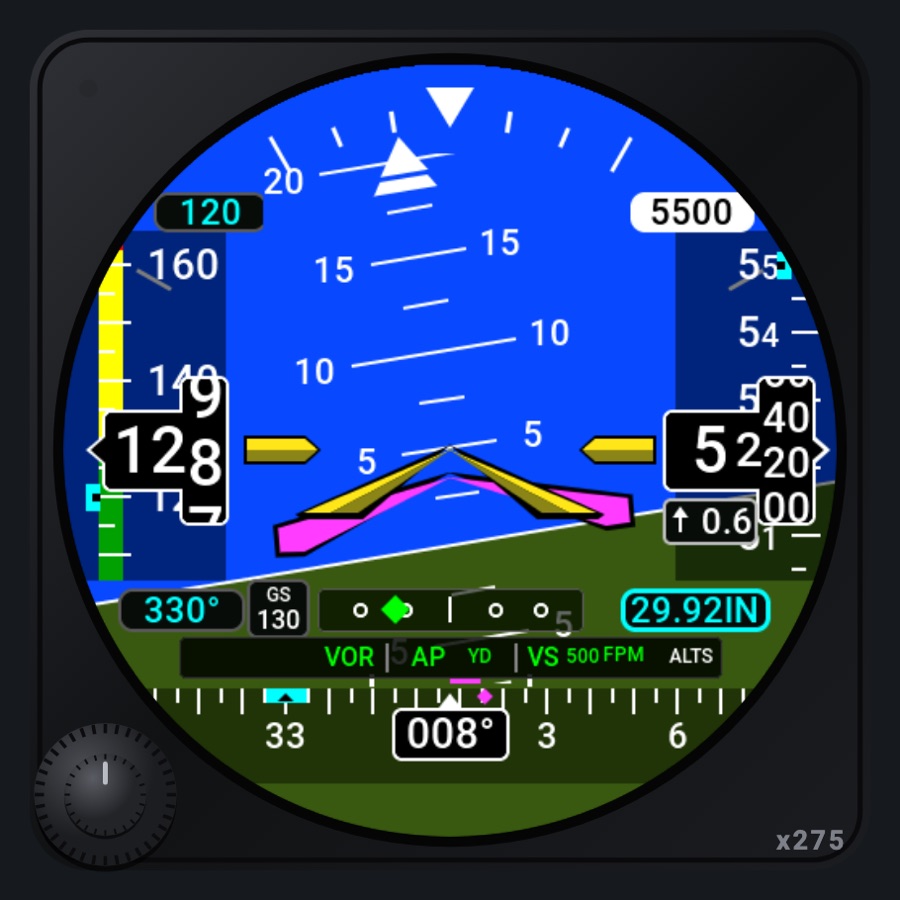
Attitude over the whole screen with see-through airspeed, altitude and vertical speed tapes, heading tape on top, slip ball and rate of turn.
Gauge settings > SHOWS: PFD (or the menu's HSI/PFD item)
HSIv1.0
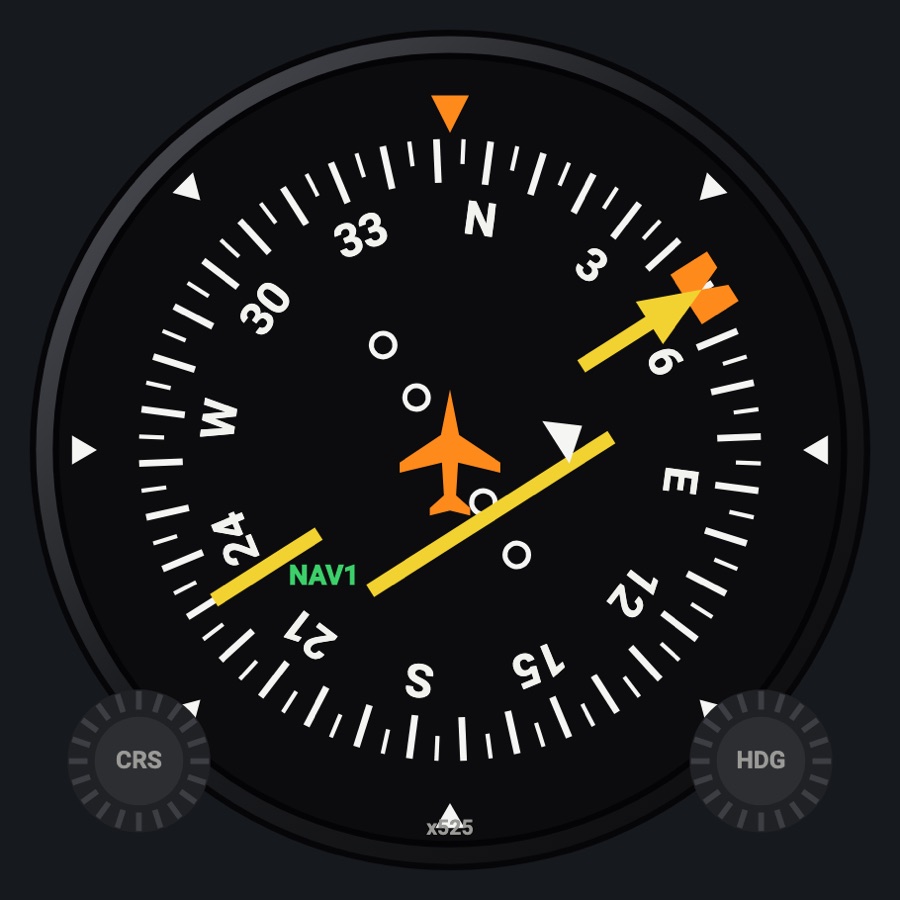
Heading-up compass card with heading bug, course needle and deviation, bearing pointers, ground speed, distance and wind.
Gauge settings > SHOWS: HSI (layout token 'hsi'), or the menu's PFD/HSI item
HSI 360° / Arcv1.0
The HSI as the whole rose, or its top as a wide arc.
Menu > View
Aligning / on battery / offv1.0
After a power-up the attitude (or heading) is crossed out in red with AHRS ALIGN, Keep Wings Level for 8 s; on battery it shows a battery badge with its charge, and on the ground without power a countdown to turn off.
Aircraft avionics power and the power key
Features
- PFD: attitude with fixed roll scale, pitch marks every 2.5° and the yellow aircraft symbol; magenta flight director command bars when the FD is on
- Airspeed tape with its color strip (red low speed, white flaps, green, yellow, barber pole past Vne; none for an aircraft not known), rolling-digit readout, 6-second trend line and optional Vr/Vx/Vy/Vg reference bugs
- Altitude tape with selected-altitude bug, last two digits rolling by 20 ft, 6-second trend; selected altitude box above (flashes approaching within 1,000 ft, yellow if 200 ft off after reaching) and baro below
- Vertical speed scale, heading tape with cyan heading bug and magenta track, slip ball and rate-of-turn strip
- Course deviation and vertical deviation (glideslope green, GPS glidepath magenta), autopilot / flight director modes along the top (lateral, AP / YD, vertical with target, armed modes)
- Baro minimums bug and a yellow MINIMUMS callout within 100 ft going down; wind arrow with direction and speed (or CALM / NO WIND)
- HSI: card numbered every 30°, lubber line and heading box, heading bug, ground track, course needle with TO/FROM and FLAG (GPS magenta, NAV green, back course reversal, BC), GPS scale, NO GS, ground speed, selected heading, distance, next waypoint and its time
- Two bearing pointers (BRG 1: NAV 1 or GPS; BRG 2: NAV 2 or ADF) with their sources and distances
- Power realism: 8 s AHRS alignment only at power-up (when the app starts, and after a power cycle: aircraft power back or the power key), not each time the G5 is shown again on another page or view; internal battery (about 4 h) that drains without aircraft power and charges with it; on the ground without power it turns off after 45 s unless the knob is pushed
- Lit by itself at night: bezel in the red flood with its printing backlit and the glareshield's light; the screen dimmed (Displays dimmer) and kept lit while it runs on its battery
Your aircraft: The airspeed tape's color strip and the Vr/Vx/Vy/Vg reference bugs come from the aircraft profile's V-speeds; an aircraft not known (generic profile) gets no color strip.
On the iPad
- Drag the knob in a circle: baro on the PFD, heading bug on the HSI (fast turns step x10)
- Tap the knob to open the menu (Back, Heading, Altitude, Minimums, Bugs, Wind, Field, CDI, BRG 1, BRG 2, View, PFD/HSI); turn to choose, tap to select; it closes after 10 s
- Heading, Altitude and Minimums open a Select window: turn to set (minimums in 10 ft steps), tap to close
- Tap the power key to turn it on; hold it to turn it off
- On battery on the ground, tap the knob to keep it on
Settings
- SHOWS (gauge setting): PFD / HSI
- Bugs: Vr/Vx/Vy/Vg on the speed tape, on / off
- Minimums: baro minimums in feet, off or up to 20,000
- Wind: on / off
- Field (PFD lower left): GS / TAS / OAT
- CDI: AUTO (the sim's NAV 1 / GPS) / GPS / NAV2
- BRG 1: OFF / NAV1 / GPS
- BRG 2: OFF / NAV2 / ADF
- View (HSI): 360° / ARC
- Menu settings are shared by every G5 on the panel and kept between sessions
Keys and controllers
Map any of these to a key, a game controller's button or axis, or a MIDI knob (how):
- COM 1 MHz +
- COM 1 MHz -
- COM 1 channel +
- COM 1 channel -
- COM 1 swap
- NAV 1 MHz +
- NAV 1 MHz -
- NAV 1 channel +
- NAV 1 channel -
- NAV 1 swap
- CDI: next source
- Course +
- Course -
- Course sync
- Heading bug +
- Heading bug -
- Heading bug sync
- Altitude +
- Altitude -
- Altitude sync
- Baro +
- Baro -
- Baro sync
Simulator data
What the Hub reads from the simulator for this instrument, and what the instrument sends back. Names are the simulators' own: MSFS SimVars and events, X-Plane datarefs and commands.
Reads
| Value | MSFS | X-Plane |
|---|---|---|
| Pitch attitude, + nose up (deg) | ATTITUDE INDICATOR PITCH DEGREES (degrees) | sim/flightmodel/position/theta |
| Bank angle, + right wing down (deg) | ATTITUDE INDICATOR BANK DEGREES (degrees) | sim/flightmodel/position/phi |
| Indicated airspeed (kt) | AIRSPEED INDICATED (knots) | sim/cockpit2/gauges/indicators/airspeed_kts_pilot |
| True airspeed (kt) | AIRSPEED TRUE (knots) | sim/flightmodel/position/true_airspeed |
| Ground speed (kt) | GPS GROUND SPEED (knots) | sim/flightmodel/position/groundspeed |
| Outside air temperature (degC) | AMBIENT TEMPERATURE (celsius) | sim/cockpit2/temperature/outside_air_temp_degc |
| Indicated altitude (ft) | INDICATED ALTITUDE (feet) | sim/cockpit2/gauges/indicators/altitude_ft_pilot |
| Vertical speed (fpm) | VERTICAL SPEED (feet per minute) | sim/cockpit2/gauges/indicators/vvi_fpm_pilot |
| Altimeter setting (inHg) | KOHLSMAN SETTING HG (inHg) | sim/cockpit2/gauges/actuators/barometer_setting_in_hg_pilot |
| Selected altitude (ft) | AUTOPILOT ALTITUDE LOCK VAR (feet) | sim/cockpit2/autopilot/altitude_dial_ft |
| Heading bug (deg) | AUTOPILOT HEADING LOCK DIR (degrees) | sim/cockpit2/autopilot/heading_dial_deg_mag_pilot |
| Heading (glass AHRS heading, else magnetic heading) (deg magnetic) | HEADING INDICATOR (degrees) | sim/cockpit2/gauges/indicators/heading_AHARS_deg_mag_pilotsim/flightmodel/position/mag_psi |
| Ground track (deg magnetic) | GPS GROUND MAGNETIC TRACK (degrees) | sim/cockpit2/gauges/indicators/ground_track_mag_pilot |
| Slip/skid ball position, -1..1 | TURN COORDINATOR BALL (position) | sim/cockpit2/gauges/indicators/slip_deg |
| Turn rate, + right (turn coordinator) (deg/s) | TURN INDICATOR RATE (degrees per second) | sim/flightmodel/position/Qsim/flightmodel/position/Rsim/flightmodel/position/phisim/flightmodel/position/thetasim/cockpit2/gauges/indicators/turn_rate_heading_deg_pilot |
| Flight director on (1/0) (bool) | AUTOPILOT FLIGHT DIRECTOR ACTIVE (bool) | sim/cockpit2/autopilot/flight_director_mode |
| Flight director pitch command (deg) | AUTOPILOT FLIGHT DIRECTOR PITCH (degrees) | sim/cockpit2/autopilot/flight_director_pitch_deg |
| Flight director bank command (deg) | AUTOPILOT FLIGHT DIRECTOR BANK (degrees) | sim/cockpit2/autopilot/flight_director_roll_deg |
| Autopilot modes, one bit each (ApBit: ap, fd, yd, hdg, nav, apr, bc, alt, vs, flc, lvl, gs, vnv) (bitfield) | AUTOPILOT MASTER (bool)AUTOPILOT FLIGHT DIRECTOR ACTIVE (bool)AUTOPILOT YAW DAMPER (bool)AUTOPILOT HEADING LOCK (bool)AUTOPILOT NAV1 LOCK (bool)AUTOPILOT APPROACH HOLD (bool)AUTOPILOT BACKCOURSE HOLD (bool)AUTOPILOT ALTITUDE LOCK (bool)AUTOPILOT VERTICAL HOLD (bool)AUTOPILOT FLIGHT LEVEL CHANGE (bool)AUTOPILOT WING LEVELER (bool)AUTOPILOT GLIDESLOPE HOLD (bool) | sim/cockpit2/autopilot/servos_onsim/cockpit2/autopilot/flight_director_modesim/cockpit2/switches/yaw_damper_onsim/cockpit2/autopilot/heading_statussim/cockpit2/autopilot/nav_statussim/cockpit2/autopilot/approach_statussim/cockpit2/autopilot/backcourse_statussim/cockpit2/autopilot/altitude_hold_statussim/cockpit2/autopilot/vvi_statussim/cockpit2/autopilot/speed_statussim/cockpit2/autopilot/roll_statussim/cockpit2/autopilot/glideslope_status |
| Autopilot vertical speed target (fpm) | AUTOPILOT VERTICAL HOLD VAR (feet per minute) | sim/cockpit2/autopilot/vvi_dial_fpm |
| Selected airspeed (kt) | AUTOPILOT AIRSPEED HOLD VAR (knots) | sim/cockpit2/autopilot/airspeed_dial_kts_mach |
| CDI/HSI navigation source: 0 GPS, 1 NAV (enum) | GPS DRIVES NAV1 (bool) | sim/cockpit2/radios/actuators/HSI_source_select_pilot |
| The NAV source is a localizer (1/0) (bool) | NAV HAS LOCALIZER:1 (bool)GPS DRIVES NAV1 (bool) | sim/cockpit2/radios/actuators/nav1_frequency_hzsim/cockpit2/radios/actuators/HSI_source_select_pilot |
| Course shown on the HSI (deg) | GPS WP DESIRED TRACK (degrees)NAV OBS:1 (degrees)GPS DRIVES NAV1 (bool) | sim/cockpit2/radios/actuators/hsi_obs_deg_mag_pilot |
| Course deviation, + = course to the right (dots (-2.5..2.5)) | HSI CDI NEEDLE (number) | sim/cockpit2/radios/indicators/hsi_hdef_dots_pilot |
| TO/FROM flag: 0 off, 1 TO, 2 FROM (enum) | HSI TF FLAGS (enum) | sim/cockpit2/radios/indicators/hsi_flag_from_to_pilot |
| CDI needle valid (1/0) (bool) | HSI CDI NEEDLE VALID (bool) | sim/cockpit2/radios/indicators/hsi_flag_from_to_pilot |
| Glideslope valid (1/0) (bool) | HSI GSI NEEDLE VALID (bool) | sim/cockpit2/radios/indicators/hsi_flag_glideslope_pilot |
| Glideslope deviation (dots) | HSI GSI NEEDLE (number) | sim/cockpit2/radios/indicators/hsi_vdef_dots_pilot |
| Distance to the station / waypoint (HSI) (nm) | HSI DISTANCE (nautical miles) | sim/cockpit2/radios/indicators/hsi_dme_distance_nm_pilot |
| GPS desired track (deg) | GPS WP DESIRED TRACK (degrees)GPS IS ACTIVE FLIGHT PLAN (bool) | Not available |
| GPS's own course deviation (dots) | GPS CDI NEEDLE (number) | sim/cockpit2/radios/indicators/gps_hdef_dots_pilot |
| Distance to the active waypoint (nm) | GPS WP DISTANCE (nautical miles)GPS IS ACTIVE FLIGHT PLAN (bool) | Not available |
| GPS flight plan active (1/0) (bool) | GPS IS ACTIVE FLIGHT PLAN (bool) | Not available |
| NAV2 OBS course (deg) | NAV OBS:2 (degrees) | sim/cockpit2/radios/actuators/nav2_obs_deg_mag_pilot |
| NAV2 receiver course deviation, + = course right (dots (-2.5..2.5)) | NAV CDI:2 (number) | sim/cockpit2/radios/indicators/nav2_hdef_dots_pilot |
| NAV2 TO/FROM: 0 off, 1 TO, 2 FROM (enum) | NAV TOFROM:2 (enum) | sim/cockpit2/radios/indicators/nav2_flag_from_to_pilot |
| NAV2 receiving a station (1/0) (bool) | NAV HAS NAV:2 (bool) | sim/cockpit2/radios/indicators/nav2_flag_from_to_pilot |
| NAV2 station has DME (1/0) (bool) | NAV HAS DME:2 (bool) | sim/cockpit2/radios/indicators/nav2_has_dme |
| NAV2 DME distance (nm) | NAV DME:2 (nautical miles)NAV HAS DME:2 (bool) | sim/cockpit2/radios/indicators/nav2_dme_distance_nmsim/cockpit2/radios/indicators/nav2_has_dme |
| NAV1 active frequency (kHz) | NAV ACTIVE FREQUENCY:1 (MHz) | sim/cockpit2/radios/actuators/nav1_frequency_hz |
| NAV2 active frequency (kHz) | NAV ACTIVE FREQUENCY:2 (MHz) | sim/cockpit2/radios/actuators/nav2_frequency_hz |
| ADF needle, relative bearing to the station (deg) | ADF RADIAL:1 (degrees) | sim/cockpit2/radios/indicators/adf1_relative_bearing_deg |
| ADF receiving a station (1/0) (bool) | ADF SIGNAL:1 (number) | sim/cockpit2/radios/actuators/adf1_frequency_hz |
| Text: active (next) waypoint ident (text) | GPS WP NEXT ID (string8) | Not available |
| Time to the active waypoint (min) | GPS WP ETE (seconds)GPS IS ACTIVE FLIGHT PLAN (bool) | Not available |
| Active waypoint latitude (deg) | GPS WP NEXT LAT (degrees)GPS IS ACTIVE FLIGHT PLAN (bool) | Not available |
| Active waypoint longitude (deg) | GPS WP NEXT LON (degrees)GPS IS ACTIVE FLIGHT PLAN (bool) | Not available |
| Aircraft latitude (deg) | PLANE LATITUDE (degrees) | sim/flightmodel/position/latitude |
| Aircraft longitude (deg) | PLANE LONGITUDE (degrees) | sim/flightmodel/position/longitude |
| Magnetic variation, + east (magnetic = true - variation) (deg) | MAGVAR (degrees) | sim/flightmodel/position/magnetic_variation |
| Wind from (deg true) | AMBIENT WIND DIRECTION (degrees) | sim/cockpit2/gauges/indicators/wind_heading_deg_magsim/flightmodel/position/magnetic_variation |
| Wind speed (kt) | AMBIENT WIND VELOCITY (knots) | sim/cockpit2/gauges/indicators/wind_speed_kts |
| On the ground (1/0) (bool) | SIM ON GROUND (bool) | sim/flightmodel/failures/onground_any |
Sends
| When you… | MSFS | X-Plane |
|---|---|---|
| Turn the knob on the PFD page | KOHLSMAN_SET | sim/cockpit2/gauges/actuators/barometer_setting_in_hg_pilot |
| Turn the knob on the HSI page, or in the Select Heading window | HEADING_BUG_SET | sim/cockpit2/autopilot/heading_dial_deg_mag_pilot |
| Turn the knob in the Select Altitude window | AP_ALT_VAR_SET_ENGLISH | sim/cockpit2/autopilot/altitude_dial_ft |
Add-on aircraft with their own systems may use other variables; the Hub reads the standard ones.
Changes
The instrument's version counts what its faces share (the case, the mechanism, the data, the sounds); a face's own version counts that face alone.
- 1.0 2026-10-19
- First numbered version.