Altimeter
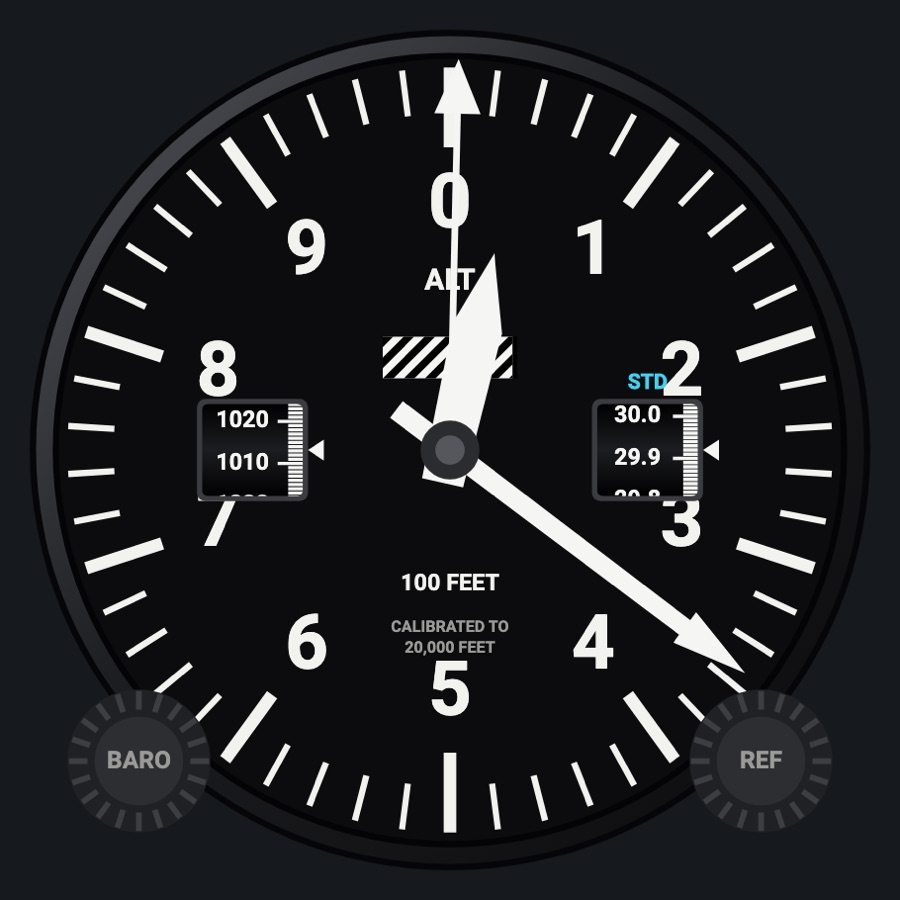
A round altimeter with drum-style baro windows in inHg and hPa that you set with its knob. It has a reference altitude bug, and the static-system failures and realistic needle lag act on it.
- Modeled on
- Classic round sensitive altimeter of a light aircraft (three-pointer, drum-pointer, or metric)
- Category
- Flight instruments
- Size
- 1 cell
- Version
- 1.0 · 2026-10-19
- Plan
- Free any two of the six-pack
- Simulators
- MSFS 2020 · MSFS 2024 · X-Plane 11 · X-Plane 12
Variants
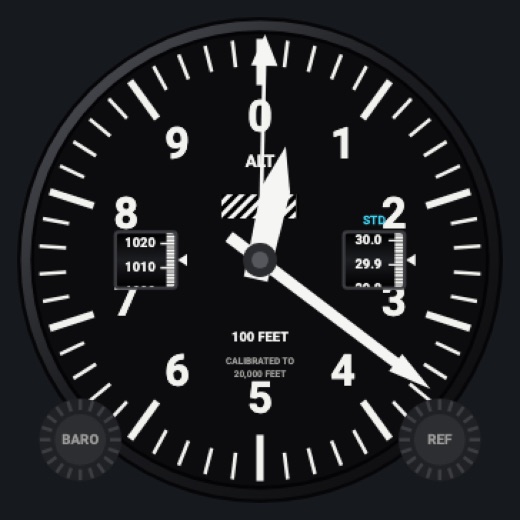
Three-pointerv1.0
100 ft, 1,000 ft and 10,000 ft hands, and the striped low-altitude flag that closes as you climb to 10,000 ft.
Instrument picker > FACE > Three-pointer
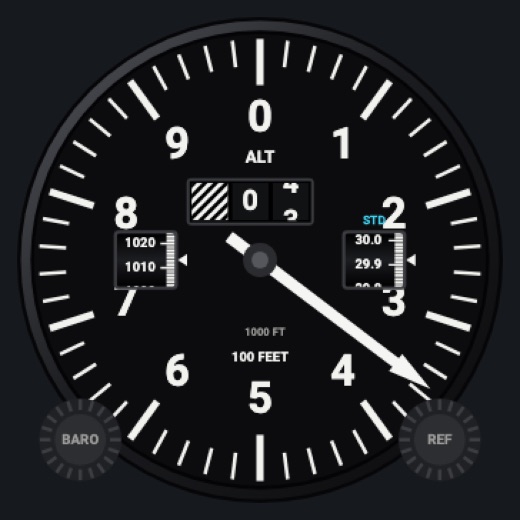
Drum-pointerv1.0
One 100 ft needle and a counter for ten-thousands and thousands (striped below 10,000 ft), the digits rolling over.
FACE > Drum-pointer
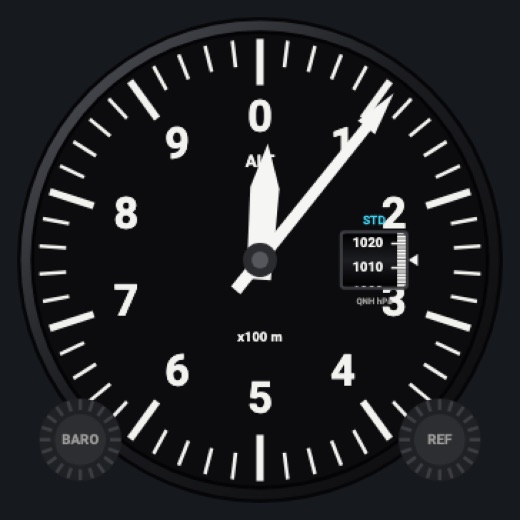
Metricv1.0
Meters: a long hand for 1,000 m a turn and a short one for 10,000 m; QNH in hPa only.
FACE > Metric
Features
- Baro windows: inHg at 3 o'clock and hPa at 9, each a drum turning behind an index (metric: hPa only)
- STD shown at standard pressure (29.92)
- Reference bug (yellow) on the dial's edge with its value; flashes for 5 s as you come within 100 ft
- Low-altitude striped flag (three-pointer) and striped counter (drum-pointer) below 10,000 ft
- Static-system failures: freezes when the static port is blocked; reads about 50 ft high on alternate static
- Realistic needles (Settings > Instruments: Off / Light / Normal / Strong): spring-mass needle motion with overshoot and engine vibration (more on the ground); the altimeter also lags a little
- Red X across the face when its data is missing or stale, instead of a believable wrong reading
- Night lighting: the face takes the panel's red flood light, the glareshield's warm light from above (stronger for instruments higher on the page) and its own light, a lamp hidden at the top of the case lighting the dial downward (Settings > Dimmers: Red flood light, Glareshield, Instruments (analog))
On the iPad
- Drag the BARO knob (lower left) up or down to set the baro; double tap it for standard (29.92)
- Drag the REF knob (lower right) to set the reference bug, 100 ft a step (starts at the current altitude); double tap it to turn the bug off
- Tap elsewhere on the face to change the instrument
Settings
- Face: Three-pointer / Drum-pointer / Metric (instrument picker)
- Static system: Normal / Blocked / Alternate (Settings > Failures)
- Realistic needles: Off / Light / Normal / Strong
Keys and controllers
Map any of these to a key, a game controller's button or axis, or a MIDI knob (how):
- Baro +
- Baro -
- Baro sync
Simulator data
What the Hub reads from the simulator for this instrument, and what the instrument sends back. Names are the simulators' own: MSFS SimVars and events, X-Plane datarefs and commands.
Reads
| Value | MSFS | X-Plane |
|---|---|---|
| Indicated altitude (ft) | INDICATED ALTITUDE (feet) | sim/cockpit2/gauges/indicators/altitude_ft_pilot |
| Altimeter setting (inHg) | KOHLSMAN SETTING HG (inHg) | sim/cockpit2/gauges/actuators/barometer_setting_in_hg_pilot |
Sends
| When you… | MSFS | X-Plane |
|---|---|---|
| Dragging the BARO knob (one step per 9 px), or mapped 'Baro +' / 'Baro -' | KOHLSMAN_SET | sim/cockpit2/gauges/actuators/barometer_setting_in_hg_pilot |
| Double tap on the BARO knob, or mapped 'Baro sync' | KOHLSMAN_SET | sim/cockpit2/gauges/actuators/barometer_setting_in_hg_pilot |
Add-on aircraft with their own systems may use other variables; the Hub reads the standard ones.
Changes
The instrument's version counts what its faces share (the case, the mechanism, the data, the sounds); a face's own version counts that face alone.
- 1.0 2026-10-19
- First numbered version.