KI 300-style attitude indicator
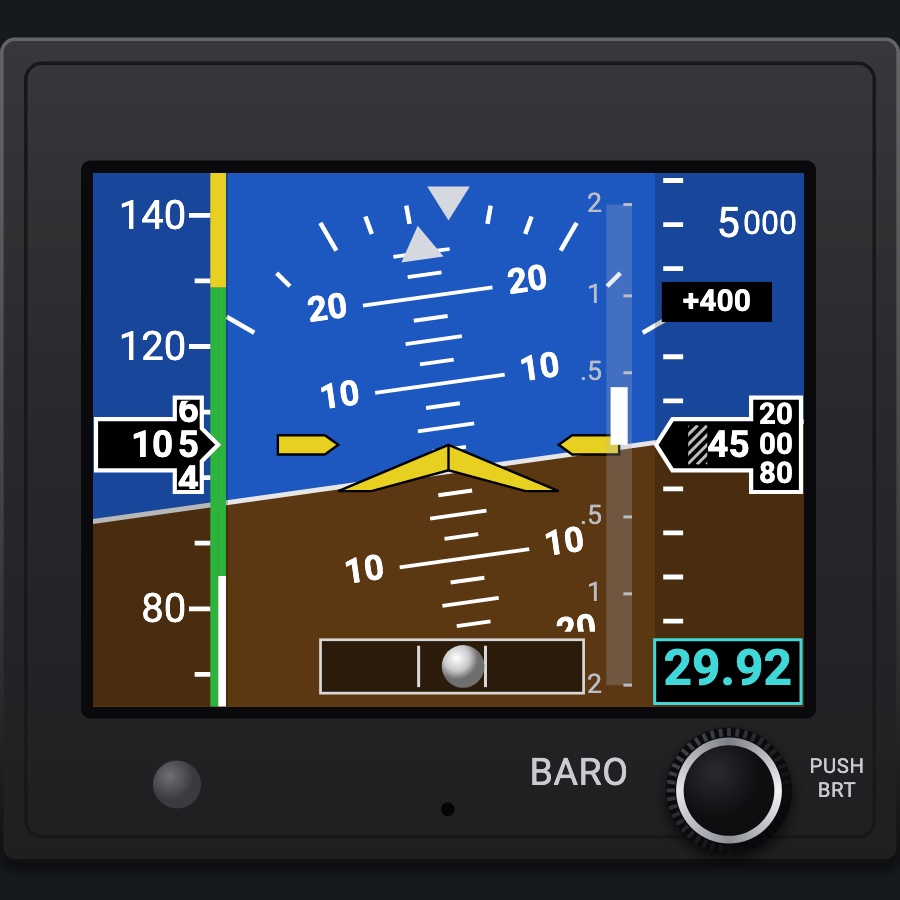
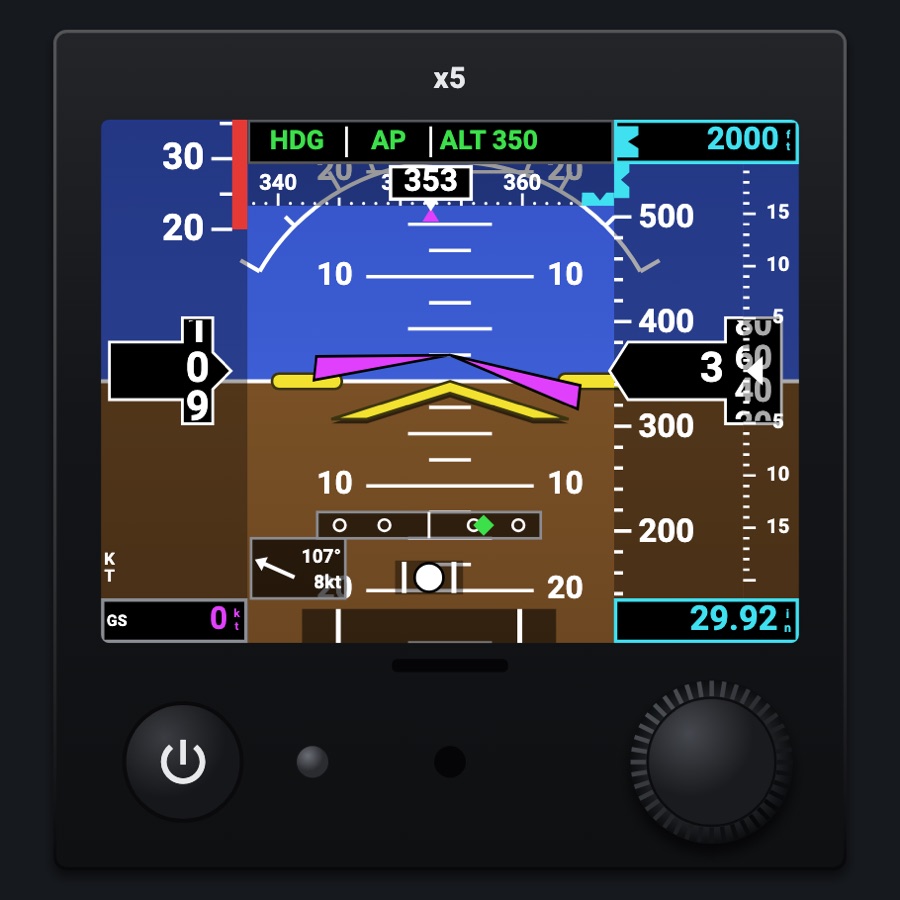
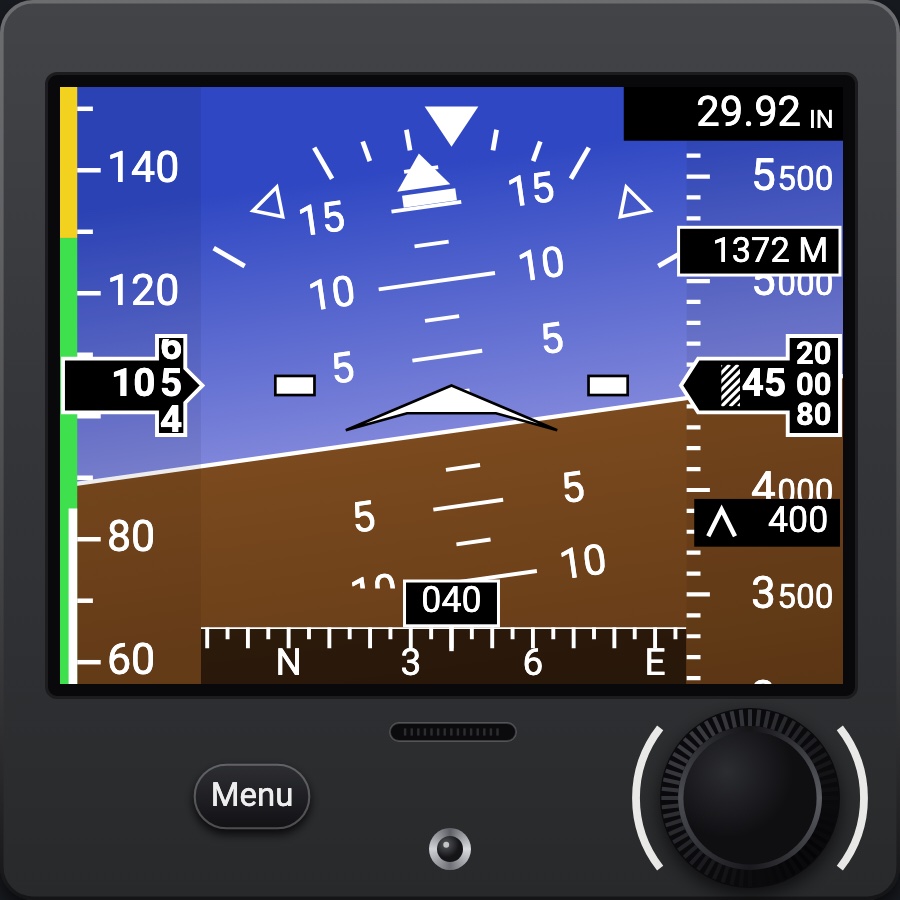
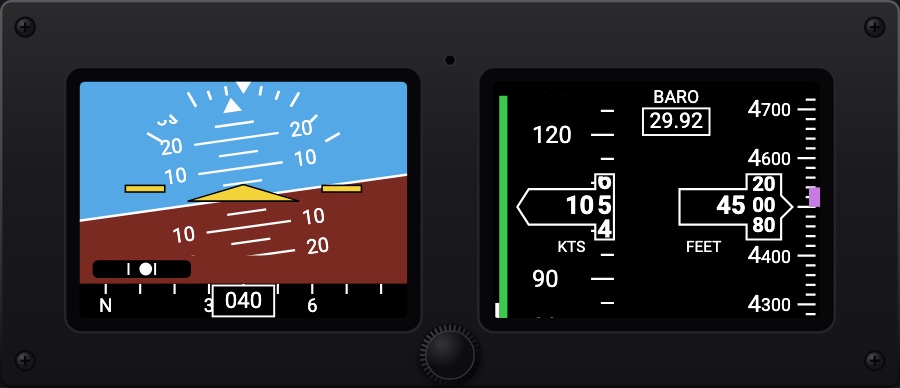
An electronic attitude indicator in the attitude's hole: attitude over the whole screen, airspeed and altitude tapes, the vertical speed, the slip ball, the flight director and an altitude bug. One knob sets the baro and, pushed, walks its modes as the real one's; it aligns at power-up and runs on its battery when the aircraft's power goes off.
- Modeled on
- BendixKing KI 300-style electronic attitude indicator (AeroFlight)
- Category
- Displays
- Size
- 1 cell
- Version
- 1.0 · 2026-10-19
- Plan
- Pro
- Simulators
- MSFS 2020 · MSFS 2024 · X-Plane 11 · X-Plane 12
Features
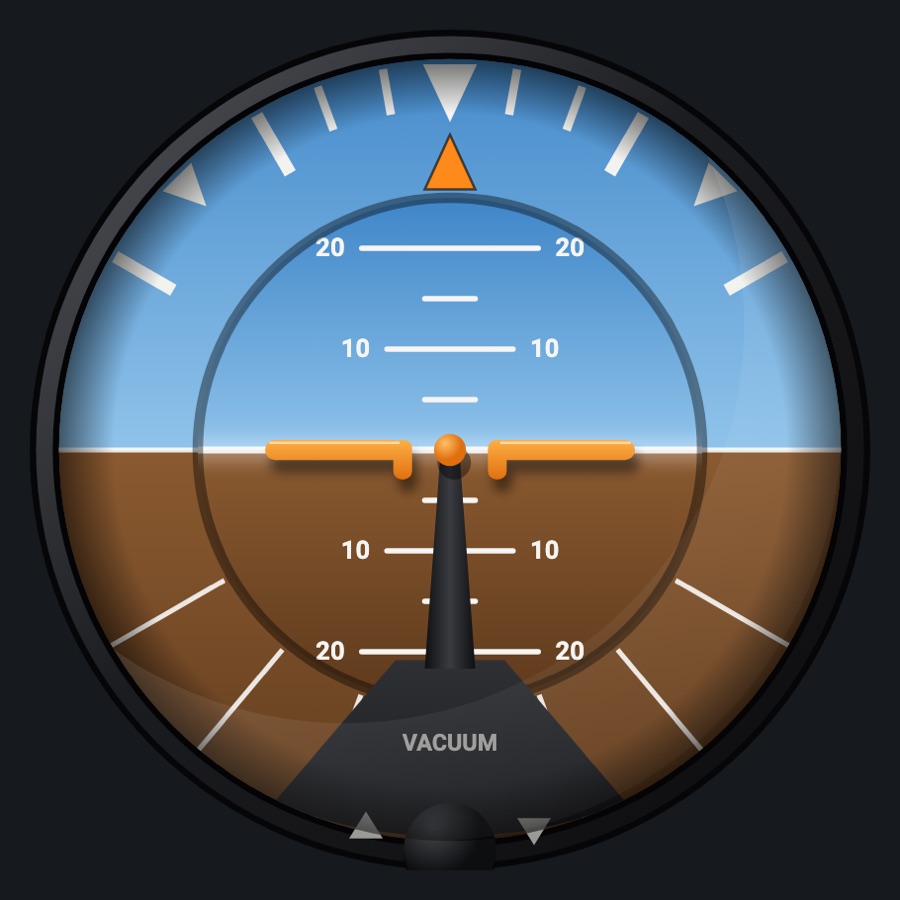
- Attitude over the whole screen: pitch marks every 2.5° (numbered at 10° and 20°), the roll scale (10, 20, 30, 45, 60) and its pointer, the yellow chevron and side bars, the magenta flight director chevron, the slip ball along the bottom
- Airspeed tape at the left with its colored strip and a drum for the last digit; its outline yellow in the caution range, red past Vne; dashes under 30 kt
- Altitude tape at the right (numbers every 500 ft), the last two digits by 20 on a drum, hatched below 10,000 ft; the vertical speed bar and value; the baro in cyan at the bottom right
- Altitude bug in cyan with its value at the top (a reference only, as on the real unit)
- Knob pushed: BRIGHTNESS (AUTO or 10 to 100 %), ALIGN?, the altitude bug when on; a mode goes back after 10 s; held 3 s the bug on, 5 s POWERING OFF
- Power-up: the version and the battery, then ALIGNING; on its battery without the aircraft power, shut down on the ground after 30 s
- No simulator counterpart: the altitude bug, the brightness, the alignment, the battery
- Dark square unit for a 3 1/8" hole, BARO and PUSH / BRT by the knob; the plate plain where the maker prints its logo
Your aircraft: The airspeed tape's colored strip (white flaps, green, yellow, red past Vne) and its caution colors come from the profile's V-speeds.
On the iPad
- Drag the knob up or down to set the baro
- Tap the knob for its next mode (brightness, align, the altitude bug); drag to change the value shown
- Hold the knob 3 s to turn the altitude bug on, 5 s to power off (tap to stop it)
Keys and controllers
Map any of these to a key, a game controller's button or axis, or a MIDI knob (how):
- Baro +
- Baro -
- Baro sync
Simulator data
What the Hub reads from the simulator for this instrument, and what the instrument sends back. Names are the simulators' own: MSFS SimVars and events, X-Plane datarefs and commands.
Reads
| Value | MSFS | X-Plane |
|---|---|---|
| Pitch attitude, + nose up (deg) | ATTITUDE INDICATOR PITCH DEGREES (degrees) | sim/flightmodel/position/theta |
| Bank angle, + right wing down (deg) | ATTITUDE INDICATOR BANK DEGREES (degrees) | sim/flightmodel/position/phi |
| Slip/skid ball position, -1..1 | TURN COORDINATOR BALL (position) | sim/cockpit2/gauges/indicators/slip_deg |
| Indicated airspeed (kt) | AIRSPEED INDICATED (knots) | sim/cockpit2/gauges/indicators/airspeed_kts_pilot |
| Indicated altitude (ft) | INDICATED ALTITUDE (feet) | sim/cockpit2/gauges/indicators/altitude_ft_pilot |
| Vertical speed (fpm) | VERTICAL SPEED (feet per minute) | sim/cockpit2/gauges/indicators/vvi_fpm_pilot |
| Altimeter setting (inHg) | KOHLSMAN SETTING HG (inHg) | sim/cockpit2/gauges/actuators/barometer_setting_in_hg_pilot |
| Flight director on (1/0) (bool) | AUTOPILOT FLIGHT DIRECTOR ACTIVE (bool) | sim/cockpit2/autopilot/flight_director_mode |
| Flight director pitch command (deg) | AUTOPILOT FLIGHT DIRECTOR PITCH (degrees) | sim/cockpit2/autopilot/flight_director_pitch_deg |
| Flight director bank command (deg) | AUTOPILOT FLIGHT DIRECTOR BANK (degrees) | sim/cockpit2/autopilot/flight_director_roll_deg |
| On the ground (1/0) (bool) | SIM ON GROUND (bool) | sim/flightmodel/failures/onground_any |
Sends
| When you… | MSFS | X-Plane |
|---|---|---|
| Turning the knob in its BARO mode, or mapped 'Baro +' / 'Baro -' | KOHLSMAN_SET | sim/cockpit2/gauges/actuators/barometer_setting_in_hg_pilot |
Add-on aircraft with their own systems may use other variables; the Hub reads the standard ones.
Changes
The instrument's version counts what its faces share (the case, the mechanism, the data, the sounds); a face's own version counts that face alone.
- 1.0 2026-10-19
- First numbered version.