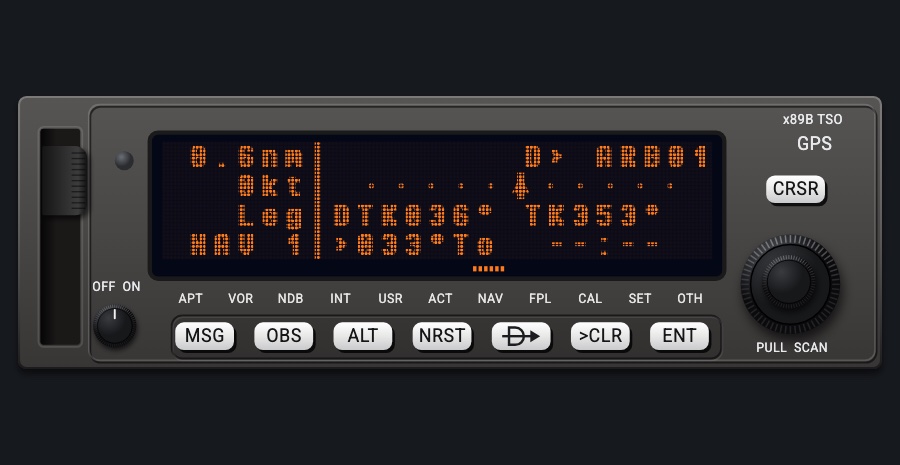
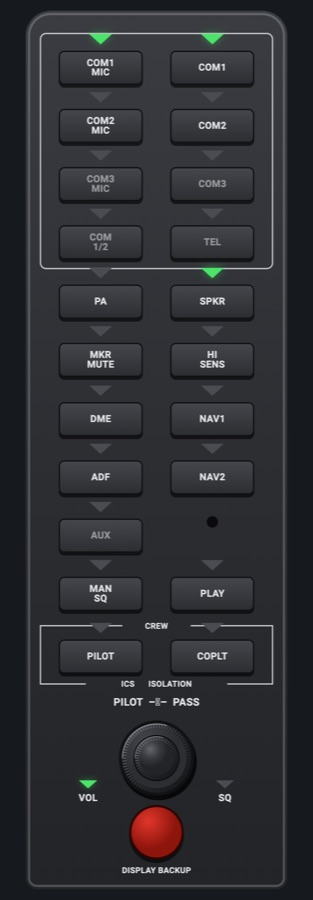
GNS 530-style navigator
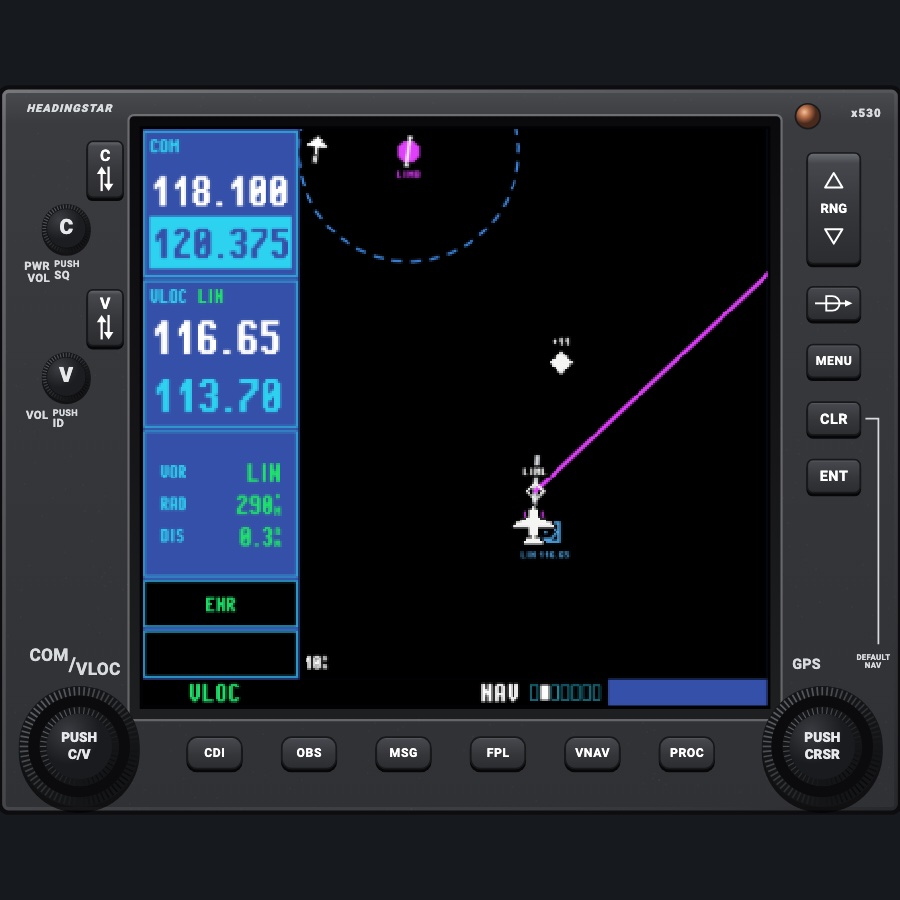
The larger classic GPS / NAV / COM navigator: the same keys and knobs as the 430 laid out on a taller bezel, with a bigger 320-pixel-wide screen. It adds a VNAV key and VERTICAL NAVIGATION page, a map-style default NAV page with a compass arc, the VLOC station's radial and distance (or the tuned localizer) in the left column, DTK-up map orientation and more flight plan columns. Available as #1 (COM 1, NAV 1) or #2 (COM 2, NAV 2), as the second unit in a panel; in the 530 + 430 pair and the IFR stack the 430 is #2.
- Modeled on
- Garmin GNS 530W-style
- Category
- Displays
- Size
- 2 × 2 cells
- Version
- 2.0 · 2026-10-22
- Plan
- Pro
- Simulators
- MSFS 2020 · MSFS 2024 · X-Plane 11 · X-Plane 12
Variants
Default NAV page (530)v1.0
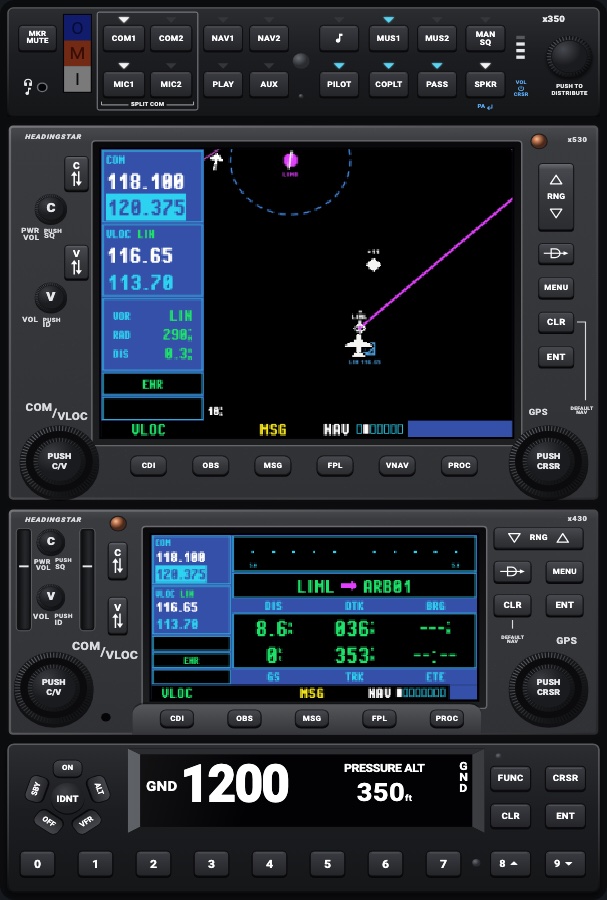
Look-ahead map, track up, as the manual's figure: the aircraft about 70% down, a wide cyan compass arc (the map's range) whose top sits just under the boxed TRK (ticks every 10°); four corner fields (default DTK, DIS, GS, ETE); the active leg along the foot and a CDI with TO/FROM.
NAV group, first page
Map pagev1.0
Full-page classic map (fields off by default) or with five fields down the right (WPT, DTK, TRK, DIS, ETE); the range is the map's top-to-bottom distance; the 530 starts on this page.
NAV group, page 2; MENU Data Fields On? / Off?
Map orientationv1.0
Track up, north up or DTK up (530 only).
MAP SETUP > Map > ORIENTATION
Map setupv1.0
MAP SETUP groups as on the 430.
Map page MENU: Setup Map?
VERTICAL NAVIGATION pagev1.0
TARGET ALTITUDE (MSL), TARGET POSITION (nm before the destination), VS PROFILE, VSR, STATUS (Begin Descent in hh:mm:ss / Descend to target); the fields are set with the cursor and knobs.
VNAV key
Terrain, traffic, weather, NAV/COM, satellite pagesv1.0
As on the 430 (no POSITION page on the 530).
NAV group pages 3-7
WPT, NRST, AUX pagesv1.0
As on the 430.
WPT / NRST / AUX groups
Active flight plan / catalogv1.0
DTK, DIS and CUM columns by default; a magenta arrow at the active waypoint, flown legs as dashes; catalog of 19 plans.
FPL key; small right knob for the catalog
Localizer boxv1.0
With a localizer tuned, the left column shows LOC ident, airport, runway and DME distance instead of VOR / RAD / DIS.
Tune an ILS/localizer frequency in VLOC
Boot screenv1.0
Pixel-type HEADINGSTAR and 'x530W' lines, then database and self-test pages.
Avionics power on, or C knob on
Powered offv1.0
Black screen.
Avionics off or C knob counterclockwise
Night lightingv1.0
Dark bezel under the red flood, warm-white backlit printing and key names, dimmed screen.
Panel lights (night)
#2 (COM 2, NAV 2)v1.0
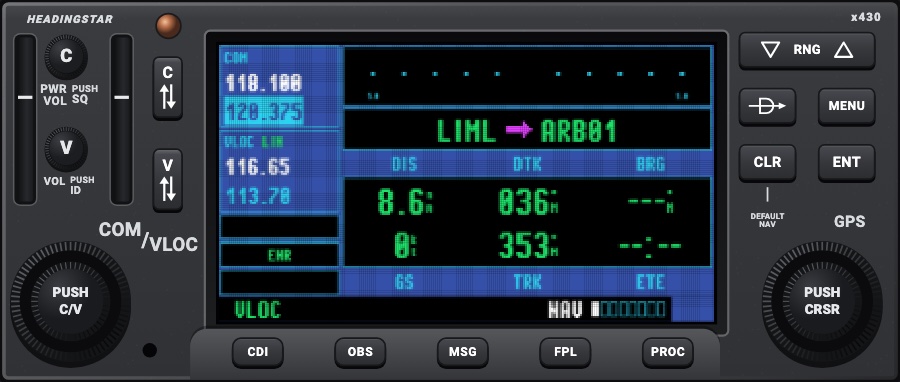
The second unit in a panel: its COM and VLOC are COM 2 and NAV 2 (shown, swapped with C and V, tuned with the left knob, 121.500 on COM 2), the VLOC station's DME and OBS NAV 2's; its CDI key switches its own GPS / VLOC annunciation (the simulator's GPS drives NAV 1 only, so #1's CDI key drives the HSI). The GPS, flight plan, map and NRST are the same as #1's. A small 2 by COM/VLOC tells the two apart.
Picker: UNIT > #2: COM 2, NAV 2
Features
- Everything the 430-style unit has: COM/VLOC tuning and swap, CDI/OBS (OBS / SUSP sent to the simulator's GPS), map, terrain alerts, traffic, NEXRAD, WPT, NRST, AUX, FPL, PROC, Direct-To and MSG
- A #2 variant that works COM 2 and NAV 2, as the second unit in a real panel (the 430 in the 530 + 430 stacks); its CDI key its own
- VNAV: VNAV key and VERTICAL NAVIGATION page computing top of descent and the vertical speed required to a target altitude (default 1,000 ft over the destination); CRSR puts the cursor on the fields, the large knob moves between them and the small knob sets them (100 ft, 1 nm, 100 fpm steps; 100-3000 fpm), ENT or CLR leaves; optional 'Approaching VNAV profile' / 'Approaching target altitude' messages (page MENU), Restore Defaults
- Default NAV page as the manual's figure: map with a wide compass arc, track box, corner data fields, the leg (from, magenta arrow, to), CDI with TO/FROM triangle and its full scale
- Left column: VLOC station's ident, our radial and distance; with a localizer tuned its ident, airport, runway and DME
- Map: track up, north up or DTK up; range as the map's top-to-bottom distance; five data fields that can be shown or hidden
- Default NAV page MENU: Enable/Disable Auto Zoom?, Change Fields? (four corners), Restore Defaults? (Crossfill? shown but unavailable, faded)
- Flight plan: DTK, DIS and CUM columns by default (choose from DTK, DIS, CUM, ETE, ETA, ESA), procedure legs indented, arrow at the active waypoint, flown legs as dashes
- Terrain annunciation shown in the left column's lower box
- Look: a 2000s LCD drawn at the unit's own 320 pixels across and enlarged hard-edged with a pixel grid; condensed Pixel Operator type, tall narrow frequencies; menus in larger type, up to nine options at a time, unavailable options faded; the page behind a window dimmed with a checkerboard
- Bezel: C and V flip-flop keys over the C and V knobs on the left, vertical RNG rocker and D->, MENU, CLR, ENT stacked on the right, 'DEFAULT NAV' printing; oblong keys under the screen CDI, OBS, MSG, FPL, VNAV, PROC
Your aircraft: Not tied to the aircraft profile; fuel planning uses the simulator's fuel quantities and flows.
On the iPad
- The screen takes no touch, as on the real unit: keys and knobs only
- Left dual knob: tune COM or VLOC standby; push (PUSH C/V) to switch which one
- Right dual knob: outer = page group, inner = page; push (PUSH CRSR) for the cursor (on the VNAV page: its fields; on the map: the pointer); moves, spells and sets with the cursor active
- C / V flip-flop keys swap; hold C for 121.500; C knob turn = power, push = squelch; V knob push = ident Morse
- Keys under the screen: CDI, OBS, MSG, FPL, VNAV, PROC; right side: RNG rocker (up/down halves), D->, MENU, CLR (hold: default NAV), ENT; menus and field choices picked with the right knob and ENT
- A keypad opens over the unit only for checklist names/items, the Closest Point of FPL reference waypoint, or a PROC airport when the plan has none
Settings
- Map orientation (track up / north up / DTK up) and the rest of MAP SETUP
- Default NAV corner fields, map fields (on/off and choice), flight plan columns (MENU: Change Fields?)
- Auto zoom on/off; VNAV target altitude, position, VS profile and messages on/off
- AUX SETUP: CDI scale, ILS CDI capture, arrival alarm, airspace alarms, date/time, nearest-airport criteria
- Checklists; traffic altitude mode and OPER/STBY
- External hardware, Navigator group: D->, MENU, ENT, CLR, FPL, PROC, the right knob and CRSR mappable to keys, controller buttons or MIDI (go to the navigator touched last)
Keys and controllers
Map any of these to a key, a game controller's button or axis, or a MIDI knob (how):
- COM 1 MHz +
- COM 1 MHz -
- COM 1 channel +
- COM 1 channel -
- COM 1 swap
- NAV 1 MHz +
- NAV 1 MHz -
- NAV 1 channel +
- NAV 1 channel -
- NAV 1 swap
- CDI: next source
- Course +
- Course -
- Course sync
- Heading bug +
- Heading bug -
- Heading bug sync
- Altitude +
- Altitude -
- Altitude sync
- Baro +
- Baro -
- Baro sync
- Direct-To
- MENU
- ENT
- CLR
- FPL
- PROC
- Large knob +
- Large knob -
- Small knob +
- Small knob -
- Knob push (cursor)
Simulator data
What the Hub reads from the simulator for this instrument, and what the instrument sends back. Names are the simulators' own: MSFS SimVars and events, X-Plane datarefs and commands.
Reads
| Value | MSFS | X-Plane |
|---|---|---|
| COM1 active frequency (kHz) | COM ACTIVE FREQUENCY:1 (MHz) | sim/cockpit2/radios/actuators/com1_frequency_hz_833 |
| COM1 standby frequency (kHz) | COM STANDBY FREQUENCY:1 (MHz) | sim/cockpit2/radios/actuators/com1_standby_frequency_hz_833 |
| NAV1 active frequency (kHz) | NAV ACTIVE FREQUENCY:1 (MHz) | sim/cockpit2/radios/actuators/nav1_frequency_hz |
| NAV1 standby frequency (kHz) | NAV STANDBY FREQUENCY:1 (MHz) | sim/cockpit2/radios/actuators/nav1_standby_frequency_hz |
| NAV1 receiving a station (1/0) (bool) | NAV HAS NAV:1 (bool) | sim/cockpit2/radios/indicators/nav1_flag_from_to_pilot |
| NAV1 OBS course (deg) | NAV OBS:1 (degrees) | sim/cockpit2/radios/actuators/nav1_obs_deg_mag_pilot |
| NAV1 DME distance (nm) | NAV DME:1 (nautical miles)NAV HAS DME:1 (bool) | sim/cockpit2/radios/indicators/nav1_dme_distance_nmsim/cockpit2/radios/indicators/nav1_has_dme |
| NAV1 station has DME (1/0) (bool) | NAV HAS DME:1 (bool) | sim/cockpit2/radios/indicators/nav1_has_dme |
| COM2 active frequency (#2) (kHz) | COM ACTIVE FREQUENCY:2 (MHz) | sim/cockpit2/radios/actuators/com2_frequency_hz_833 |
| COM2 standby frequency (#2) (kHz) | COM STANDBY FREQUENCY:2 (MHz) | sim/cockpit2/radios/actuators/com2_standby_frequency_hz_833 |
| NAV2 active frequency (#2) (kHz) | NAV ACTIVE FREQUENCY:2 (MHz) | sim/cockpit2/radios/actuators/nav2_frequency_hz |
| NAV2 standby frequency (#2) (kHz) | NAV STANDBY FREQUENCY:2 (MHz) | sim/cockpit2/radios/actuators/nav2_standby_frequency_hz |
| NAV2 receiving a station (1/0) (#2) (bool) | NAV HAS NAV:2 (bool) | sim/cockpit2/radios/indicators/nav2_flag_from_to_pilot |
| NAV2 OBS course (#2) (deg) | NAV OBS:2 (degrees) | sim/cockpit2/radios/actuators/nav2_obs_deg_mag_pilot |
| NAV2 DME distance (#2) (nm) | NAV DME:2 (nautical miles)NAV HAS DME:2 (bool) | sim/cockpit2/radios/indicators/nav2_dme_distance_nmsim/cockpit2/radios/indicators/nav2_has_dme |
| NAV2 station has DME (1/0) (#2) (bool) | NAV HAS DME:2 (bool) | sim/cockpit2/radios/indicators/nav2_has_dme |
| CDI/HSI navigation source: 0 GPS, 1 NAV (enum) | GPS DRIVES NAV1 (bool) | sim/cockpit2/radios/actuators/HSI_source_select_pilot |
| Course shown on the HSI (deg) | GPS WP DESIRED TRACK (degrees)NAV OBS:1 (degrees)GPS DRIVES NAV1 (bool) | sim/cockpit2/radios/actuators/hsi_obs_deg_mag_pilot |
| Aircraft latitude (deg) | PLANE LATITUDE (degrees) | sim/flightmodel/position/latitude |
| Aircraft longitude (deg) | PLANE LONGITUDE (degrees) | sim/flightmodel/position/longitude |
| Ground speed (kt) | GPS GROUND SPEED (knots) | sim/flightmodel/position/groundspeed |
| Ground track (deg magnetic) | GPS GROUND MAGNETIC TRACK (degrees) | sim/cockpit2/gauges/indicators/ground_track_mag_pilot |
| Heading (glass AHRS heading, else magnetic heading) (deg magnetic) | HEADING INDICATOR (degrees) | sim/cockpit2/gauges/indicators/heading_AHARS_deg_mag_pilotsim/flightmodel/position/mag_psi |
| Indicated altitude (ft) | INDICATED ALTITUDE (feet) | sim/cockpit2/gauges/indicators/altitude_ft_pilot |
| True altitude (MSL) (ft) | PLANE ALTITUDE (feet) | sim/flightmodel/position/elevation |
| Magnetic variation, + east (magnetic = true - variation) (deg) | MAGVAR (degrees) | sim/flightmodel/position/magnetic_variation |
| On the ground (1/0) (bool) | SIM ON GROUND (bool) | sim/flightmodel/failures/onground_any |
| Indicated airspeed (kt) | AIRSPEED INDICATED (knots) | sim/cockpit2/gauges/indicators/airspeed_kts_pilot |
| Outside air temperature (degC) | AMBIENT TEMPERATURE (celsius) | sim/cockpit2/temperature/outside_air_temp_degc |
| Altimeter setting (inHg) | KOHLSMAN SETTING HG (inHg) | sim/cockpit2/gauges/actuators/barometer_setting_in_hg_pilot |
| Left main tank quantity (gal) | FUEL TANK LEFT MAIN QUANTITY (gallons) | sim/cockpit2/fuel/fuel_quantity[0] |
| Right main tank quantity (gal) | FUEL TANK RIGHT MAIN QUANTITY (gallons) | sim/cockpit2/fuel/fuel_quantity[1] |
| Fuel flow, engine 1 (gal/h) | ENG FUEL FLOW GPH:1 (gallons per hour) | sim/cockpit2/engine/indicators/fuel_flow_kg_sec[0] |
| Fuel flow, engine 2 (gal/h) | ENG FUEL FLOW GPH:2 (gallons per hour) | sim/cockpit2/engine/indicators/fuel_flow_kg_sec[1] |
| Text: previous waypoint ident (text) | GPS WP PREV ID (string8) | Not available |
| Sim UTC time, seconds since midnight (s) | ZULU TIME (seconds) | sim/time/zulu_time_sec |
| Sim local time, seconds since midnight (s) | LOCAL TIME (seconds) | sim/time/local_time_sec |
Sends
| When you… | MSFS | X-Plane |
|---|---|---|
| Left knob outer in COM mode (whole MHz); tuning a picked frequency or 121.500 | COM_STBY_RADIO_SET_HZCOM_STBY_RADIO_SWAP | sim/cockpit2/radios/actuators/com1_standby_frequency_hz_833sim/radios/com1_standy_flip |
| Left knob inner in COM mode (channel) (command com1 + 1: channel) | COM_STBY_RADIO_SET_HZCOM_STBY_RADIO_SWAP | sim/cockpit2/radios/actuators/com1_standby_frequency_hz_833sim/radios/com1_standy_flip |
| C flip-flop key; after 121.500 is tuned when the key is held (command com1 + 2: swap) | COM_STBY_RADIO_SET_HZCOM_STBY_RADIO_SWAP | sim/cockpit2/radios/actuators/com1_standby_frequency_hz_833sim/radios/com1_standy_flip |
| Left knob outer in VLOC mode; a navaid frequency put in standby | NAV1_STBY_SET_HZNAV1_RADIO_SWAP | sim/cockpit2/radios/actuators/nav1_standby_frequency_hzsim/radios/nav1_standy_flip |
| Left knob inner in VLOC mode (command nav1 + 1: channel) | NAV1_STBY_SET_HZNAV1_RADIO_SWAP | sim/cockpit2/radios/actuators/nav1_standby_frequency_hzsim/radios/nav1_standy_flip |
| V flip-flop key (command nav1 + 2: swap) | NAV1_STBY_SET_HZNAV1_RADIO_SWAP | sim/cockpit2/radios/actuators/nav1_standby_frequency_hzsim/radios/nav1_standy_flip |
| #2: as com1 (the left knob in COM mode, the C key, 121.500, a frequency put in standby) | COM2_STBY_RADIO_SET_HZCOM2_RADIO_SWAP | sim/cockpit2/radios/actuators/com2_standby_frequency_hz_833sim/radios/com2_standy_flip |
| #2: as nav1 (the left knob in VLOC mode, the V key, a navaid frequency put in standby) | NAV2_STBY_SET_HZNAV2_RADIO_SWAP | sim/cockpit2/radios/actuators/nav2_standby_frequency_hzsim/radios/nav2_standy_flip |
| CDI key; automatically on an ILS/LOC approach once the localizer is received (#1; #2's CDI key is its own) | TOGGLE_GPS_DRIVES_NAV1 | sim/cockpit2/radios/actuators/HSI_source_select_pilot (2 GPS <-> 0 NAV1) |
| OBS key puts the unit in OBS mode, or sequencing is suspended (SUSP): the course (deg magnetic) goes to the simulator's GPS so the autopilot flies it; sent again when the course selector is turned in OBS mode | GPS_OBS_SET | sim/cockpit2/radios/actuators/gps_course_degtm |
| OBS mode / SUSP on (1) or released with the OBS key (0) | GPS_OBS_ONGPS_OBS_OFF | — |
Add-on aircraft with their own systems may use other variables; the Hub reads the standard ones.
Changes
The instrument's version counts what its faces share (the case, the mechanism, the data, the sounds); a face's own version counts that face alone.
- 2.0 2026-10-22
- A #2 variant (Picker: UNIT > #2): COM 2 and NAV 2 shown, swapped with C and V, tuned with the left knob, 121.500 on COM 2, the VLOC station's DME and OBS NAV 2's; its CDI key its own.
- 1.0 2026-10-19
- First numbered version.