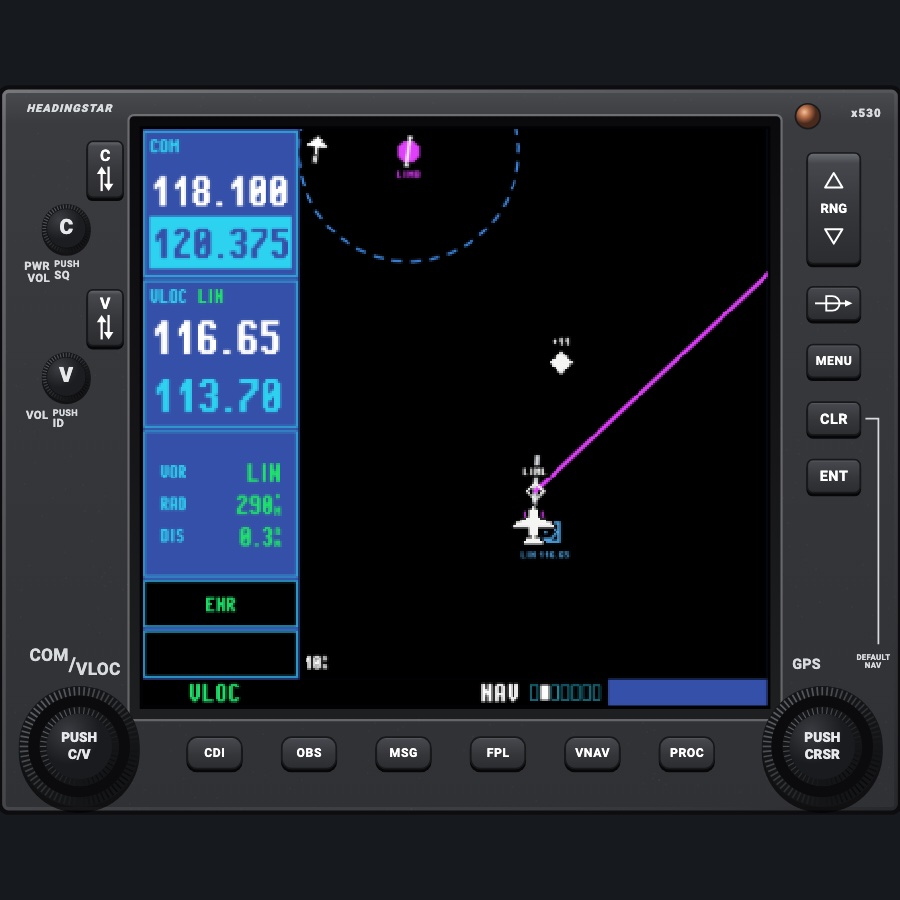
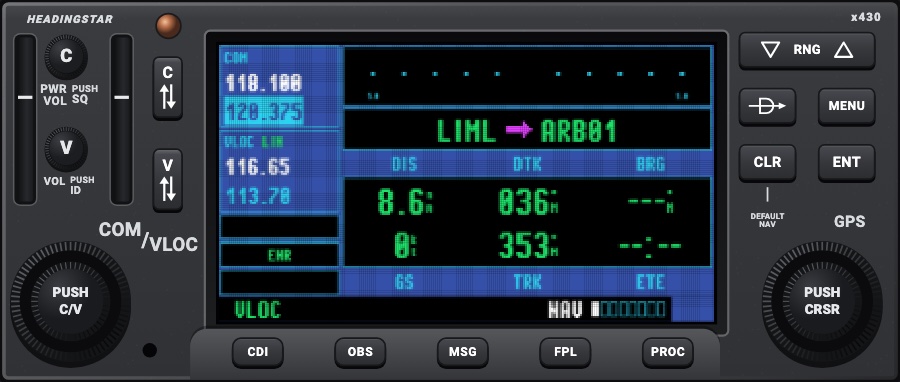
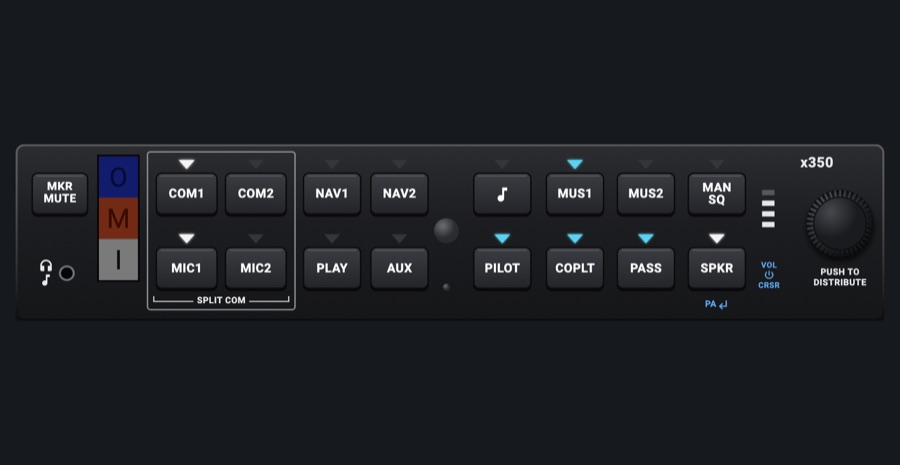
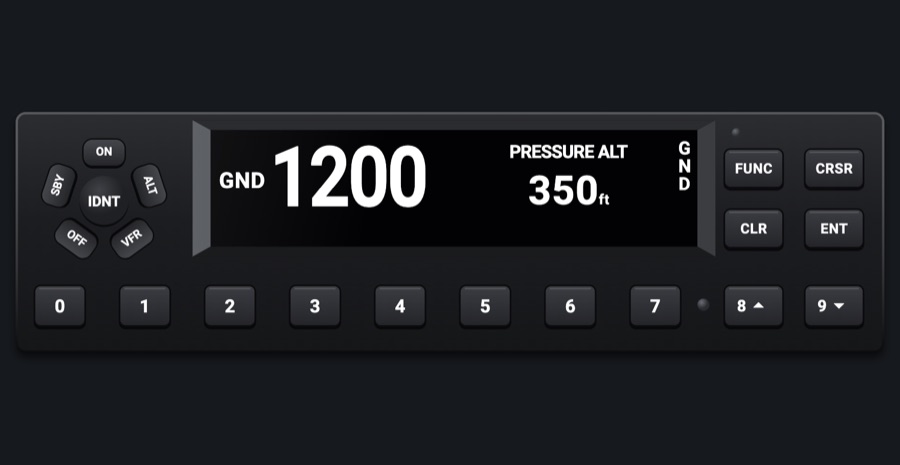
GNS IFR stack (audio, 530, 430, transponder)
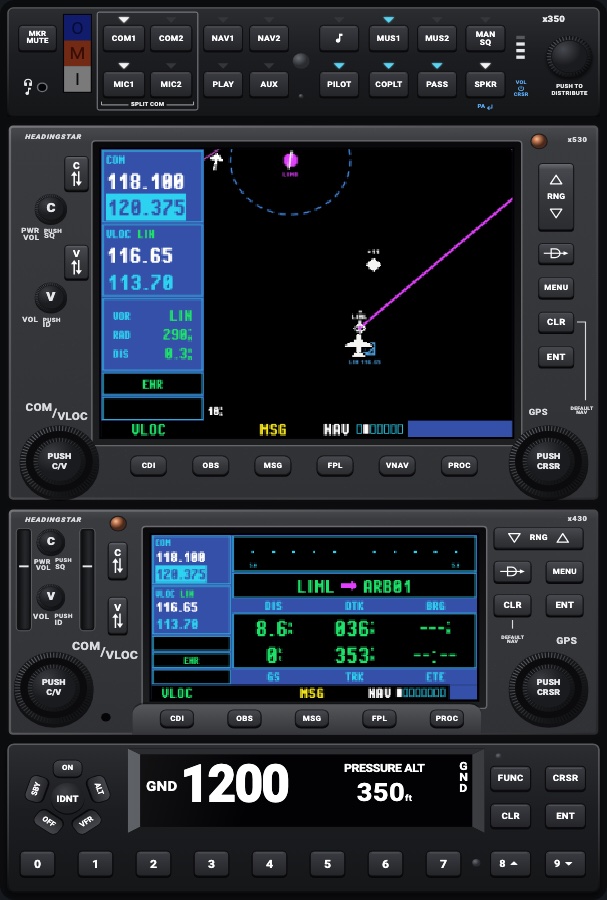
The classic IFR stack in a standing 2 x 3 rack: an audio panel over a GNS 530-style and a GNS 430-style navigator, with a transponder at the bottom. Each unit is the full working module, so the 530 and 430 are two complete navigators: the 530 is #1 (COM 1, NAV 1) and the 430 #2 (COM 2, NAV 2), as in a real panel.
- Modeled on
- Garmin GMA 350 / GNS 530 / GNS 430 / GTX 345-style IFR stack
- Category
- Avionics stacks
- Size
- 2 × 3 cells
- Version
- 1.1 · 2026-10-22
- Plan
- Pro
- Simulators
- MSFS 2020 · MSFS 2024 · X-Plane 11 · X-Plane 12
Variants
Unitsv1.0
Audio panel, GNS 530 (#1), GNS 430 (#2: COM 2, NAV 2), transponder (fixed order)
Fixed
Night lightingv1.0
Each unit lights its own parts: faceplates in the red flood light with their key and label printing backlit (Labels and keys dimmer) and the glareshield's warm light over them; displays keep their colors, dimmed (Displays dimmer), and go dark when the aircraft's avionics power is off
Panel lights: day / night / auto, and the lighting dimmers
Features
- Four working units: GMA 350-style audio panel, GNS 530-style navigator, GNS 430-style navigator, GTX 345-style transponder
- The 530 and 430 are complete navigators (COM/VLOC, map, flight plan, nearest...) as on their own; the 530 works COM 1 and NAV 1, the 430 COM 2 and NAV 2 (its CDI key its own), sharing one GPS and flight plan
- All units the same width, each at its faceplate's proportions
- Units fill the cell: each may be drawn up to 15% taller or shorter than its faceplate's proportions; any space left is spread evenly
- Each unit lights itself at night: faceplate in the red flood with backlit keys and labels and the glareshield's light, displays dimmed (dark without avionics power)
- Used by the 'GNS IFR Stack' view preset (twins, turbocharged and retractable-gear aircraft)
On the iPad
- Each unit works as on its own (see the audio panel, GNS 530, GNS 430 and transponder entries)
Settings
- None of its own: each unit keeps its own controls; panel lighting applies
Keys and controllers
Map any of these to a key, a game controller's button or axis, or a MIDI knob (how):
- Transmit on COM 1
- Transmit on COM 2
- Audio NAV 1
- Audio NAV 2
- Audio DME
- Audio ADF
- Audio MKR
- COM 1 MHz +
- COM 1 MHz -
- COM 1 channel +
- COM 1 channel -
- COM 1 swap
- NAV 1 MHz +
- NAV 1 MHz -
- NAV 1 channel +
- NAV 1 channel -
- NAV 1 swap
- COM 2 MHz +
- COM 2 MHz -
- COM 2 channel +
- COM 2 channel -
- COM 2 swap
- NAV 2 MHz +
- NAV 2 MHz -
- NAV 2 channel +
- NAV 2 channel -
- NAV 2 swap
- Transponder IDENT
- Transponder STBY
- Transponder ALT
- Autopilot AP
- Autopilot FD
- Autopilot YD
- Autopilot HDG
- Autopilot NAV
- Autopilot APR
- Autopilot BC
- Autopilot ALT
- Autopilot VS
- Autopilot FLC
- Autopilot LVL
- Autopilot UP / DN +
- Autopilot UP / DN -
- Altitude +
- Altitude -
- Altitude sync
- CDI: next source
Simulator data
What the Hub reads from the simulator for this instrument, and what the instrument sends back. Names are the simulators' own: MSFS SimVars and events, X-Plane datarefs and commands.
Reads
| Value | MSFS | X-Plane |
|---|---|---|
| Audio panel keys lit, one bit each (AudioBit: nav1, nav2, dme, adf, mkr, spkr) (bitfield) | NAV SOUND:1 (bool)NAV SOUND:2 (bool)DME SOUND (bool)ADF SOUND:1 (bool)MARKER SOUND (bool)SPEAKER ACTIVE (bool) | sim/cockpit2/radios/actuators/audio_selection_nav1sim/cockpit2/radios/actuators/audio_selection_nav2sim/cockpit2/radios/actuators/audio_dme_enabledsim/cockpit2/radios/actuators/audio_selection_adf1sim/cockpit2/radios/actuators/audio_marker_enabled |
| COM transmitting: 1, 2, 0 none (enum) | COM TRANSMIT:1 (bool)COM TRANSMIT:2 (bool) | sim/cockpit2/radios/actuators/audio_com_selection |
| COM1 heard (1/0) (bool) | COM RECEIVE:1 (bool) | sim/cockpit2/radios/actuators/audio_selection_com1 |
| COM2 heard (1/0) (bool) | COM RECEIVE:2 (bool) | sim/cockpit2/radios/actuators/audio_selection_com2 |
| Marker beacon: 0 none, 1 outer, 2 middle, 3 inner (enum) | MARKER BEACON STATE (number) | sim/cockpit2/radios/indicators/outer_marker_litsim/cockpit2/radios/indicators/middle_marker_litsim/cockpit2/radios/indicators/inner_marker_lit |
| Transponder code as its four digits (e.g. 1200) (code) | TRANSPONDER CODE:1 (number) | sim/cockpit2/radios/actuators/transponder_code |
| Transponder mode: 0 off, 1 standby, 2 test, 3 on, 4 altitude (enum) | TRANSPONDER STATE:1 (number) | sim/cockpit2/radios/actuators/transponder_mode |
| Outside air temperature (degC) | AMBIENT TEMPERATURE (celsius) | sim/cockpit2/temperature/outside_air_temp_degc |
Sends
| When you… | MSFS | X-Plane |
|---|---|---|
| Audio panel: a COM MIC key | COM1_TRANSMIT_SELECTCOM2_TRANSMIT_SELECT | sim/cockpit2/radios/actuators/audio_com_selection (6 = COM1, 7 = COM2) |
| Audio panel: a COM receive key | COM1_RECEIVE_SELECTCOM2_RECEIVE_SELECT | sim/cockpit2/radios/actuators/audio_selection_com1sim/cockpit2/radios/actuators/audio_selection_com2 |
| Audio panel: NAV / DME / ADF / MKR / SPKR keys | RADIO_VOR1_IDENT_TOGGLERADIO_VOR2_IDENT_TOGGLERADIO_DME1_IDENT_TOGGLERADIO_ADF_IDENT_TOGGLEMARKER_SOUND_TOGGLETOGGLE_SPEAKER | sim/cockpit2/radios/actuators/audio_selection_nav1sim/cockpit2/radios/actuators/audio_selection_nav2sim/cockpit2/radios/actuators/audio_dme_enabledsim/cockpit2/radios/actuators/audio_selection_adf1sim/cockpit2/radios/actuators/audio_marker_enabled |
| Transponder: a new code | XPNDR_SET | sim/cockpit2/radios/actuators/transponder_code |
| Transponder: mode keys | SimVar write: TRANSPONDER STATE:1 | sim/cockpit2/radios/actuators/transponder_mode |
| Transponder: IDENT | XPNDR_IDENT_ON | sim/transponder/transponder_ident |
Add-on aircraft with their own systems may use other variables; the Hub reads the standard ones.
Changes
The instrument's version counts what its faces share (the case, the mechanism, the data, the sounds); a face's own version counts that face alone.
- 1.1 2026-10-22
- The 430 works COM 2 and NAV 2 (#2), the 530 COM 1 and NAV 1 (#1), as in a real panel.
- 1.0 2026-10-19
- First numbered version.