Attitude
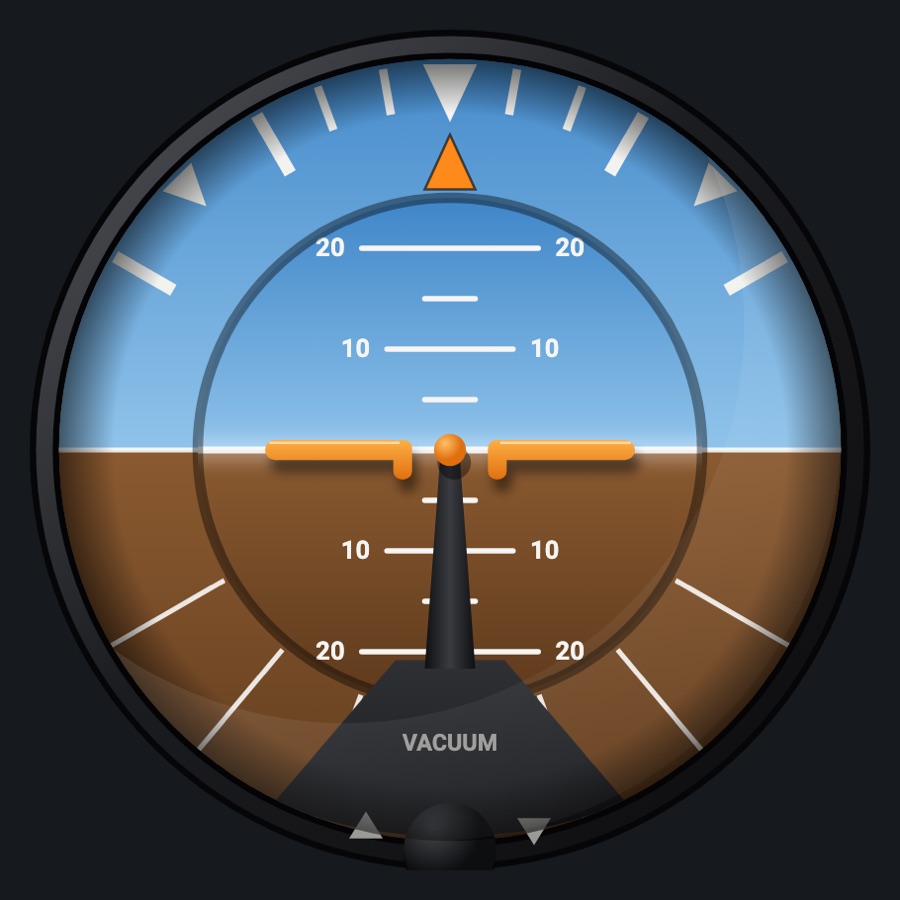
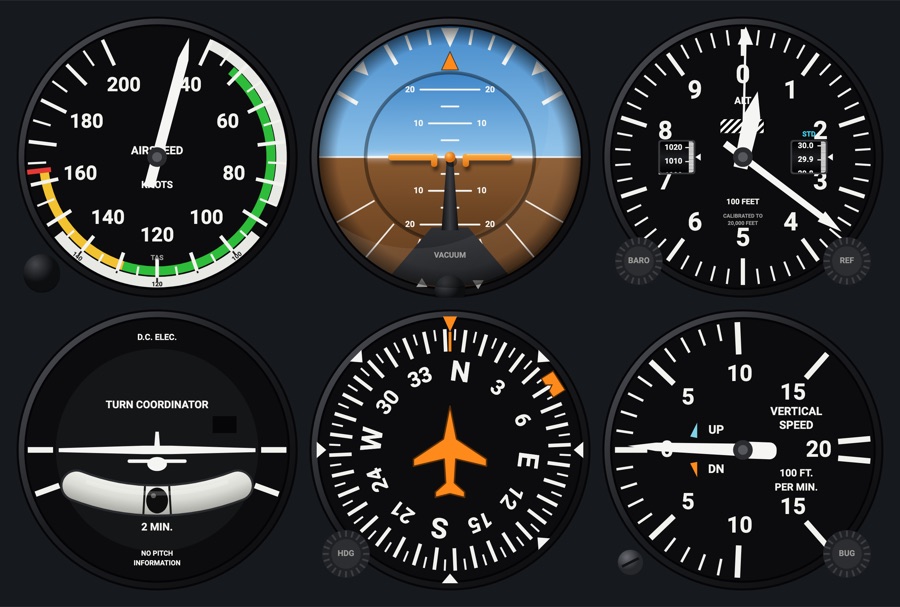
A round attitude indicator driven through a simulated gyro: it spins up and down with its power source, tumbles past its limits, and picks up small errors. Choose a vacuum, electric (with OFF flag), flight-director or C172 face.
- Modeled on
- Classic round gyro attitude indicator (vacuum, electric, KI 256-style flight director, and X-Plane 12's C172 vacuum face)
- Category
- Flight instruments
- Size
- 1 cell
- Version
- 1.0 · 2026-10-19
- Plan
- Free any two of the six-pack
- Simulators
- MSFS 2020 · MSFS 2024 · X-Plane 11 · X-Plane 12
Variants
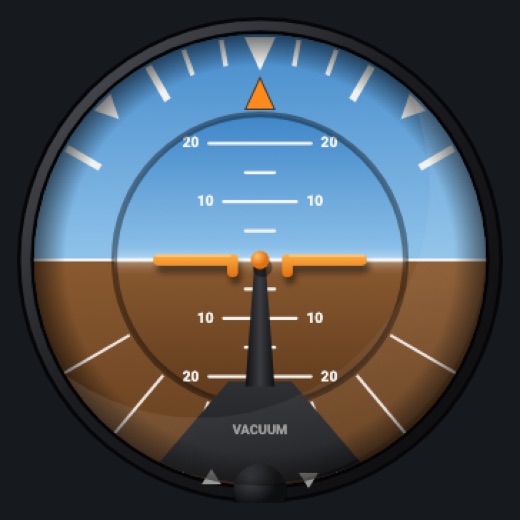
Vacuumv1.0
Classic vacuum attitude indicator; powered by suction (or engine running if the sim gives no suction).
Instrument picker > FACE > Vacuum
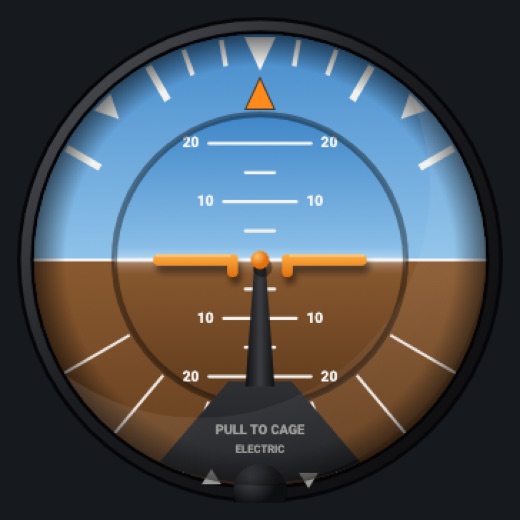
Electricv1.0
PULL TO CAGE / ELECTRIC face, powered by the battery, with a red-and-white OFF flag when unpowered or spun down.
FACE > Electric
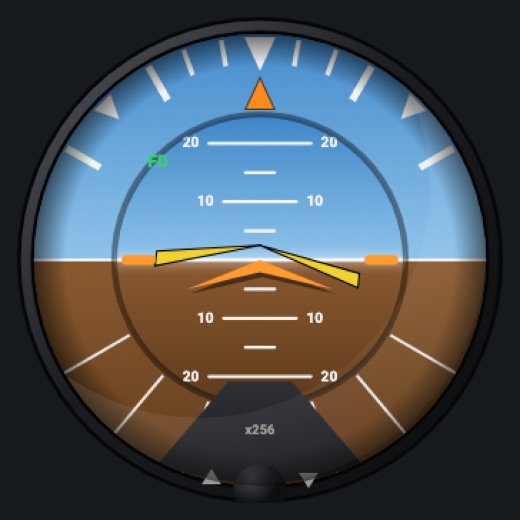
Flight director (KI 256 style)v1.0
Orange delta aircraft and yellow V command bars from the simulator's flight director, with an FD label when it is on.
FACE > Flight director (KI 256 style)
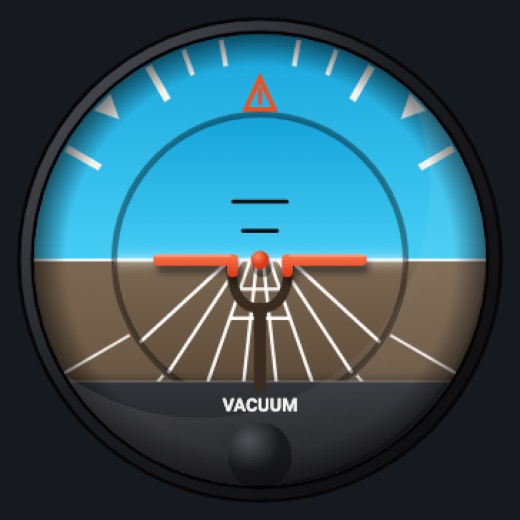
C172v1.0
X-Plane 12's 172 vacuum face: a deeper blue sky and darker brown ground, white ground lines in perspective under the horizon and two short black lines over it, an orange-outline bank pointer, red-orange wings on a dark arch, a flat dark plate across the bottom with VACUUM and its knob (no arrows, no zero triangle).
FACE > C172
Features
- Banking outer card with bank pointer, inner pitching disc with a pitch ladder (5 to 20 degrees)
- Gyro that spins up in about a minute and spins down without power (about 4 min vacuum, 9 min electric): the horizon starts tilted and leans and drifts when slow
- Tumbles past 60 degrees pitch or 100 degrees bank, then slowly erects (or cage it)
- With realistic needles: small turn and acceleration errors that the erection mechanism removes
- Electric face: OFF flag without battery power or with the gyro too slow
- Flight director face: command bars from the simulator's flight director
- C172 face: the 172's own colors and markings, on the vacuum gyro
- Adjustable miniature airplane (kept between runs)
- Night lighting: the face takes the panel's red flood light, the glareshield's warm light from above (stronger for instruments higher on the page) and its own light, a lamp hidden at the top of the case lighting the dial downward (Settings > Dimmers: Red flood light, Glareshield, Instruments (analog))
On the iPad
- Drag the knob at the bottom up or down to raise or lower the miniature airplane; double tap it to center it
- Press and hold the knob to cage the gyro (CAGED shows; errors gone when released)
- Tap elsewhere on the face to change the instrument
Settings
- Face: Vacuum / Electric / Flight director (KI 256 style) / C172 (instrument picker)
- Realistic needles: Off / Light / Normal / Strong (adds gyro errors and needle motion)
Simulator data
What the Hub reads from the simulator for this instrument, and what the instrument sends back. Names are the simulators' own: MSFS SimVars and events, X-Plane datarefs and commands.
Reads
| Value | MSFS | X-Plane |
|---|---|---|
| Pitch attitude, + nose up (deg) | ATTITUDE INDICATOR PITCH DEGREES (degrees) | sim/flightmodel/position/theta |
| Bank angle, + right wing down (deg) | ATTITUDE INDICATOR BANK DEGREES (degrees) | sim/flightmodel/position/phi |
| Flight director on (1/0) (bool) | AUTOPILOT FLIGHT DIRECTOR ACTIVE (bool) | sim/cockpit2/autopilot/flight_director_mode |
| Flight director pitch command (deg) | AUTOPILOT FLIGHT DIRECTOR PITCH (degrees) | sim/cockpit2/autopilot/flight_director_pitch_deg |
| Flight director bank command (deg) | AUTOPILOT FLIGHT DIRECTOR BANK (degrees) | sim/cockpit2/autopilot/flight_director_roll_deg |
| Battery master (1/0) (bool) | ELECTRICAL MASTER BATTERY (bool) | sim/cockpit2/electrical/battery_on[0] |
| Vacuum / suction (inHg) | SUCTION PRESSURE (inHg) | sim/cockpit/misc/vacuum |
| Engine RPM, engine 1 (rpm) | GENERAL ENG RPM:1 (rpm) | sim/cockpit2/engine/indicators/engine_speed_rpm[0] |
| Turn rate, + right (turn coordinator) (deg/s) | TURN INDICATOR RATE (degrees per second) | sim/flightmodel/position/Qsim/flightmodel/position/Rsim/flightmodel/position/phisim/flightmodel/position/thetasim/cockpit2/gauges/indicators/turn_rate_heading_deg_pilot |
| Indicated airspeed (kt) | AIRSPEED INDICATED (knots) | sim/cockpit2/gauges/indicators/airspeed_kts_pilot |
Add-on aircraft with their own systems may use other variables; the Hub reads the standard ones.
Changes
The instrument's version counts what its faces share (the case, the mechanism, the data, the sounds); a face's own version counts that face alone.
- 1.0 2026-10-19
- First numbered version.