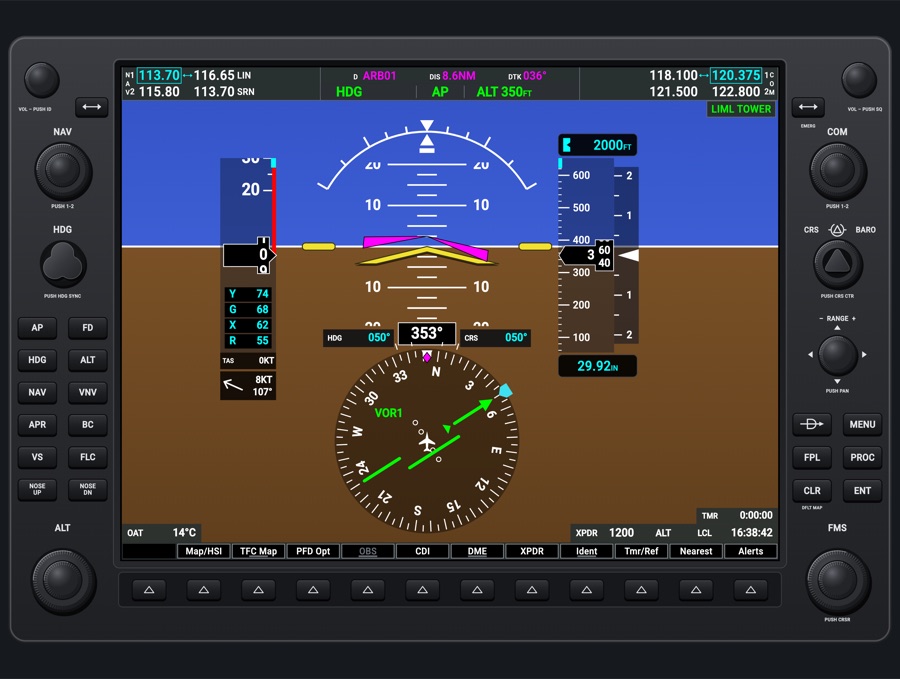
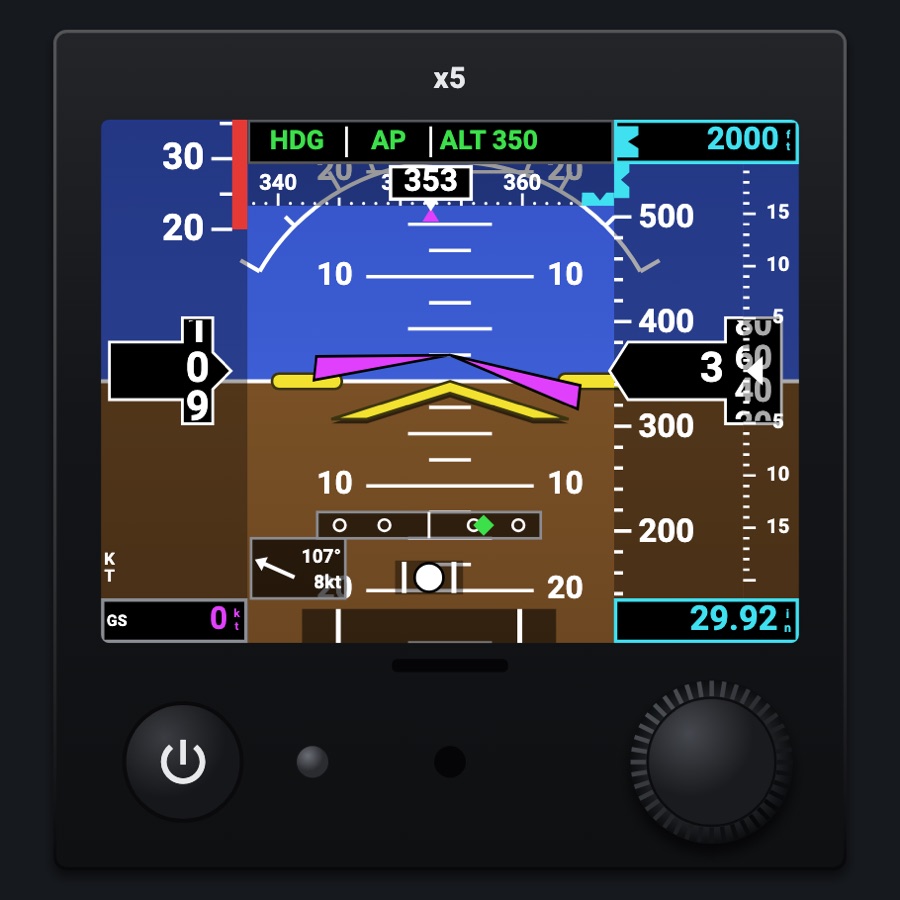
NEXT navigator
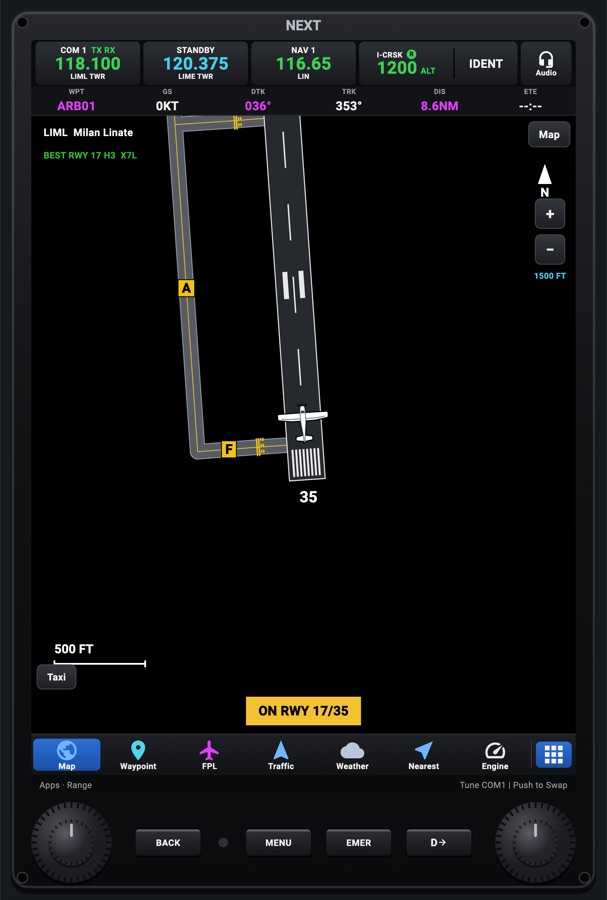
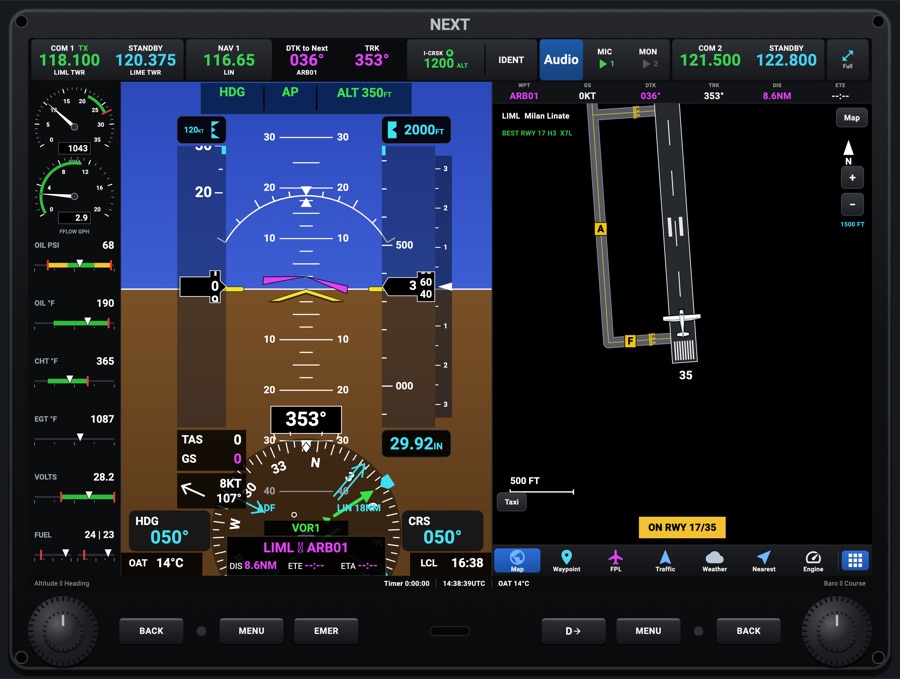
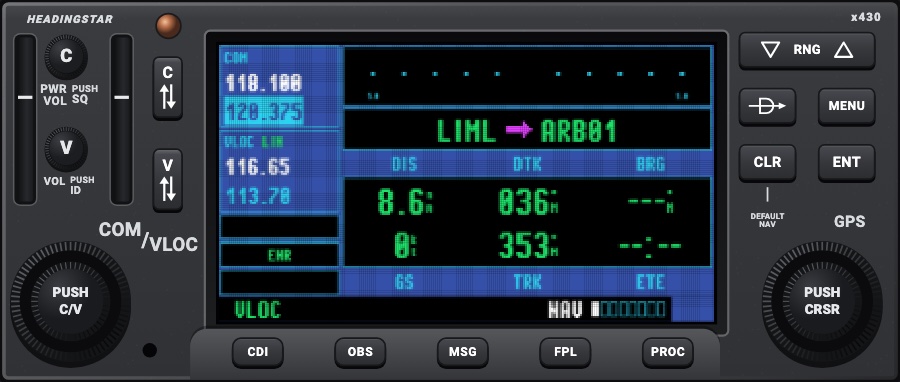
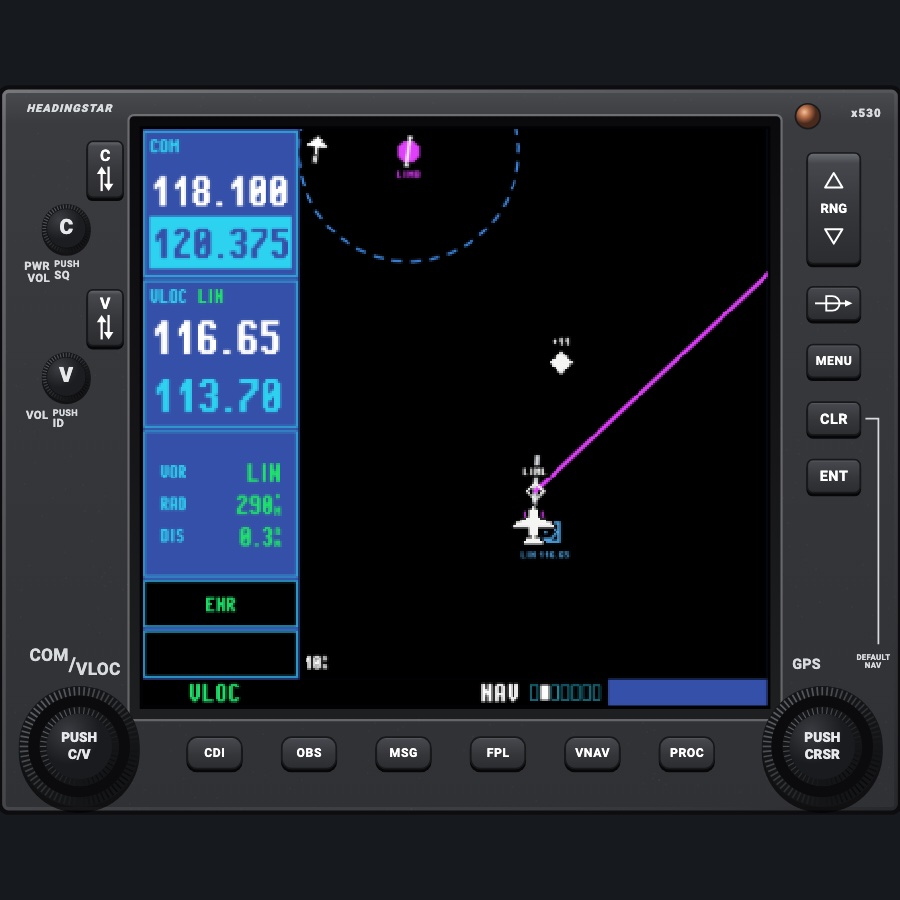
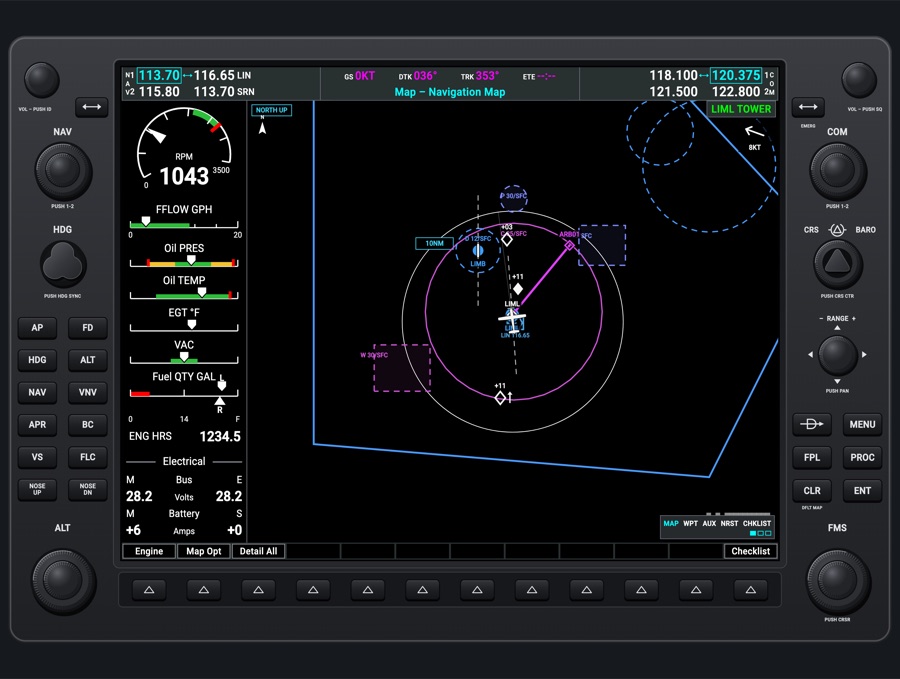
A tall touch-screen navigator in the style of an upright glass navigator: a radio/transponder bar on top, a customisable data bar, and an app bar along the bottom to switch between Map, Waypoint, Flight Plan, Traffic, Weather, Nearest, Engine and more. The moving map, drawn by MapLibre over free OpenStreetMap base maps (Night, Day, Terrain, downloadable for offline use), shows airports, navaids, airspaces, terrain, traffic, METARs and the flight plan, and the flight plan syncs with the simulator's GPS through the Hub so the autopilot's NAV mode flies it. A PFD variant puts the NEXT flight display in the same 2 x 3 cell: the PFD whole (attitude with synthetic vision, the tapes, the HSI and its bearing pointers, minimums, V-speeds, the autopilot's modes) under the radio bar, Split for the apps under it, for panels and phones with no room for the 4 x 3 flight display.
- Modeled on
- GDU 116-style standing navigator (GTN 750-style touch navigator)
- Category
- Displays
- Size
- 2 × 3 cells
- Version
- 2.0 · 2026-10-22
- Plan
- Pro
- Simulators
- MSFS 2020 · MSFS 2024 · X-Plane 11 · X-Plane 12
Variants
PFDv1.0
The NEXT flight display standing in the navigator's cell: the PFD fills the screen (the engine strip and inset map where there's room, as on the 4 x 3 display), the radio bar on top, the bezel's keys and knobs along the bottom (altitude and heading, baro and course). The Split key puts the navigator's apps under the PFD. Its settings (synthetic vision, the bearing pointers, minimums, V-speeds, the inset map) are the flight display's, shared with the 4 x 3 one. Wider than tall (3 x 2), the PFD beside its strip.
Picker: SCREEN > PFD (Map: the navigator)
Track Up / North Upv1.0
The map turns with the track (aircraft low, most of the map ahead) or stays north up (aircraft centred).
The North Up / Track Up key on the map, or Map Menu > Map Orientation
Map Detail All / 3 / 2 / 1v1.0
Declutter levels: All; 3 hides airport names; 2 hides airports, navaids and airspaces; 1 leaves the route, traffic and terrain (the base map is hidden at level 1).
Map Menu > Map Detail (tap cycles)
Base map: Off / Night / Day / Terrainv1.0
OpenStreetMap vector base maps from OpenFreeMap in the app's own styles (Night: dark cockpit map, the default; Day: light), or Terrain (shaded relief from free elevation tiles); adjustable brightness (100/75/50%); Download Map Area keeps it for offline use (60 nm around the aircraft, 30 nm around each plan waypoint, the departure and destination airports close in). Credits sit short in a map corner, all of them on a tap.
Map Menu > Base Map (tap cycles), Base Map Brightness, Download Map Area
Map engine: MapLibre / Safe Mapv1.0
The map's ground, navigation data, route, airspaces and live layers are drawn by MapLibre. If the app closed with a MapLibre map open (a crash), that run uses a plain safe map (no base map) instead, with a Map Menu key to try MapLibre again.
Automatic; Map Menu > Safe Map: Try MapLibre
Vertical profile under the mapv1.0
A GTN Xi-style vertical situation display under the map: terrain, airspaces, plan waypoints with altitude constraints, VNAV path, aircraft and selected altitude.
Map Menu > Vertical Profile (off by default)
Map layersv1.0
Traffic, terrain colouring, airspaces (controlled / special use, near altitude only, labels), heliports (off by default), METAR dots, weather radar, breadcrumbs, fuel and glide range rings, track vector (off/30 s/1/2/5/10/20 min), track line from the nose, wind box, corner data fields, chart overlay, VFR traffic pattern.
Map Menu toggles
SafeTaxi ground viewv1.0
On the ground at an airport the Map app shows the airport diagram (runways, taxiways with names, hold-short lines, parking spots) with the aircraft and runway callouts, until airborne or the pilot goes back to the map; it can be pinch-zoomed. At map ranges of 2 nm or less SafeTaxi's pavement, markings, hold-short lines and taxiway names also appear on the moving map. Uses the simulator's own taxiways (MSFS through the Hub); without them, the runways only.
Automatic on the ground at an airport; moving map at 2 nm or less
Night displayv1.0
Night palette: terrain and base map dark grey, symbols and text in day colours, light pages (airport diagrams, charts) inverted dark; the bezel and keys are lit and the screen dimmed rather than the whole module.
The panel's night lighting (night switch, or auto at sunset)
Power off / start-upv1.0
Screen black with avionics power off; when power returns a 7-second boot screen named 'NEXT', then the navigator.
Avionics power (panel lighting/power)
Wide layoutv1.0
If the cell is not taller than wide, an older GTN 750-like landscape layout with MAP/FPL/NRST page keys, volume knob, HOME and NRST keys and a dual COM knob.
Automatic from the cell's shape: used only when the cell is not taller than 1.1x its width (the gtn span is normally standing 2x3)
Remote (phone)v1.0
On a phone, the same NEXT as a touch controller beside the iPad or simulator: radios across the top, one page at a time, a quick-access bar (Flight Plan, PROC, Direct-To, Nearest, Checklist, Init, Apps); no map or PFD. Its radio, transponder and flight-plan edits go to the simulator through the Hub.
Avionics screen > Remote view (phones only; a tablet shows the map instead)
Features
- Two screens for the 2 x 3 cell: Map (the navigator) or PFD (the NEXT flight display standing, for panels and phones without room for the 4 x 3 display)
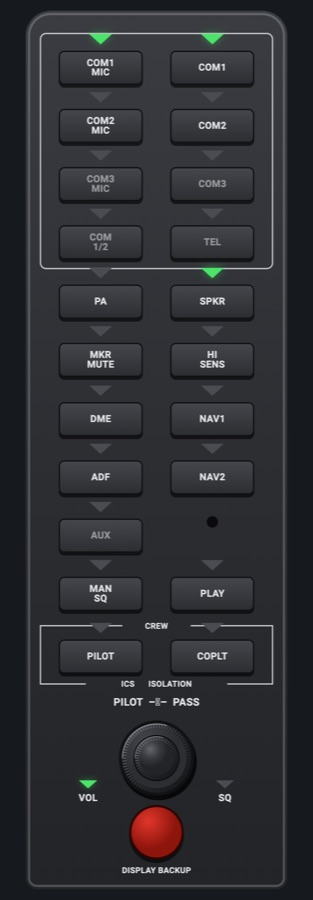
- Top CNS bar: COM 1 active (TX/RX tags, station name) and standby, NAV 1 (ID tag, station), the transponder (tail number, reply 'R' light, code and mode, IDENT that pulses while identing) and an Audio key for the audio panel window (COM 1/2 monitor, MIC 1/2, speaker, intercom)
- Data bar of six fields (default WPT, GS, DTK, TRK, DIS, ETE), each changeable to 22 choices such as XTK, ETA, DEST, ETE DEST, GPS ALT, FUEL, ENDURANCE, UTC/Local, flight time, OAT, wind, ESA, MSA
- Map (MapLibre over Night/Day/Terrain base maps, offline packs): airports coloured towered/untowered with runway symbols, runways drawn close in, VORs/NDBs, user waypoints, airspaces drawn as on an aviation chart app, with labels (controlled and special-use filters, near-altitude filter), optional heliports, extended runway centerlines near the destination, range rings, ownship as the aircraft seen from above
- Map: flight plan with passed legs dim, active leg magenta, plan symbols by waypoint kind, OBS course, alternate leg, holds, parallel track, top of climb/descent, winds aloft and headwind/tailwind per leg; heading bug line after it is turned; optional track line from the nose; range-to-altitude arc; auto zoom; pan with a Center key
- Map: terrain colouring (red within 100 ft below or higher, yellow 100 to 1,000 ft below), METAR flight-category dots, RainViewer radar, SIGMET/AIRMET and PIREP symbols, VFR arrival guidance and next-frequency card; alert banners as a centred pill under the track box
- Traffic: Symbols as on a modern navigator (diamonds, amber advisory circles, directional triangles when moving, ground traffic grey, parked aircraft hidden) with relative altitude, climb/descent arrows and motion vectors; a TRAFFIC banner and a voice callout ('Traffic! Two o'clock, high, three miles'); a Traffic page (heading up, 750 ft to 40 nm, Next Target details, List view, Altitude Range Normal/Above/Below/Unrestricted, Motion Vectors Off/Absolute/Relative, Operating/Standby, ADS-B status)
- Flight Plan: import from SimBrief, load from / send to the simulator, procedures (departures, arrivals, approaches with a preview), Direct-To, invert, catalog, .pln/.fpl/.gpx files and QR sharing, nav log, vertical profile, plan check, altitude constraints, fuel left per waypoint, airways, search patterns, parallel track, holds, drag rows to reorder, Undo
- Direct-To as on the real navigator: Waypoint, Flight Plan, Nearest and Recent tabs, a map of the waypoint, a typed Course To (the leg along it), Info, Remove and Activate; an off-route Direct-To leaves the flight plan as it was
- Find window for any waypoint entry: Recent, Nearest (All / Airport / VOR / NDB / Intersection / User), Flight Plan, User, Favorites (star any waypoint) and Search by ident, name or city
- User waypoints: Create / Edit window by Present Position, Lat / Lon, Radial / Distance or Radial / Radial, 25-character description, coordinates in DEG, DM or DMS; User WPTs page with import (CSV, GPX), export (CSV or GPX) and Delete All; waypoints in the active plan are protected
- Waypoint Info: any waypoint with bearing/distance and a map; airports get Info, Frequency, Runway, Weather, Charts and SafeTaxi tabs (taxi routes to a runway, clearance or parking spot)
- Nearest: airports, VORs, NDBs, user waypoints, airspaces or intersections nearest first, with a Glide Range filter; tap a frequency to put it in COM 1 (or NAV 1) standby
- Weather (METARs, radar loop, wind, SIGMETs/AIRMETs, PIREPs, destination TAF at the ETA), Engine page, Fuel totalizer, Checklists by phase of flight, Initialization (Setup, Weight & Balance, Takeoff, Emergency Return), Utilities, Charts, Flight Log with replay, Briefing, Alternates, Autopilot (AFCS) window, Inhibits, Units, Databases
- Safety: NO DATA FROM THE SIMULATOR, PULL UP / TERRAIN AHEAD, takeoff-roll checks, stabilized approach gate, airspace ahead, fuel alerts, below ESA/MSA, reminders, approach chart offer; emergency checklists opened by crew alerts; EMER window tunes 121.5, squawks 7700 or starts Smart Glide
Your aircraft: The ownship symbol is the aircraft seen from above; checklists and emergency checklists come from the aircraft profile; fuel flow sums both engines on a twin (endurance, fuel ring); Smart Glide and the glide ring use the profile's best glide (Smart Glide says it is not available for a generic aircraft); the Engine page follows the profile's engines; the traffic pattern uses its cruise speed.
On the iPad
- Tap the map: radial menu at that point (bearing/distance/terrain elevation; Direct-To, Create User Waypoint, Insert in Flight Plan, info on waypoints inside); tap the credits in the corner for all map credits
- Drag the map to pan (Center key returns to the aircraft); pinch to change range (settles on 0.5-1000 nm steps); + / - keys zoom; three fingers on the map do nothing (a lock)
- Drag a leg of the route to bend it through a new user waypoint (rubber-banding); drag a user waypoint to move it
- Tap COM 1 active to swap, COM 1 standby or NAV 1 to type a frequency (Find, ID/MON, Transfer, Enter); tap the transponder for its keypad and modes; tap IDENT; tap Audio for the audio panel
- Tap a data bar field or a map corner field to choose what it shows
- App bar: Map, Waypoint, FPL, Traffic, Weather, Nearest, Engine, and the Apps key (Primary / Quick Actions / Settings & Tools tabs) for the rest
- Traffic page: pinch or slide up/down to change range, tap a symbol (or Next Target) for its details, List / Plot, Menu
- In the Find window, tap a waypoint's star to add it to Favorites (tap again to remove, after a confirm)
- Left dual knob: outer steps through the apps, inner changes the map range, push goes to the Map
- Right dual knob: outer COM 1 standby MHz, inner channel, push swaps COM 1
- Bezel keys: BACK (closes a window or returns to the map), MENU (Map Menu on the map, Flight Plan Menu on FPL, Traffic Menu on Traffic, else Apps; again on the Map Menu: Apps), EMER (emergency window), D-> (Direct-To; again in its window: Activate)
Settings
- Map Menu: Map Orientation (Track Up / North Up), Traffic (window), Terrain, Airspaces (window), METARs, Heliports (off by default), Vertical Profile, Fuel Range Ring, Glide Range Ring, Map Detail (All/3/2/1), Track Vector (Off/30 s/1/2/5/10/20 min), Track Line, Breadcrumbs, Traffic Pattern (runway end, left/right), Map Data Fields, Auto Zoom, Winds Aloft, Chart on Map (opacity), VFR Arrival, Next Frequency, Wind, Weather Radar, Base Map (Off/Night/Day/Terrain), Base Map Brightness (100/75/50%), Download Map Area; Safe Map: Try MapLibre after a crash
- Map Menu > Traffic: Traffic on/off, Labels, Declutter (only advisories beyond a range), Motion Vectors (Off/Absolute/Relative), Status Icon; shows the ADS-B status
- Map Menu > Airspaces: Airspaces on/off, Controlled (B, C, D, CTR, ATZ), Special Use (R, P, W, MOA), Altitude Filter (All / Near Alt), Labels
- Traffic Menu (Traffic page): Altitude Range (Normal/Above/Below/Unrestricted), Motion Vectors (Off/Absolute/Relative), Operating Mode (Operate/Standby)
- Data Bar: each of the six fields (22 choices); Restore Defaults
- Map corner fields (default GS, DTK, ETE, ALT): each changeable
- User waypoint coordinates format: DEG, DM or DMS
- Units: distance, altitude, temperature, pressure
- Inhibits: terrain and traffic alerts off
- Databases: download/update the navigation database on the device
- Map settings and page are remembered on the device
Keys and controllers
Map any of these to a key, a game controller's button or axis, or a MIDI knob (how):
- COM 1 MHz +
- COM 1 MHz -
- COM 1 channel +
- COM 1 channel -
- COM 1 swap
- NAV 1 MHz +
- NAV 1 MHz -
- NAV 1 channel +
- NAV 1 channel -
- NAV 1 swap
- CDI: next source
- Course +
- Course -
- Course sync
- Heading bug +
- Heading bug -
- Heading bug sync
- Altitude +
- Altitude -
- Altitude sync
- Baro +
- Baro -
- Baro sync
- Direct-To
- MENU
- BACK (the NEXT)
- FPL
- PROC
Simulator data
What the Hub reads from the simulator for this instrument, and what the instrument sends back. Names are the simulators' own: MSFS SimVars and events, X-Plane datarefs and commands.
Reads
| Value | MSFS | X-Plane |
|---|---|---|
| Aircraft latitude (deg) | PLANE LATITUDE (degrees) | sim/flightmodel/position/latitude |
| Aircraft longitude (deg) | PLANE LONGITUDE (degrees) | sim/flightmodel/position/longitude |
| Indicated altitude (ft) | INDICATED ALTITUDE (feet) | sim/cockpit2/gauges/indicators/altitude_ft_pilot |
| True altitude (MSL) (ft) | PLANE ALTITUDE (feet) | sim/flightmodel/position/elevation |
| Ground speed (kt) | GPS GROUND SPEED (knots) | sim/flightmodel/position/groundspeed |
| True airspeed (kt) | AIRSPEED TRUE (knots) | sim/flightmodel/position/true_airspeed |
| Ground track (deg magnetic) | GPS GROUND MAGNETIC TRACK (degrees) | sim/cockpit2/gauges/indicators/ground_track_mag_pilot |
| Heading (glass AHRS heading, else magnetic heading) (deg magnetic) | HEADING INDICATOR (degrees) | sim/cockpit2/gauges/indicators/heading_AHARS_deg_mag_pilotsim/flightmodel/position/mag_psi |
| Magnetic variation, + east (magnetic = true - variation) (deg) | MAGVAR (degrees) | sim/flightmodel/position/magnetic_variation |
| Vertical speed (fpm) | VERTICAL SPEED (feet per minute) | sim/cockpit2/gauges/indicators/vvi_fpm_pilot |
| On the ground (1/0) (bool) | SIM ON GROUND (bool) | sim/flightmodel/failures/onground_any |
| Wind from (deg true) | AMBIENT WIND DIRECTION (degrees) | sim/cockpit2/gauges/indicators/wind_heading_deg_magsim/flightmodel/position/magnetic_variation |
| Wind speed (kt) | AMBIENT WIND VELOCITY (knots) | sim/cockpit2/gauges/indicators/wind_speed_kts |
| Outside air temperature (degC) | AMBIENT TEMPERATURE (celsius) | sim/cockpit2/temperature/outside_air_temp_degc |
| COM1 active frequency (kHz) | COM ACTIVE FREQUENCY:1 (MHz) | sim/cockpit2/radios/actuators/com1_frequency_hz_833 |
| COM1 standby frequency (kHz) | COM STANDBY FREQUENCY:1 (MHz) | sim/cockpit2/radios/actuators/com1_standby_frequency_hz_833 |
| Text: station on COM1's active frequency (e.g. KSEA TWR) (text) | COM ACTIVE FREQ IDENT:1COM ACTIVE FREQ TYPE:1 | Not available |
| COM1 heard (1/0) (bool) | COM RECEIVE:1 (bool) | sim/cockpit2/radios/actuators/audio_selection_com1 |
| COM2 heard (1/0) (bool) | COM RECEIVE:2 (bool) | sim/cockpit2/radios/actuators/audio_selection_com2 |
| COM transmitting: 1, 2, 0 none (enum) | COM TRANSMIT:1 (bool)COM TRANSMIT:2 (bool) | sim/cockpit2/radios/actuators/audio_com_selection |
| NAV1 active frequency (kHz) | NAV ACTIVE FREQUENCY:1 (MHz) | sim/cockpit2/radios/actuators/nav1_frequency_hz |
| NAV1 standby frequency (kHz) | NAV STANDBY FREQUENCY:1 (MHz) | sim/cockpit2/radios/actuators/nav1_standby_frequency_hz |
| NAV1 OBS course (deg) | NAV OBS:1 (degrees) | sim/cockpit2/radios/actuators/nav1_obs_deg_mag_pilot |
| Audio panel keys lit, one bit each (AudioBit: nav1, nav2, dme, adf, mkr, spkr) (bitfield) | NAV SOUND:1 (bool)NAV SOUND:2 (bool)DME SOUND (bool)ADF SOUND:1 (bool)MARKER SOUND (bool)SPEAKER ACTIVE (bool) | sim/cockpit2/radios/actuators/audio_selection_nav1sim/cockpit2/radios/actuators/audio_selection_nav2sim/cockpit2/radios/actuators/audio_dme_enabledsim/cockpit2/radios/actuators/audio_selection_adf1sim/cockpit2/radios/actuators/audio_marker_enabled |
| Transponder code as its four digits (e.g. 1200) (code) | TRANSPONDER CODE:1 (number) | sim/cockpit2/radios/actuators/transponder_code |
| Transponder mode: 0 off, 1 standby, 2 test, 3 on, 4 altitude (enum) | TRANSPONDER STATE:1 (number) | sim/cockpit2/radios/actuators/transponder_mode |
| Transponder identing (1/0) (bool) | TRANSPONDER IDENT:1 (bool) | sim/cockpit2/radios/indicators/transponder_id |
| Selected altitude (ft) | AUTOPILOT ALTITUDE LOCK VAR (feet) | sim/cockpit2/autopilot/altitude_dial_ft |
| Heading bug (deg) | AUTOPILOT HEADING LOCK DIR (degrees) | sim/cockpit2/autopilot/heading_dial_deg_mag_pilot |
| Selected airspeed (kt) | AUTOPILOT AIRSPEED HOLD VAR (knots) | sim/cockpit2/autopilot/airspeed_dial_kts_mach |
| Autopilot modes, one bit each (ApBit: ap, fd, yd, hdg, nav, apr, bc, alt, vs, flc, lvl, gs, vnv) (bitfield) | AUTOPILOT MASTER (bool)AUTOPILOT FLIGHT DIRECTOR ACTIVE (bool)AUTOPILOT YAW DAMPER (bool)AUTOPILOT HEADING LOCK (bool)AUTOPILOT NAV1 LOCK (bool)AUTOPILOT APPROACH HOLD (bool)AUTOPILOT BACKCOURSE HOLD (bool)AUTOPILOT ALTITUDE LOCK (bool)AUTOPILOT VERTICAL HOLD (bool)AUTOPILOT FLIGHT LEVEL CHANGE (bool)AUTOPILOT WING LEVELER (bool)AUTOPILOT GLIDESLOPE HOLD (bool) | sim/cockpit2/autopilot/servos_onsim/cockpit2/autopilot/flight_director_modesim/cockpit2/switches/yaw_damper_onsim/cockpit2/autopilot/heading_statussim/cockpit2/autopilot/nav_statussim/cockpit2/autopilot/approach_statussim/cockpit2/autopilot/backcourse_statussim/cockpit2/autopilot/altitude_hold_statussim/cockpit2/autopilot/vvi_statussim/cockpit2/autopilot/speed_statussim/cockpit2/autopilot/roll_statussim/cockpit2/autopilot/glideslope_status |
| Course shown on the HSI (deg) | GPS WP DESIRED TRACK (degrees)NAV OBS:1 (degrees)GPS DRIVES NAV1 (bool) | sim/cockpit2/radios/actuators/hsi_obs_deg_mag_pilot |
| Altimeter setting (inHg) | KOHLSMAN SETTING HG (inHg) | sim/cockpit2/gauges/actuators/barometer_setting_in_hg_pilot |
| GPS desired track (deg) | GPS WP DESIRED TRACK (degrees)GPS IS ACTIVE FLIGHT PLAN (bool) | Not available |
| Text: active (next) waypoint ident (text) | GPS WP NEXT ID (string8) | Not available |
| Distance to the active waypoint (nm) | GPS WP DISTANCE (nautical miles)GPS IS ACTIVE FLIGHT PLAN (bool) | Not available |
| Time to the active waypoint (min) | GPS WP ETE (seconds)GPS IS ACTIVE FLIGHT PLAN (bool) | Not available |
| Start of the active leg, latitude (deg) | GPS WP PREV LAT (degrees)GPS IS ACTIVE FLIGHT PLAN (bool) | Not available |
| Start of the active leg, longitude (deg) | GPS WP PREV LON (degrees)GPS IS ACTIVE FLIGHT PLAN (bool) | Not available |
| Active waypoint latitude (deg) | GPS WP NEXT LAT (degrees)GPS IS ACTIVE FLIGHT PLAN (bool) | Not available |
| Active waypoint longitude (deg) | GPS WP NEXT LON (degrees)GPS IS ACTIVE FLIGHT PLAN (bool) | Not available |
| GPS flight plan active (1/0) (bool) | GPS IS ACTIVE FLIGHT PLAN (bool) | Not available |
| Left main tank quantity (gal) | FUEL TANK LEFT MAIN QUANTITY (gallons) | sim/cockpit2/fuel/fuel_quantity[0] |
| Right main tank quantity (gal) | FUEL TANK RIGHT MAIN QUANTITY (gallons) | sim/cockpit2/fuel/fuel_quantity[1] |
| Fuel flow, engine 1 (gal/h) | ENG FUEL FLOW GPH:1 (gallons per hour) | sim/cockpit2/engine/indicators/fuel_flow_kg_sec[0] |
| Fuel flow, engine 2 (gal/h) | ENG FUEL FLOW GPH:2 (gallons per hour) | sim/cockpit2/engine/indicators/fuel_flow_kg_sec[1] |
| Engine RPM, engine 1 (rpm) | GENERAL ENG RPM:1 (rpm) | sim/cockpit2/engine/indicators/engine_speed_rpm[0] |
| Total weight (lb) | TOTAL WEIGHT (pounds) | Not available |
| Sim local time, seconds since midnight (s) | LOCAL TIME (seconds) | sim/time/local_time_sec |
| Sim UTC time, seconds since midnight (s) | ZULU TIME (seconds) | sim/time/zulu_time_sec |
| Text: aircraft title / name (text) | TITLE (string256) | sim/aircraft/view/acf_ui_namesim/aircraft/view/acf_descrip |
| Text: NAV1 station ident (e.g. SEA) (text) | NAV IDENT:1 | Not available |
| CDI/HSI navigation source: 0 GPS, 1 NAV (enum) | GPS DRIVES NAV1 (bool) | sim/cockpit2/radios/actuators/HSI_source_select_pilot |
| Number of engines (count) | NUMBER OF ENGINES (number) | sim/aircraft/engine/acf_num_engines |
Sends
| When you… | MSFS | X-Plane |
|---|---|---|
| Right knob outer, or a typed COM 1 frequency (whole MHz steps) | COM_STBY_RADIO_SET_HZCOM_STBY_RADIO_SWAP | sim/cockpit2/radios/actuators/com1_standby_frequency_hz_833sim/radios/com1_standy_flip |
| Right knob inner, or a typed COM 1 frequency (channel steps) (command com1 + 1: channel) | COM_STBY_RADIO_SET_HZCOM_STBY_RADIO_SWAP | sim/cockpit2/radios/actuators/com1_standby_frequency_hz_833sim/radios/com1_standy_flip |
| Push the right knob, tap COM 1 active, Transfer in the radio window (command com1 + 2: swap) | COM_STBY_RADIO_SET_HZCOM_STBY_RADIO_SWAP | sim/cockpit2/radios/actuators/com1_standby_frequency_hz_833sim/radios/com1_standy_flip |
| A NAV 1 frequency typed or picked (Nearest VOR, briefing, ILS automation); +2 to transfer | NAV1_STBY_SET_HZNAV1_RADIO_SWAP | sim/cockpit2/radios/actuators/nav1_standby_frequency_hzsim/radios/nav1_standy_flip |
| Transponder keypad, VFR, or Squawk 7700 in the EMER window | XPNDR_SET | sim/cockpit2/radios/actuators/transponder_code |
| Transponder window's mode keys | SimVar write: TRANSPONDER STATE:1 | sim/cockpit2/radios/actuators/transponder_mode |
| IDENT on the CNS bar or transponder window | XPNDR_IDENT_ON | sim/transponder/transponder_ident |
| MIC 1 / MIC 2 in the audio panel window, or a MIC key (transmit on the other COM) | COM1_TRANSMIT_SELECTCOM2_TRANSMIT_SELECT | sim/cockpit2/radios/actuators/audio_com_selection (6 = COM1, 7 = COM2) |
| MON / COM receive selection in the audio panel or radio window | COM1_RECEIVE_SELECTCOM2_RECEIVE_SELECT | sim/cockpit2/radios/actuators/audio_selection_com1sim/cockpit2/radios/actuators/audio_selection_com2 |
| Audio panel keys (NAV ident, speaker...) | RADIO_VOR1_IDENT_TOGGLERADIO_VOR2_IDENT_TOGGLERADIO_DME1_IDENT_TOGGLERADIO_ADF_IDENT_TOGGLEMARKER_SOUND_TOGGLETOGGLE_SPEAKER | sim/cockpit2/radios/actuators/audio_selection_nav1sim/cockpit2/radios/actuators/audio_selection_nav2sim/cockpit2/radios/actuators/audio_dme_enabledsim/cockpit2/radios/actuators/audio_selection_adf1sim/cockpit2/radios/actuators/audio_marker_enabled |
| Autopilot (AFCS) window mode keys | AP_MASTERTOGGLE_FLIGHT_DIRECTORYAW_DAMPER_TOGGLEAP_PANEL_HEADING_HOLDAP_NAV1_HOLDAP_APR_HOLDAP_BC_HOLDAP_ALT_HOLDAP_PANEL_VS_HOLDFLIGHT_LEVEL_CHANGEAP_WING_LEVELER | sim/autopilot/servos_togglesim/autopilot/fdir_togglesim/systems/yaw_damper_togglesim/autopilot/headingsim/autopilot/NAVsim/autopilot/approachsim/autopilot/back_coursesim/autopilot/altitude_holdsim/autopilot/vertical_speedsim/autopilot/level_changesim/autopilot/wing_leveler |
| AFCS window Nose Up/Down, Slower/Faster | AP_VS_VAR_SET_ENGLISHAP_SPD_VAR_SETAP_PITCH_REF_INC_UPAP_PITCH_REF_INC_DN | sim/cockpit2/autopilot/vvi_dial_fpmsim/cockpit2/autopilot/airspeed_dial_kts_machsim/autopilot/nose_upsim/autopilot/nose_down |
| AFCS window Lower/Higher Alt | AP_ALT_VAR_SET_ENGLISH | sim/cockpit2/autopilot/altitude_dial_ft |
| ILS automation switching the CDI to LOC | TOGGLE_GPS_DRIVES_NAV1 | sim/cockpit2/radios/actuators/HSI_source_select_pilot (2 GPS <-> 0 NAV1) |
| ILS automation setting the course | VOR1_SET | sim/cockpit2/radios/actuators/nav1_obs_deg_mag_pilotsim/cockpit2/radios/actuators/hsi_obs_deg_mag_pilot (also, when HSI_source_select_pilot == 0) |
Add-on aircraft with their own systems may use other variables; the Hub reads the standard ones.
Changes
The instrument's version counts what its faces share (the case, the mechanism, the data, the sounds); a face's own version counts that face alone.
- 2.0 2026-10-22
- A PFD variant (Picker: SCREEN > PFD): the NEXT flight display in the navigator's 2 x 3 cell, its settings shared with the 4 x 3 display; Split puts the apps under it.
- 1.0 2026-10-19
- First numbered version.